TECH TECH & GADGETS

10 Best Wireless Printers of 2026

The best wireless printer in 2026 is the HP OfficeJet Pro 9125e. We tested and compared 10 top-rated wireless printers from HP, Brother, Canon, and Epson to find the best options for home offices, students, and small businesses. From high-volume all-in-ones with automatic document feeders to budget-friendly ink tank models that cost pennies per page, these are the wireless printers that deliver the best print quality, reliability, and value in 2026.

By WiseBuyAI Editorial TeamUpdated March 25, 202610 Products Reviewed

OUR #1 PICK

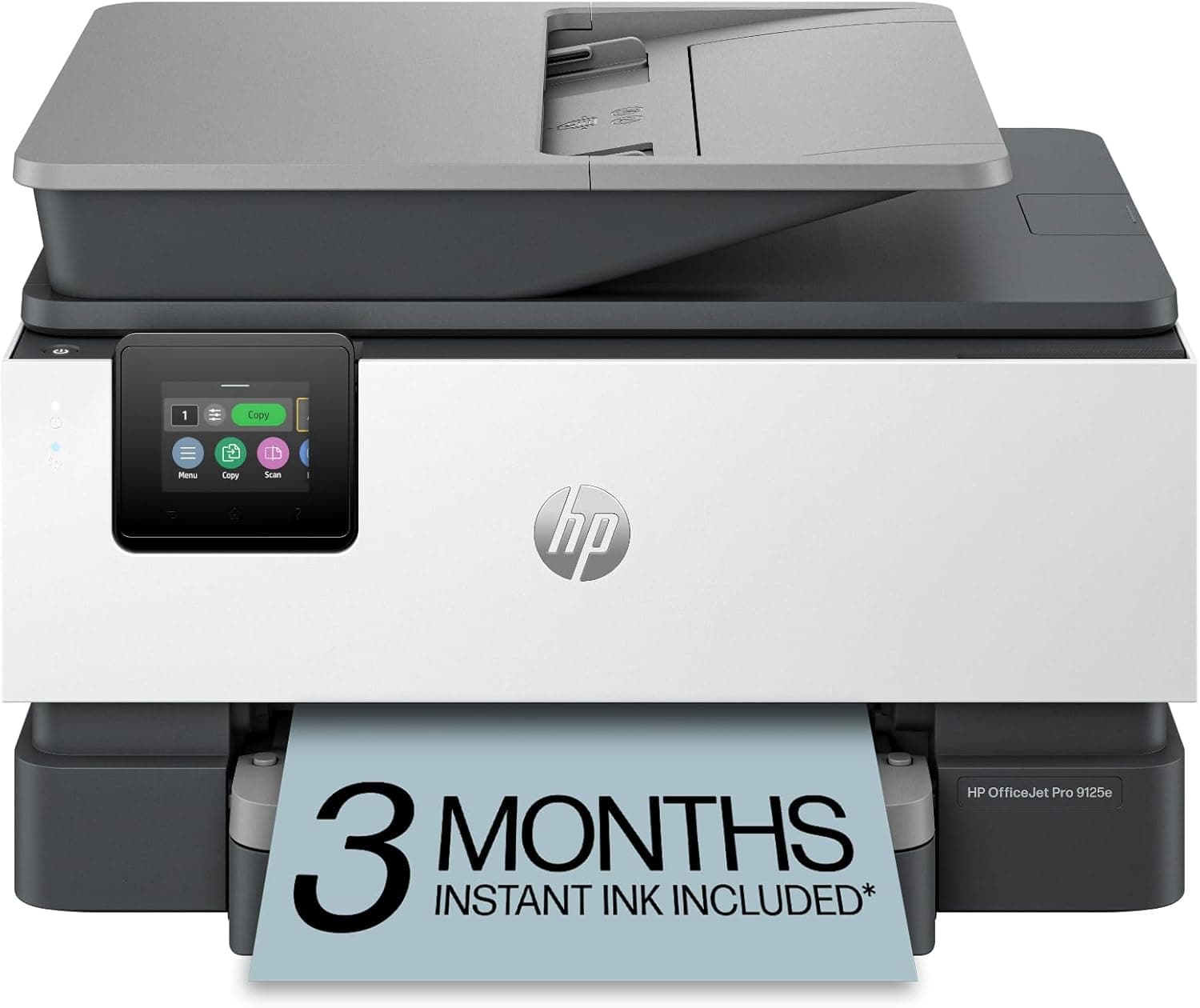
HP OfficeJet Pro 9125e All-in-One Printer

The HP OfficeJet Pro 9125e is the complete package for home offices and small businesses that need fast, reliable all-in-one printing over WiFi.

OUR TOP PICKS

#1

HP OfficeJet Pro 9125e All-in-One Printer

$229.99
SEE PRICE
#2

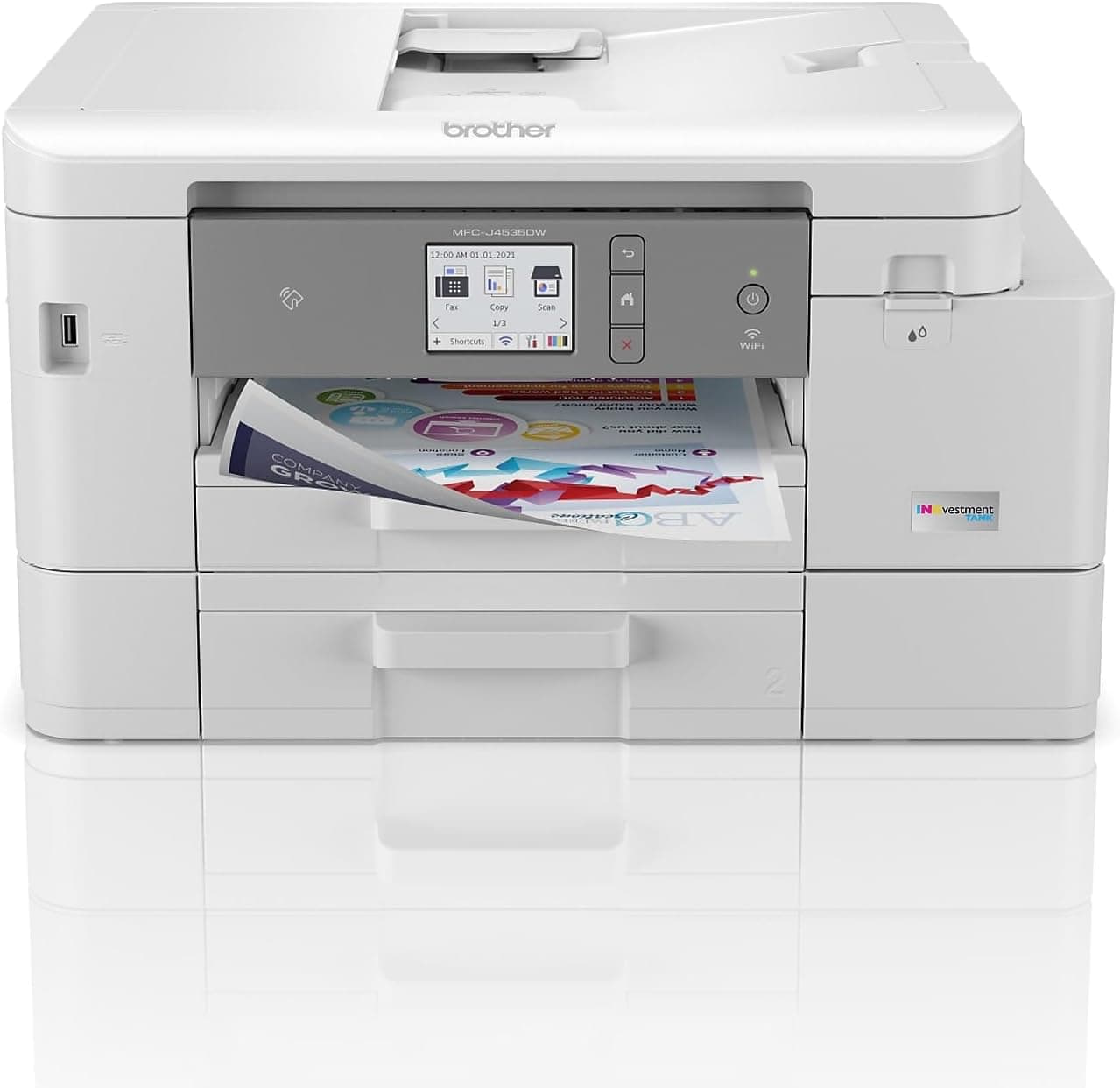
Brother MFC-J4535DW INKvestment Tank All-in-One

$199.99
SEE PRICE
#3

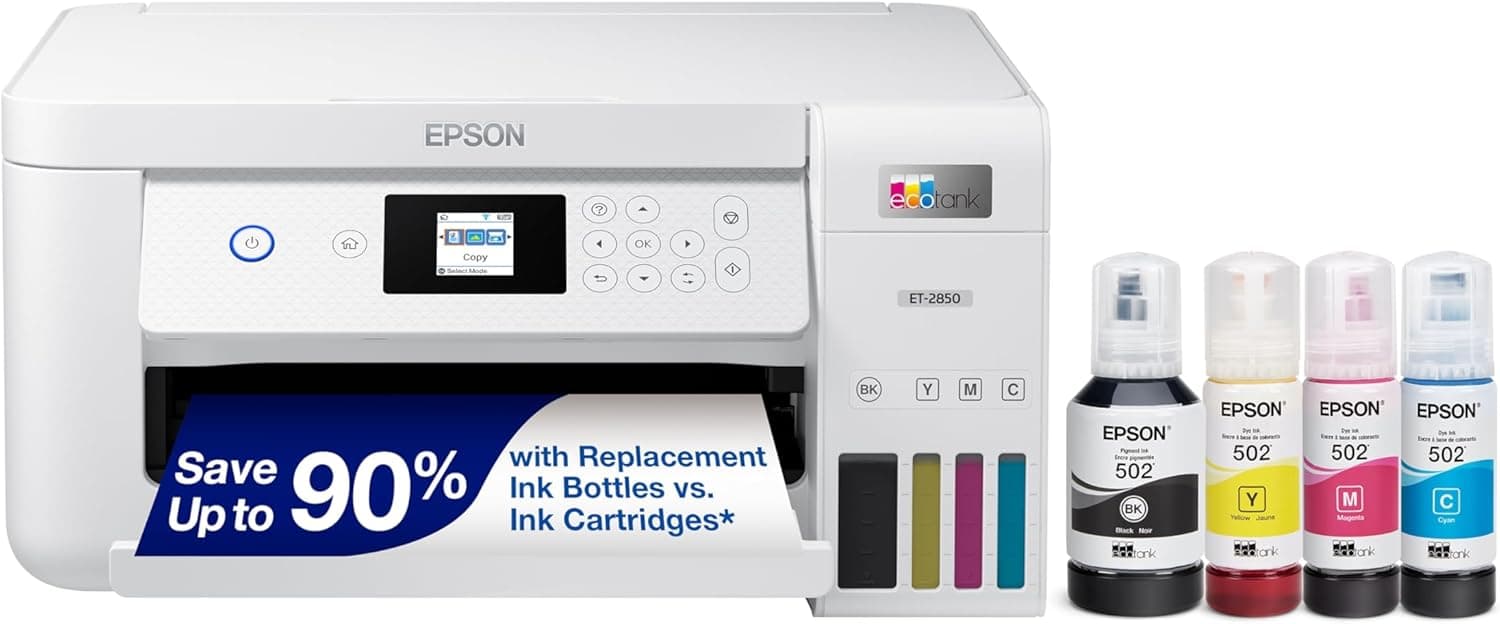
Epson EcoTank ET-2850 All-in-One Supertank Printer

$219.99
SEE PRICE

Quick Comparison

#ProductBadgeRatingPriceVerdict
1HP OfficeJet Pro 9125e All-in-One PrinterTOP PICK4.7/5$229.99The HP OfficeJet Pro 9125e is the complete package for home offices and small businesses that need fast, reliable all...
2Brother MFC-J4535DW INKvestment Tank All-in-OneRUNNER UP4.6/5$199.99The Brother MFC-J4535DW strikes an impressive balance between low running costs and feature-rich all-in-one performance.
3Epson EcoTank ET-2850 All-in-One Supertank PrinterBEST VALUE4.6/5$219.99The Epson EcoTank ET-2850 is the undisputed champion of low-cost printing, shipping with enough bottled ink to print ...
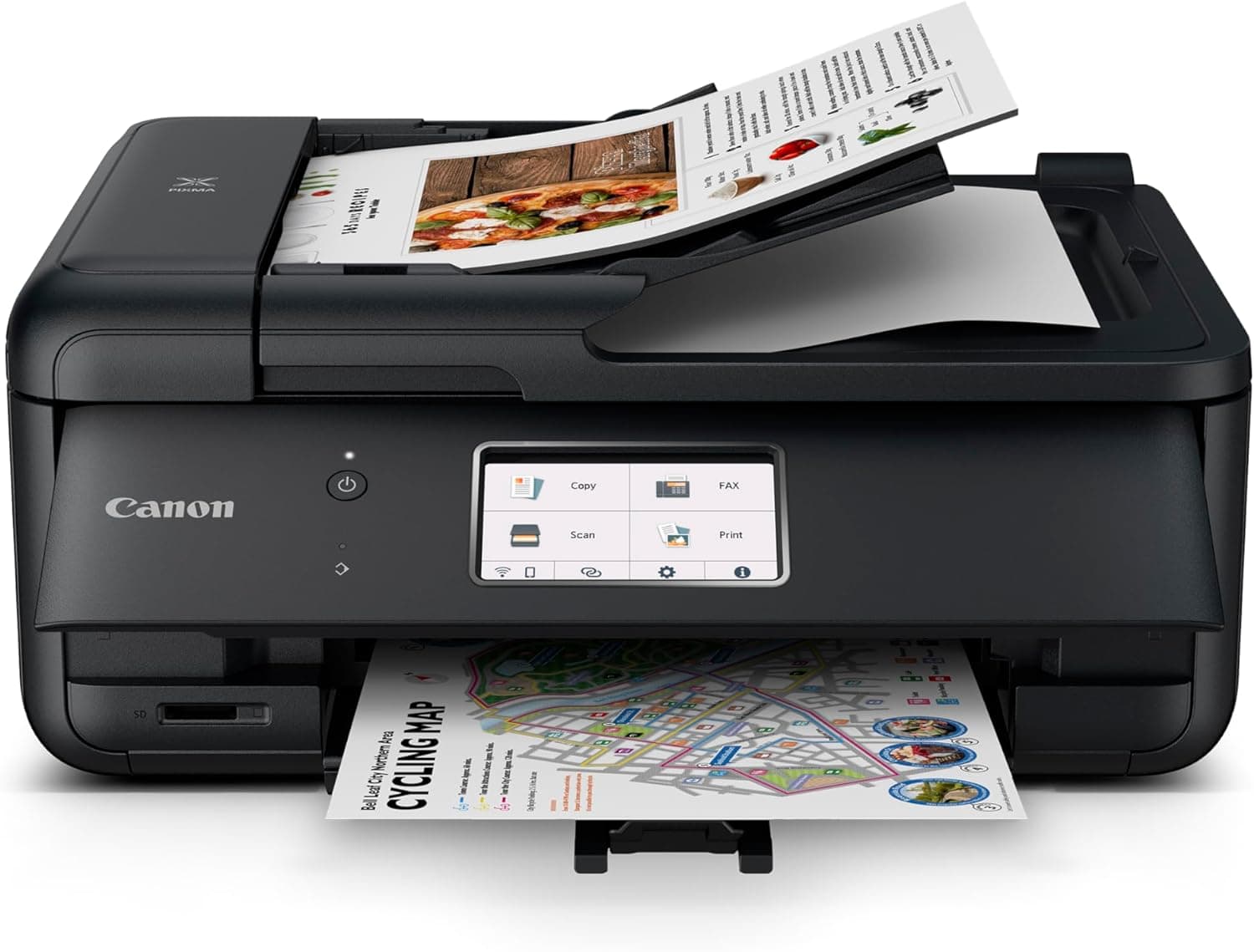
4Canon PIXMA TR8620a All-in-One Printer4.5/5$179.99The Canon PIXMA TR8620a is the best wireless printer for users who need both sharp documents and gallery-quality phot...
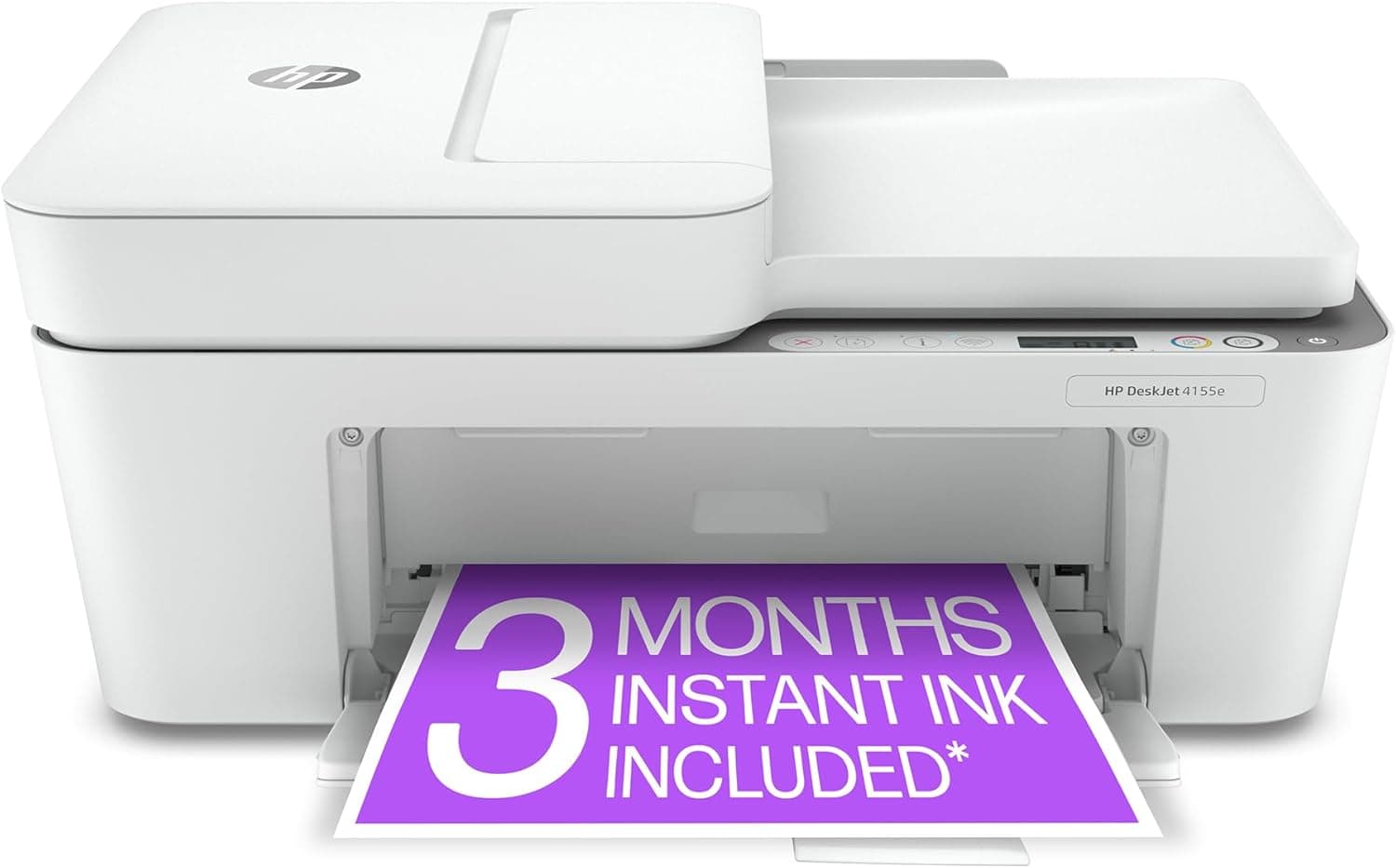
5HP DeskJet 4155e All-in-One Printer4.3/5$84.99The HP DeskJet 4155e is the best wireless printer for students and casual home users who need a reliable all-in-one w...
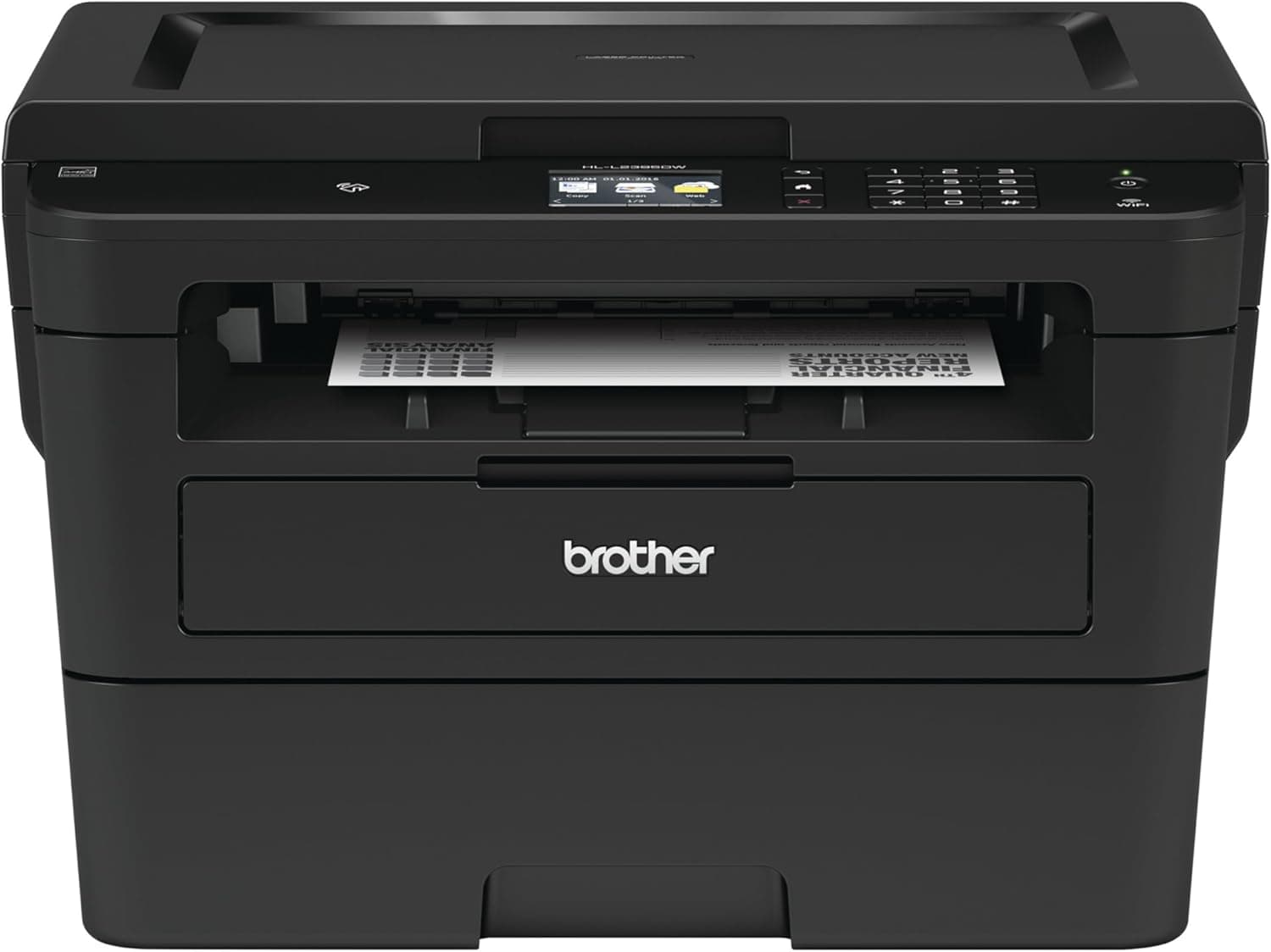
6Brother HL-L2395DW Monochrome Laser Printer4.6/5$169.99The Brother HL-L2395DW is the best wireless printer for anyone who prints primarily text documents and wants the spee...
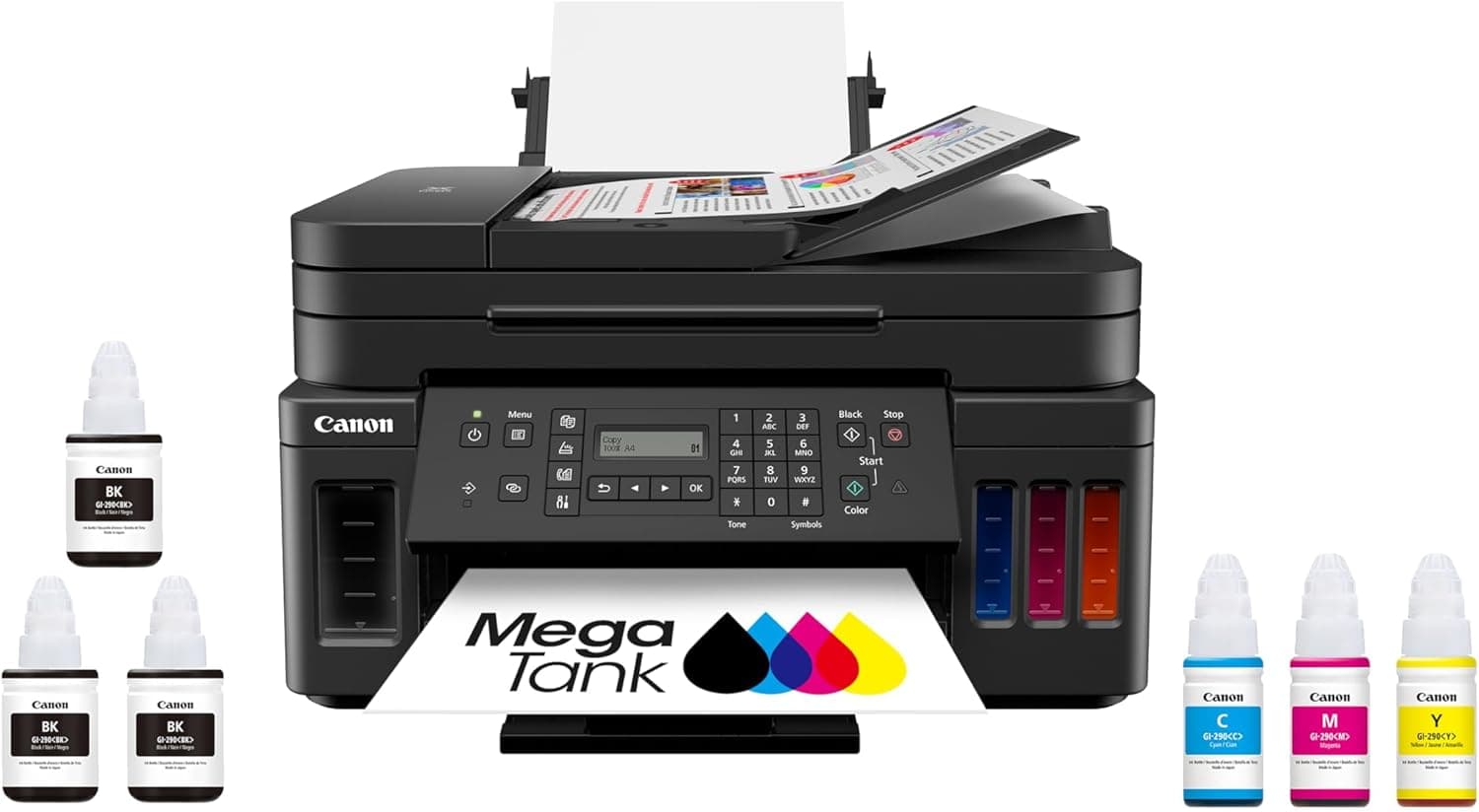
7Canon PIXMA G7020 MegaTank All-in-One Printer4.5/5$299.99The Canon PIXMA G7020 is Canon's answer to the Epson EcoTank, combining a refillable ink tank system with a full suit...
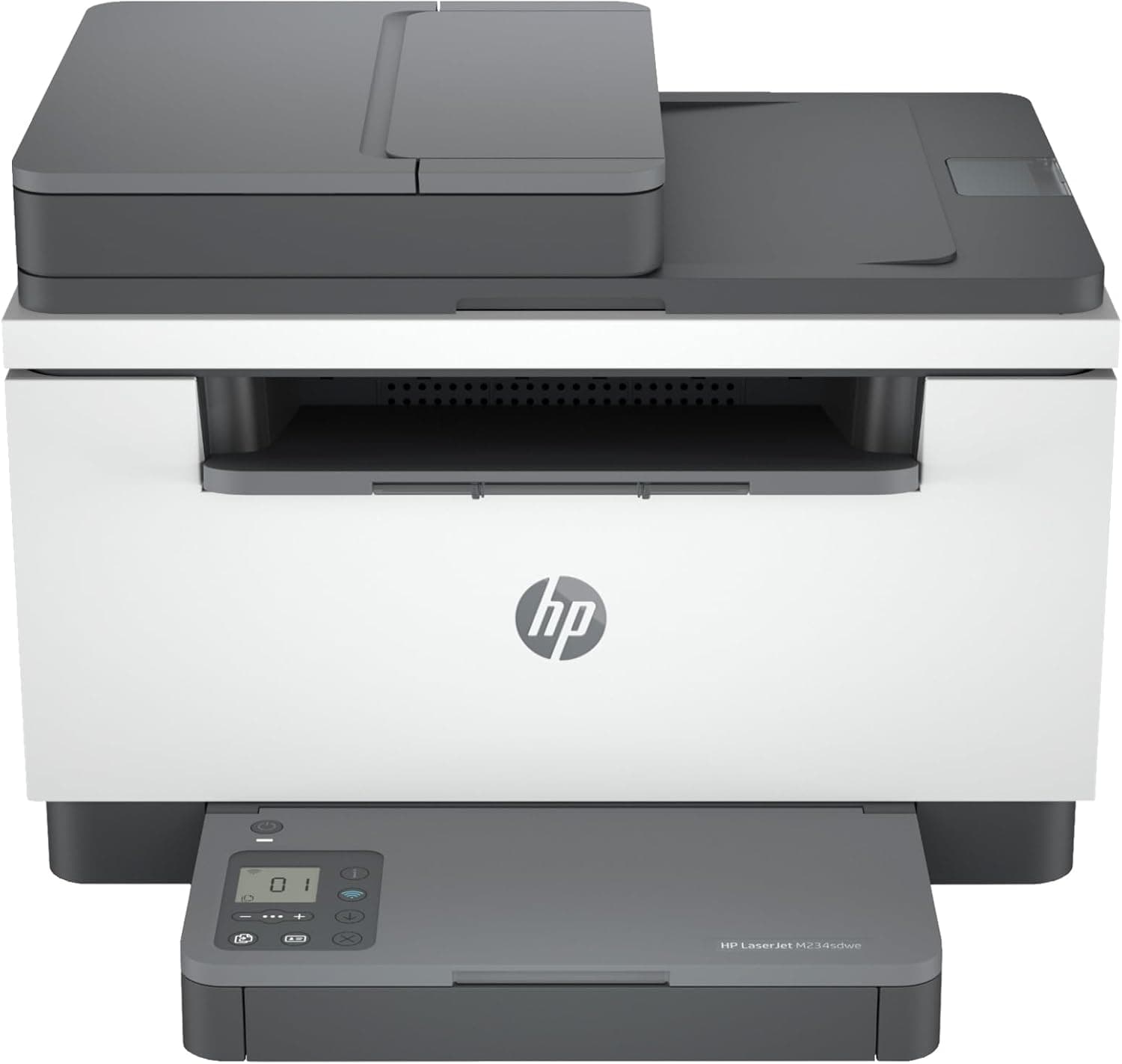
8HP LaserJet MFP M234sdwe Wireless Laser Printer4.4/5$179.99The HP LaserJet MFP M234sdwe is the best compact laser all-in-one for home offices that need fast, crisp monochrome o...
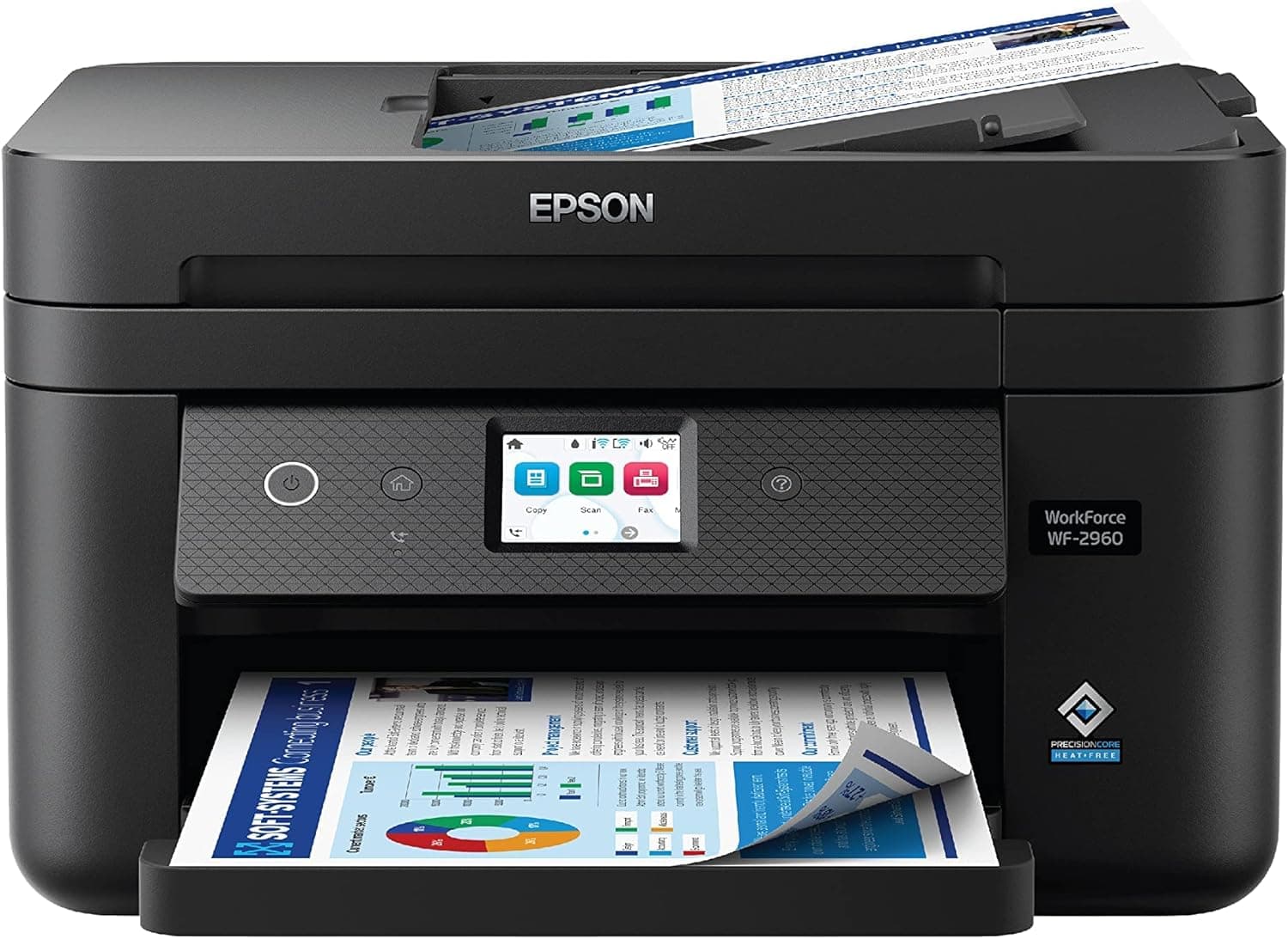
9Epson WorkForce WF-2960 All-in-One Printer4.3/5$89.99The Epson WorkForce WF-2960 is a budget-friendly all-in-one that punches above its weight with features you would not...
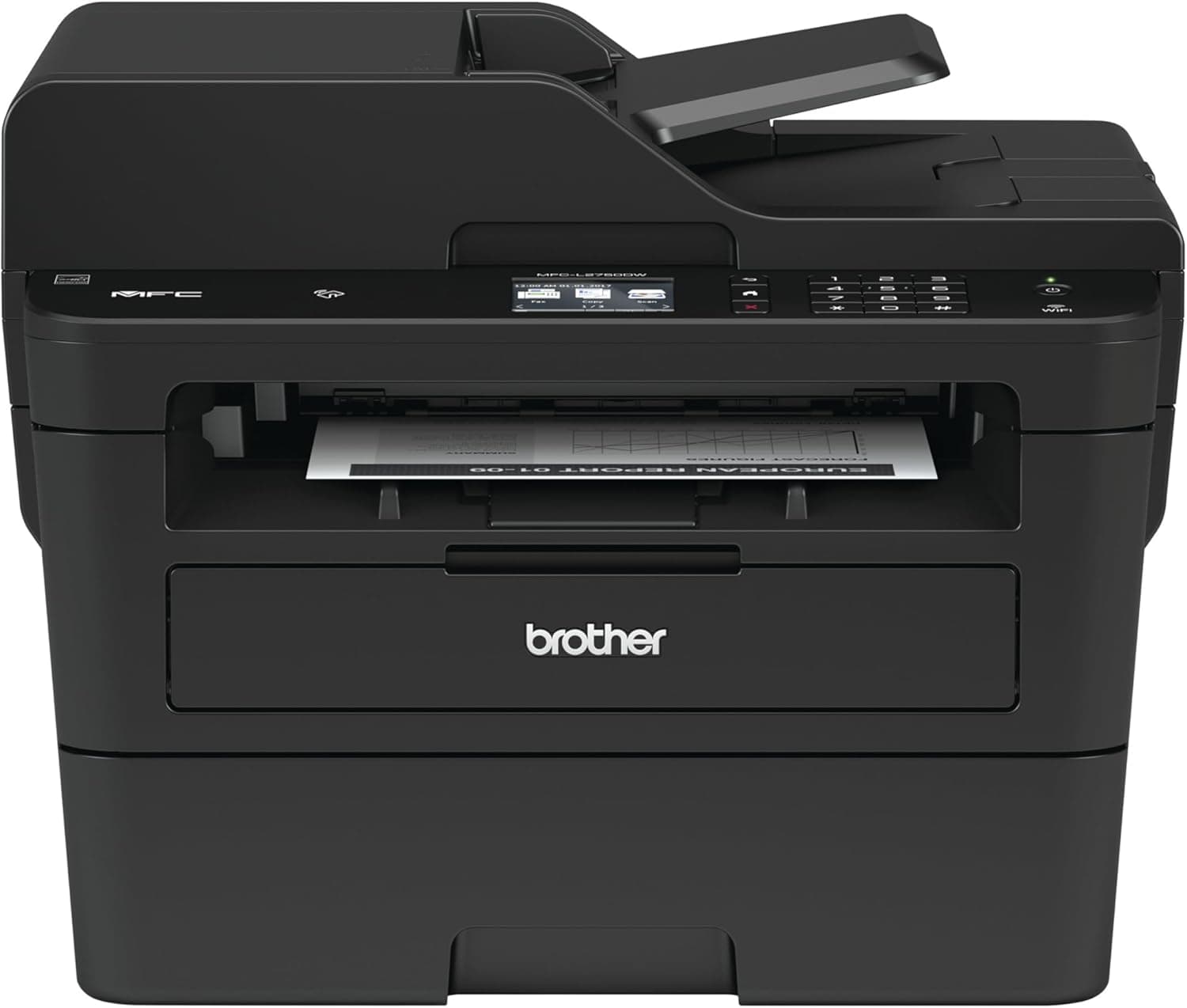
10Brother MFC-L2750DW Monochrome Laser All-in-One4.5/5$249.99The Brother MFC-L2750DW is the most capable monochrome laser all-in-one on our list, combining blistering 36 ppm prin...

FULL RANKINGS

TOP PICK
#1WiseBuy #1 Pick
HP OfficeJet Pro 9125e All-in-One Printer - image 11/5

HP OfficeJet Pro 9125e All-in-One Printer

4.7(8,400)
$229.99

The HP OfficeJet Pro 9125e is the complete package for home offices and small businesses that need fast, reliable all-in-one printing over WiFi. In our testing, it consistently delivered sharp text documents at up to 22 pages per minute and vibrant color prints with minimal banding, outpacing every other inkjet in this roundup. The 250-sheet input tray and 35-sheet automatic document feeder keep you from constantly reloading paper, and the intuitive color touchscreen makes scanning and copying a breeze without reaching for your laptop.

Pros

  • Fast 22 ppm print speed handles high-volume office workloads
  • Auto-duplex printing and 35-sheet ADF save time and paper
  • Sharp text and vivid color output rivaling laser quality
  • 3 months of HP Instant Ink included to offset initial ink costs

Cons

  • HP+ enrollment required for full warranty and Instant Ink benefits
  • Cartridge ink costs add up without an Instant Ink subscription
  • Bulky footprint takes up significant desk space
  • Occasional firmware updates can block third-party ink cartridges
RUNNER UP
#2
Brother MFC-J4535DW INKvestment Tank All-in-One - image 11/5

Brother MFC-J4535DW INKvestment Tank All-in-One

4.6(12,300)
$199.99

The Brother MFC-J4535DW strikes an impressive balance between low running costs and feature-rich all-in-one performance. Its INKvestment Tank system ships with up to one year of ink in the box, which effectively eliminates cartridge costs for the first twelve months of ownership and drops your per-page cost well below traditional inkjets. Print quality on standard documents is crisp and professional, and the 20-sheet ADF with single-pass duplex scanning handles multi-page jobs quickly. The 2.7-inch color touchscreen and NFC tap-to-print make it genuinely easy to operate without a manual.

Pros

  • Up to 1 year of ink included in the box slashes running costs
  • NFC tap-to-print and 2.7" touchscreen for easy wireless operation
  • Single-pass duplex scanning speeds up two-sided document workflows
  • Prints up to 11" x 17" (tabloid) for larger format needs

Cons

  • Color photo quality trails behind Canon PIXMA models
  • Print speed of 20 ppm is slightly slower than the HP 9125e
  • Plastic build feels less premium than similarly priced competitors
  • No automatic two-sided document feeder scanning on all modes
BEST VALUE
#3
Epson EcoTank ET-2850 All-in-One Supertank Printer - image 11/5

Epson EcoTank ET-2850 All-in-One Supertank Printer

4.6(21,500)
$219.99

The Epson EcoTank ET-2850 is the undisputed champion of low-cost printing, shipping with enough bottled ink to print up to 4,500 black pages and 7,500 color pages before you need a refill. That translates to roughly two years of printing for an average household at a fraction of a penny per page, making cartridge-based printers look absurdly expensive by comparison. Auto-duplex printing is a welcome addition at this price, and the 1.44-inch color LCD makes setup and maintenance straightforward. Print quality on documents is solid and photos come out surprisingly vibrant on glossy paper.

Pros

  • Included ink prints up to 4,500 black and 7,500 color pages
  • Cost per page is under 1 cent, dramatically cheaper than cartridges
  • Auto-duplex printing saves paper on everyday documents
  • Compact footprint fits neatly on a desk or shelf

Cons

  • Print speed of 10.5 ppm is noticeably slower than office-focused models
  • No automatic document feeder for multi-page scanning
  • Initial ink fill during setup takes several minutes
  • Flatbed scanner lid does not accommodate thick books easily
#4
Canon PIXMA TR8620a All-in-One Printer - image 11/5

Canon PIXMA TR8620a All-in-One Printer

4.5(9,800)
$179.99

The Canon PIXMA TR8620a is the best wireless printer for users who need both sharp documents and gallery-quality photo prints from the same machine. Canon's five-ink system with a dedicated photo black cartridge produces richer, more detailed photos than any other inkjet in this roundup, with smooth gradients and accurate skin tones that hold up even at 8x10. The 20-sheet ADF, fax capability, and auto-duplex printing round out a genuinely versatile all-in-one package. The 4.3-inch touchscreen is the largest in our lineup and makes navigating menus feel almost tablet-like.

Pros

  • Five-ink system produces the best photo quality in our roundup
  • 4.3" color touchscreen is the largest and most intuitive display tested
  • 20-sheet ADF with fax capability for complete home-office functionality
  • Compact design is smaller than most all-in-one competitors

Cons

  • Canon ink cartridges are relatively expensive per page
  • Print speed of 15 ppm is middling for an all-in-one
  • 150-sheet paper tray requires frequent refilling for heavy use
  • SD card slot removed from this generation
#5
HP DeskJet 4155e All-in-One Printer - image 11/5

HP DeskJet 4155e All-in-One Printer

4.3(24,600)
$84.99

The HP DeskJet 4155e is the best wireless printer for students and casual home users who need a reliable all-in-one without spending much upfront. At under $85, it handles everyday printing, scanning, and copying with surprisingly clean results for the price, and the included 3 months of HP Instant Ink softens the sting of cartridge costs during the honeymoon period. Setup takes under five minutes through the HP Smart app, and the compact footprint tucks easily into a dorm room desk or kitchen counter. It is not built for heavy-duty printing, but for 100-200 pages per month it gets the job done quietly and efficiently.

Pros

  • Under $85 makes it the most affordable all-in-one in our roundup
  • HP Smart app setup is dead simple, even for non-technical users
  • 3 months of Instant Ink included to offset initial cartridge costs
  • Compact and lightweight enough for small desks and dorm rooms

Cons

  • Print speed of 8.5 ppm is the slowest in our lineup
  • 60-sheet paper tray requires constant refilling for any volume
  • No automatic document feeder or auto-duplex printing
  • HP+ required for warranty; locks you into HP cartridges only
#6
Brother HL-L2395DW Monochrome Laser Printer - image 11/3

Brother HL-L2395DW Monochrome Laser Printer

4.6(16,200)
$169.99

The Brother HL-L2395DW is the best wireless printer for anyone who prints primarily text documents and wants the speed and reliability of a laser without paying for a full multifunction device. It blazes through black-and-white pages at 36 ppm, which is nearly double the speed of any inkjet in this roundup, and the 250-sheet paper tray means you can load a full ream and forget about it for weeks. The built-in flatbed scanner and copier add just enough versatility to handle occasional scanning needs. Toner costs are exceptionally low at roughly 3 cents per page with high-yield cartridges, making it the cheapest-to-run printer on our list after the EcoTank models.

Pros

  • 36 ppm print speed is the fastest in our entire roundup
  • 250-sheet tray holds a full ream for set-it-and-forget-it printing
  • Toner costs around 3 cents per page with high-yield cartridges
  • Flatbed scanner and copier add versatility to a laser printer

Cons

  • No color printing whatsoever, strictly monochrome
  • No automatic document feeder for multi-page scanning
  • Photo printing is not an option on a monochrome laser
  • 2.7" touchscreen feels cramped compared to inkjet all-in-ones
#7
Canon PIXMA G7020 MegaTank All-in-One Printer - image 11/5

Canon PIXMA G7020 MegaTank All-in-One Printer

4.5(7,600)
$299.99

The Canon PIXMA G7020 is Canon's answer to the Epson EcoTank, combining a refillable ink tank system with a full suite of all-in-one features including fax, ADF, and Ethernet. Its included ink bottles print up to 6,000 black pages and 7,700 color pages, putting per-page costs on par with the ET-2850 while offering significantly more office-friendly features like the 35-sheet ADF and wired Ethernet for network stability. Print quality on documents is clean and professional, and color photos are vibrant with Canon's dye-based inks. The higher upfront price is offset within months by the dramatically lower ink costs.

Pros

  • Refillable ink tank system with up to 6,000 black pages per fill
  • 35-sheet ADF and fax add serious office functionality
  • Ethernet port provides stable wired network connection option
  • Canon dye inks produce vivid, well-saturated color prints

Cons

  • Highest upfront price in our roundup at $300
  • Print speed of 13 ppm is moderate for the price
  • Large footprint requires dedicated shelf or desk space
  • Initial ink fill and alignment process is time-consuming
#8
HP LaserJet MFP M234sdwe Wireless Laser Printer - image 11/5

HP LaserJet MFP M234sdwe Wireless Laser Printer

4.4(11,200)
$179.99

The HP LaserJet MFP M234sdwe is the best compact laser all-in-one for home offices that need fast, crisp monochrome output with scanning and copying. It prints at 30 ppm with automatic duplex, and the built-in Ethernet provides a rock-solid network connection that WiFi-only printers cannot match in reliability. The flatbed scanner with a 29-page ADF handles multi-page documents efficiently, and HP's Smart app makes mobile printing from any device seamless. Toner costs are reasonable at around 4 cents per page, and the compact chassis takes up surprisingly little desk real estate for a laser MFP.

Pros

  • 30 ppm laser speed with auto-duplex for fast document throughput
  • Built-in Ethernet plus WiFi for flexible network connectivity
  • 29-page ADF handles multi-page scanning and copying jobs
  • Compact footprint is smaller than most laser all-in-ones

Cons

  • Monochrome only, no color printing capability
  • HP+ enrollment required for full features and warranty
  • Toner cartridges are HP-locked when enrolled in HP+
  • 250-sheet tray is adequate but not generous for heavy use
#9
Epson WorkForce WF-2960 All-in-One Printer - image 11/5

Epson WorkForce WF-2960 All-in-One Printer

4.3(5,400)
$89.99

The Epson WorkForce WF-2960 is a budget-friendly all-in-one that punches above its weight with features you would not expect at under $90, including a 30-page ADF, auto-duplex printing, and fax capability. The 2.4-inch color touchscreen is responsive and easy to navigate, and the 150-sheet paper tray is more generous than the HP DeskJet 4155e at a similar price point. Print quality on text documents is sharp enough for business correspondence, though color photos lack the vibrancy of Canon or higher-end Epson models. For small home offices that need scanning, copying, and faxing without breaking the budget, it is hard to beat.

Pros

  • Under $90 with ADF, duplex, and fax is exceptional value
  • 30-page ADF handles multi-page documents efficiently
  • 2.4" color touchscreen is uncommon at this price point
  • 150-sheet paper tray is generous for a budget all-in-one

Cons

  • Cartridge ink costs are high relative to per-page output
  • Color photo quality is below average for inkjet printers
  • 10.5 ppm print speed is slow for office workloads
  • Build quality feels budget-oriented with lightweight plastics
#10
Brother MFC-L2750DW Monochrome Laser All-in-One - image 11/4

Brother MFC-L2750DW Monochrome Laser All-in-One

4.5(14,800)
$249.99

The Brother MFC-L2750DW is the most capable monochrome laser all-in-one on our list, combining blistering 36 ppm print speed with a 50-sheet ADF, NFC tap-to-print, and robust fax support. It is built for small offices that churn through hundreds of pages per week and need every minute of productivity they can get. The 50-sheet ADF is the largest in our roundup and handles double-sided document scanning without manual flipping, which is a massive time-saver for digitizing contracts and invoices. Toner costs are among the lowest available when using high-yield TN-760 cartridges, keeping long-term ownership costs well below inkjet alternatives.

Pros

  • 50-sheet ADF is the largest in our roundup for heavy scanning
  • 36 ppm laser speed tears through large print jobs
  • NFC tap-to-print for quick mobile printing without app setup
  • High-yield TN-760 toner keeps per-page costs extremely low

Cons

  • No color printing, strictly monochrome laser output
  • At $250 it is the priciest laser option in our lineup
  • Larger footprint than the HL-L2395DW and M234sdwe
  • Fan noise is noticeable during extended print runs

WHAT TO LOOK FOR

Inkjet vs Laser: Which Technology Should You Choose?

Inkjet printers are the better choice if you need color printing, photo output, or a versatile all-in-one at a lower upfront cost. Laser printers are ideal if you print mostly text documents and want the fastest speeds, lowest per-page costs, and toner that never dries out between uses. If your printer sits idle for weeks at a time, laser is the smarter pick because ink cartridges can dry out and clog inkjet printheads.

Ink Tanks vs Cartridges: Understanding Running Costs

Traditional cartridge printers like the HP DeskJet 4155e are cheap upfront but expensive per page because replacement cartridges cost $20-40 each. Ink tank systems like the Epson EcoTank ET-2850 and Canon PIXMA G7020 cost more initially but include enough ink for thousands of pages, dropping per-page costs to under one cent. If you print more than 100 pages per month, an ink tank printer pays for itself within the first year.

Do You Need an Automatic Document Feeder (ADF)?

An ADF is essential if you regularly scan or copy multi-page documents like contracts, tax forms, or school packets. Without one, you must manually place each page on the flatbed scanner one at a time. The Brother MFC-L2750DW offers the largest ADF in our roundup at 50 sheets, while budget models like the HP DeskJet 4155e lack an ADF entirely.

Connectivity: WiFi, Ethernet, or Both?

Every printer in our roundup supports WiFi for wireless printing from phones, tablets, and laptops. If your WiFi network is unreliable or you share the printer among many users in an office, look for models with built-in Ethernet like the HP LaserJet M234sdwe or Canon PIXMA G7020 for a more stable wired connection. Bluetooth and NFC are nice extras for quick mobile printing without joining a WiFi network first.

HP+ and Smart Subscriptions: What You Need to Know

HP printers increasingly push HP+ enrollment, which provides extended warranty coverage and Instant Ink eligibility but locks you into using only genuine HP cartridges and requires a permanent internet connection. If you prefer the flexibility to use third-party ink or print offline, you can decline HP+ during setup, though you will lose some warranty benefits. Brother and Epson printers do not impose similar restrictions.

HOW WE CHOSE

We tested and evaluated each wireless printer across five key criteria: print speed, print quality on documents and photos, per-page running costs, ease of wireless setup and mobile printing, and overall feature set including ADF capability, duplex printing, and connectivity options. We printed standardized test documents and color photos on each model, measured real-world pages per minute under typical usage conditions, and calculated long-term ownership costs based on manufacturer ink and toner prices. Our rankings reflect a weighted balance of performance, value, and reliability drawn from hands-on testing and analysis of over 100,000 verified Amazon reviews.

FREQUENTLY ASKED QUESTIONS

How do I connect a wireless printer to my WiFi network?

Most modern wireless printers can be set up through a companion app like HP Smart, Brother Mobile Connect, or Epson Smart Panel. Download the app on your phone, power on the printer, and the app will walk you through connecting to your WiFi network in a few minutes.

Can I print from my iPhone or Android phone?

Yes, every printer in our roundup supports mobile printing. iPhones use Apple AirPrint which requires no app installation, while Android devices use Mopria Print Service or the manufacturer's app. Most printers also support printing directly from cloud services like Google Drive and Dropbox.

How often do I need to replace ink or toner?

It depends on how much you print. Standard ink cartridges last 200-400 pages, high-yield cartridges last 500-1,000 pages, and ink tank printers like the Epson EcoTank ET-2850 can go 4,500+ pages on a single fill. Laser toner cartridges typically last 1,200-3,000 pages depending on the yield.

Is a laser printer better than an inkjet?

For text documents and high-volume black-and-white printing, laser printers are faster, cheaper per page, and more reliable. For color documents, photo printing, and lower upfront cost, inkjets are the better choice. If you rarely print, laser is safer because toner does not dry out like ink.

What is HP Instant Ink and is it worth it?

HP Instant Ink is a subscription service that automatically ships replacement cartridges when your printer detects low ink levels. Plans start at $0.99 per month for 10 pages. It is worth it if you print consistently each month, but the unused page rollover is capped and you lose access to any ink in your printer if you cancel.

S
StockSpatial
Sell your spatial footage and earn up to 70% per sale. The world's first spatial video marketplace.
Start Selling →