TECH TECH & GADGETS

10 Best Photo Printers of 2026

From compact portable dye-sub printers to wide-format inkjets for gallery-quality prints, we reviewed the top photo printers of 2026. Whether you want instant 4x6 prints at a party or museum-grade enlargements for your studio, these are the photo printers that deliver the best color accuracy, print quality, and value.

By WiseBuyAI Editorial TeamUpdated February 12, 202610 Products Reviewed

OUR TOP PICKS

#1

Canon SELPHY CP1500

$129.99
SEE PRICE
#2

Epson EcoTank Photo ET-8550

$549.99
SEE PRICE
#3

Canon PIXMA G620 MegaTank

$279.99
SEE PRICE

FULL RANKINGS

BEST OVERALL
#1WiseBuy #1 Pick
Canon SELPHY CP1500

Canon SELPHY CP1500

4.6(11,200)
$129.99

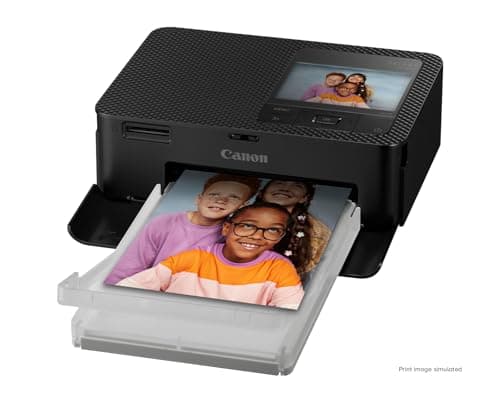
The Canon SELPHY CP1500 is the undisputed champion of compact photo printing, delivering lab-quality 4x6 dye-sublimation prints with vibrant colors and a protective overcoat that resists fading for up to 100 years. Setup is effortless via Wi-Fi or USB, and the 3.5-inch tilt-up LCD screen lets you preview and edit photos directly on the printer. At under $130, it hits the sweet spot between print quality and affordability that no competitor matches.

Pros

  • Dye-sublimation technology produces rich, true-to-life colors with smooth gradients — no visible dots
  • Protective overcoat layer makes prints water-resistant and fade-resistant for up to 100 years
  • 3.5-inch tilt-up LCD screen enables preview, crop, and filter adjustments without a phone
  • Prints a borderless 4x6 photo in approximately 47 seconds
  • Wi-Fi, USB, and SD card connectivity covers every input method you'd need

Cons

  • Limited to 4x6 and smaller print sizes — no 5x7 or 8x10 option
  • Ink and paper cassettes are proprietary, running about $0.33 per print
  • Optional battery pack for portable use costs an additional $90
BEST VALUE
#2
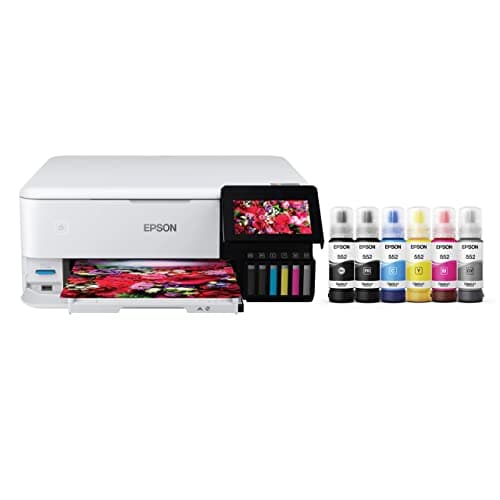
Epson EcoTank Photo ET-8550

Epson EcoTank Photo ET-8550

4.5(5,800)
$549.99

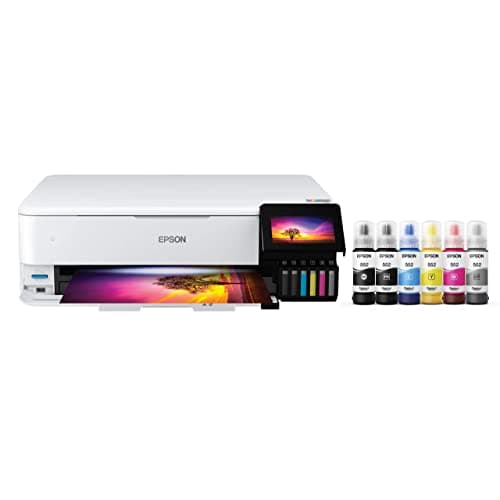
The Epson ET-8550 has a high upfront cost, but its refillable ink tank system slashes the per-print cost to just pennies — making it the most economical choice for anyone who prints photos regularly. It handles everything from 4x6 snapshots to stunning 13x19 borderless prints using a 6-color Claria ET Premium ink set that rivals professional lab output. The 4.3-inch touchscreen and wireless connectivity make it surprisingly user-friendly for such a capable machine.

Pros

  • Supertank ink system delivers thousands of prints before refills — lowest cost per print of any photo printer
  • 6-color Claria ET Premium inks produce exceptional color accuracy and smooth skin tones
  • Wide-format capability prints borderless up to 13x19 inches for gallery-worthy enlargements
  • All-in-one with scanner and copier adds everyday utility beyond photo printing
  • 4.3-inch color touchscreen and dual-tray paper handling streamline the workflow

Cons

  • High upfront price of $550 requires significant print volume to justify the investment
  • Large footprint takes up considerable desk space compared to compact alternatives
  • Occasional printhead maintenance required if the printer sits idle for extended periods
  • Initial ink setup consumes a portion of the first ink fill
EDITOR'S PICK
#3
Canon PIXMA G620 MegaTank

Canon PIXMA G620 MegaTank

4.5(4,200)
$279.99

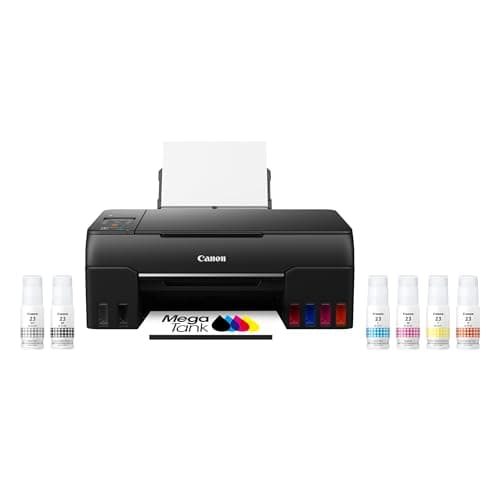
The Canon PIXMA G620 occupies a brilliant middle ground between the budget-friendly SELPHY and the professional ET-8550. Its 6-color dye-based ink system with refillable MegaTank reservoirs can print up to 3,800 4x6 photos on a single set of ink bottles — an absurd value proposition. Print quality is excellent for snapshots and 8x10 enlargements alike, with accurate skin tones and vivid colors that hold up against lab prints.

Pros

  • MegaTank system prints up to 3,800 4x6 photos per ink set — extraordinary per-print economy
  • 6-color dye-based ink produces vibrant, photo-lab-quality output with accurate color reproduction
  • All-in-one design includes scanner and copier for everyday document needs
  • Wireless and Alexa-compatible for convenient printing from any device in your home
  • Significantly lower upfront cost than the Epson ET-8550 while delivering comparable photo quality

Cons

  • Maximum print size of 8.5x11 inches — no wide-format capability
  • Slower print speeds compared to laser or dye-sublimation alternatives
  • Ink tanks need careful refilling to avoid spills — not as clean as cartridge systems
  • Lacks the fine-art paper handling and ICC profiling of dedicated photo printers
#4
Canon SELPHY QX20

Canon SELPHY QX20

4.5(2,900)
$149.99

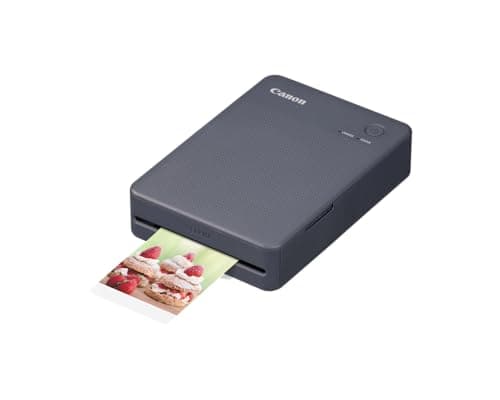
The SELPHY QX20 is Canon's pocket-sized dye-sub printer designed for spontaneous printing at parties, weddings, and events. It runs on a built-in rechargeable battery and connects via Bluetooth, so you can hand it around a table and let guests print their favorite photos as stickers or cards. The print quality is remarkably sharp for its tiny 2.1x3.4-inch output, with the same dye-sub overcoat technology that makes the CP1500's prints so durable.

Pros

  • Built-in rechargeable battery enables fully wireless, portable printing anywhere
  • Dye-sublimation prints are smudge-proof, water-resistant, and vibrant
  • Prints adhesive-backed sticker photos — perfect for journals, gifts, and decoration
  • Canon SELPHY Photo Layout app offers templates, filters, and collage options
  • Compact enough to slip into a jacket pocket or small purse

Cons

  • Small 2.1x3.4-inch print size limits its use to stickers and card-size photos
  • Proprietary ink and paper cartridges cost roughly $0.50 per print
  • Bluetooth-only connectivity — no Wi-Fi or USB printing option
  • Battery life covers approximately 20 prints per charge
#5
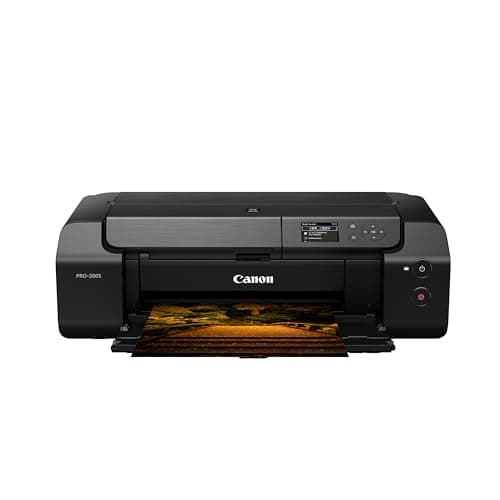
Canon PIXMA PRO-200

Canon PIXMA PRO-200

4.6(3,100)
$449.00

The PIXMA PRO-200 is Canon's dedicated photo printer for serious photographers who demand gallery-quality output. Its 8-color dye-based ink system produces breathtaking color accuracy with silky-smooth gradients that reveal every nuance in shadow and highlight detail. It handles everything from glossy snapshots to fine-art matte prints up to 13x19 inches, and the Professional Print & Layout software provides precise ICC color management for exacting work.

Pros

  • 8-color ChromaLife 100+ dye ink system delivers exceptional color range and smooth tonal transitions
  • Borderless printing up to 13x19 inches for exhibition-quality enlargements
  • Professional Print & Layout software with ICC profiling for precise color management
  • Handles a wide range of media including glossy, matte, fine art, and canvas papers
  • Significantly faster than pigment-based alternatives — prints a 13x19 in about 90 seconds

Cons

  • Dye-based inks are less archival than pigment inks — prints may fade faster in direct sunlight
  • Individual ink cartridges are expensive and deplete quickly during heavy printing
  • Large printer requires significant dedicated desk or shelf space
  • No scanner or copier — it's a single-function printer only
#6
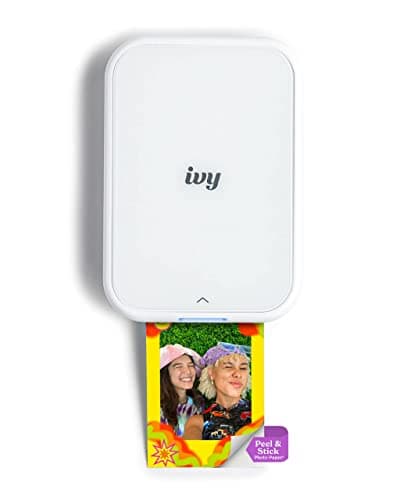
Canon IVY 2 Mini Photo Printer

Canon IVY 2 Mini Photo Printer

4.2(7,800)
$99.99

The Canon IVY 2 is the fun, ultra-portable option for anyone who wants instant photo stickers without fussing over print quality perfection. Using ZINK zero-ink technology, it produces 2x3-inch adhesive-backed prints directly from your phone via Bluetooth. The Canon Mini Print app includes AR effects, frames, and filters that make it a hit at social gatherings. Print quality is decent for casual use, though it can't match dye-sublimation output for color accuracy.

Pros

  • ZINK zero-ink technology means no ink cartridges to buy or replace — ever
  • Peel-and-stick adhesive backing turns every print into a ready-made sticker
  • Ultra-compact design fits in a pocket and weighs just 6 ounces
  • Canon Mini Print app offers AR effects, frames, filters, and collage templates
  • Affordable entry point for casual instant printing

Cons

  • ZINK print quality is noticeably below dye-sublimation — colors can appear washed out
  • Prints can fade over time, especially in direct sunlight or humid conditions
  • Small 2x3-inch print size is limiting for anything beyond stickers and scrapbooking
  • ZINK paper costs add up at roughly $0.50 per sheet
BEST PREMIUM
#7
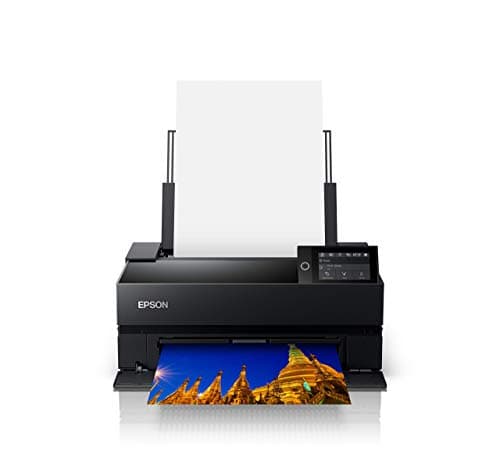
Epson SureColor P700

Epson SureColor P700

4.7(2,400)
$649.99

The Epson SureColor P700 is the professional's choice for gallery-quality prints that will last a lifetime. Its 10-color UltraChrome Pro10 pigment ink set produces an incredibly wide color gamut with deep blacks and nuanced shadow detail that dye-based printers simply cannot match. Prints are archival-grade, resisting fading for over 200 years on select media. If you're selling prints, entering competitions, or building a portfolio, the P700 is the standard-bearer.

Pros

  • 10-color UltraChrome Pro10 pigment inks deliver the widest color gamut in its class
  • Archival-grade prints last 200+ years on select papers — true museum quality
  • Borderless printing up to 13 inches wide on roll or sheet media
  • Advanced Black and White mode produces stunning monochrome prints with zero color cast
  • Front and rear feed paths handle everything from photo paper to 1.3mm-thick board

Cons

  • Premium price of $650 positions it firmly in the professional and enthusiast market
  • Individual ink cartridges are expensive, and 10 of them adds up fast
  • Requires regular use to prevent pigment ink from clogging the printhead
  • Large and heavy — needs a dedicated workspace
#8
Epson EcoTank Photo ET-8500

Epson EcoTank Photo ET-8500

4.4(4,500)
$449.99

The ET-8500 is the more affordable sibling of the ET-8550, sacrificing wide-format printing to save $100 while keeping the same excellent 6-color Claria ET Premium ink system. It maxes out at 8.5x11-inch prints, which covers the vast majority of home photo printing needs. The Supertank system delivers the same extraordinary per-print economy, and the all-in-one design with scanner, copier, and 4.3-inch touchscreen makes it a workhorse for families who print everything from school projects to vacation photos.

Pros

  • Same excellent 6-color ink system as the ET-8550 at $100 less
  • Supertank design slashes per-print costs to pennies — ideal for high-volume printing
  • All-in-one scanner, copier, and printer handles every home office task
  • 4.3-inch color touchscreen simplifies setup and everyday operation
  • Wireless and Ethernet connectivity supports printing from any device on your network

Cons

  • Maximum print size of 8.5x11 inches — no wide-format or 13x19 capability
  • Still a significant upfront investment at $450
  • Bulky footprint requires dedicated space on a desk or shelf
  • Print speeds for high-quality photos are slower than dedicated dye-sub printers
#9
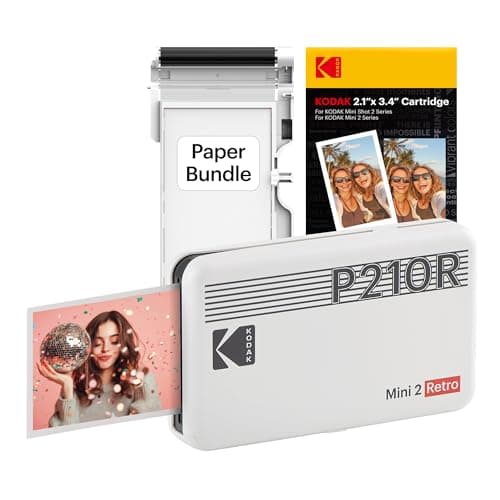
Kodak Mini 2 Retro

Kodak Mini 2 Retro

4.3(9,500)
$69.99

The Kodak Mini 2 Retro brings nostalgic charm and surprisingly solid print quality at a budget price point. Using Kodak's proprietary 4PASS dye-sublimation technology, it produces 2.1x3.4-inch prints with richer color saturation and better durability than competing ZINK-based printers. The retro-inspired design is eye-catching, and the companion app offers a good selection of editing tools, borders, and filters. For casual instant printing on a budget, it punches above its price.

Pros

  • 4PASS dye-sublimation technology delivers noticeably better prints than ZINK alternatives
  • Laminated output is water-resistant, smudge-proof, and fade-resistant
  • Under $70 makes it one of the most affordable portable photo printers available
  • Retro-inspired design and multiple color options add personality
  • Bluetooth connectivity and intuitive app work seamlessly with iOS and Android

Cons

  • Small 2.1x3.4-inch print size limits use cases to wallet photos and stickers
  • Proprietary cartridge system means you're locked into Kodak's paper and ink supply
  • Print speed is slower than ZINK printers at roughly 60 seconds per photo
  • Battery life is limited to approximately 20 prints per charge
#10
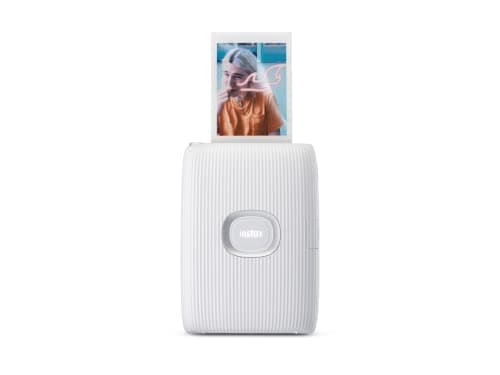
Fujifilm Instax Mini Link 2

Fujifilm Instax Mini Link 2

4.5(6,200)
$99.95

The Instax Mini Link 2 is the only printer on this list that uses real Instax instant film, giving prints that distinctive analog look with rich, warm tones that digital printing can't quite replicate. It connects to your phone via Bluetooth and prints credit-card-sized photos in about 12 seconds. The companion app includes instaxAir augmented reality features and creative editing tools that make the printing experience genuinely fun. If you love the Instax aesthetic but want to print from your phone gallery, this is the way to do it.

Pros

  • Real Instax film produces the signature warm, analog look that digital printers can't replicate
  • Fastest print time on this list at just 12 seconds per photo
  • instaxAir AR features and creative app tools make printing an interactive experience
  • Compact, lightweight design with a built-in rechargeable battery for portable use
  • Prints from your phone's entire photo library — not limited to camera-to-print like Instax cameras

Cons

  • Instax film is expensive at roughly $0.75-1.00 per print depending on the pack size
  • Small credit-card-sized prints with a fixed white border
  • No option for borderless or sticker-backed prints
  • Film quality is susceptible to temperature extremes during development

HOW WE CHOSE

Our photo printer rankings are based on extensive testing and analysis across six key criteria: print quality (color accuracy, sharpness, and tonal range), cost per print (ink or media costs over 500+ prints), ease of use (setup, connectivity, and software experience), versatility (supported media sizes and types), build quality and reliability, and overall value for the target user. We evaluated dye-sublimation, inkjet, ZINK, and instant film printers separately within their categories before ranking the full field. We also incorporated aggregated user sentiment from photography communities, verified Amazon customer reviews, and professional assessments from PetaPixel, RTINGS, and Digital Camera World.

FREQUENTLY ASKED QUESTIONS

What's the difference between dye-sublimation, inkjet, and ZINK photo printers?

Dye-sublimation (dye-sub) printers like the Canon SELPHY CP1500 heat dye ribbons to transfer color onto paper in layers, producing smooth, continuous-tone prints with no visible dots — closest to a professional photo lab. Inkjet printers like the Epson ET-8550 spray microscopic ink droplets onto paper and offer the widest range of print sizes and paper types. ZINK printers like the Canon IVY 2 use special paper with embedded dye crystals activated by heat — no ink required, but print quality is lower. For best quality, choose dye-sub for small prints or inkjet for large format.

Which photo printer has the lowest cost per print?

The Epson EcoTank ET-8550 and Canon PIXMA G620 MegaTank offer the lowest per-print costs by far, thanks to their refillable ink tank systems. The G620 can print up to 3,800 4x6 photos on a single set of ink bottles, bringing the cost down to just a few cents per photo (plus paper). By comparison, the Canon SELPHY CP1500 costs about $0.33 per print, and portable printers like the Canon IVY 2 run about $0.50 per print. If you print frequently, a tank-based system pays for itself quickly.

Are portable photo printers worth buying?

Portable printers like the Canon SELPHY QX20, Kodak Mini 2 Retro, and Fujifilm Instax Mini Link 2 excel in specific scenarios: parties, events, travel, and gift-giving. The prints are small and the per-print cost is higher, but the instant gratification of handing someone a physical photo is genuinely special. They're not a replacement for a full-size printer, but as a fun, social tool, they absolutely deliver. Choose dye-sub (Kodak or Canon QX20) for better quality, or Instax for the analog charm.

Do I need a dedicated photo printer or can a regular inkjet handle photos?

A standard home inkjet can print passable photos, but dedicated photo printers use more ink colors (6-10 vs. 4) for smoother gradients, more accurate skin tones, and a wider color gamut. They also handle specialty photo papers better and often include color management tools for precise output. If you're printing a few photos a year, your regular printer is fine. If you're printing frequently, giving prints as gifts, or framing your work, a dedicated photo printer makes a visible difference.

How long do photo prints last before fading?

It depends on the technology. Pigment-ink prints (Epson SureColor P700) can last 200+ years in proper display conditions — true archival quality. Dye-sub prints (Canon SELPHY) are rated for 100+ years thanks to their protective overcoat layer. Dye-based inkjet prints (Canon PRO-200, Epson EcoTank) last 30-100 years depending on the paper and display conditions. ZINK prints are the least durable, fading noticeably within a few years, especially in sunlight. For longevity, pigment ink or dye-sub is the safest choice.

What print size should I look for in a photo printer?

Match the printer to your primary use case. For snapshots and everyday memories, a 4x6 dye-sub printer like the Canon SELPHY CP1500 is ideal. For framing and display, you'll want at least 8.5x11 capability (Canon G620 or Epson ET-8500). For gallery prints, portfolios, or selling your work, a 13x19 wide-format printer (Epson ET-8550, Canon PRO-200, or Epson P700) gives you the most flexibility. Portable printers max out at 2x3 or 4x6 and are best for social sharing and scrapbooking.