TECH TECH & GADGETS

10 Best Thunderbolt 5 Docks for Mac mini M5 Pro of 2026: CalDigit, OWC, Anker Compared

The best Thunderbolt 5 docks for Mac mini M5 Pro in 2026 is the CalDigit TS5 Plus. We compared bandwidth, NVMe slots, port counts, and stand fit across 10 docks.

By WiseBuyAI Editorial TeamUpdated September 9, 202610 Products Reviewed

OUR #1 PICK

CalDigit TS5 Plus - Thunderbolt 5 Dock - 20 Port

The best thunderbolt 5 docks for mac mini m5 pro for 2026 is the CalDigit TS5 Plus - Thunderbolt 5 Dock - 20 Port.

The TS5 Plus is the dock to buy if you are pairing it with the M5 Pro and want every one of its three Thunderbolt 5 ports doing real work.

OUR TOP PICKS

#1

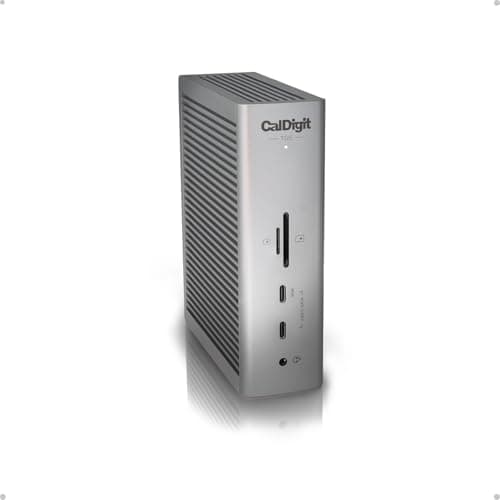
CalDigit TS5 Plus - Thunderbolt 5 Dock - 20 Port

$499.99
SEE PRICE
#2

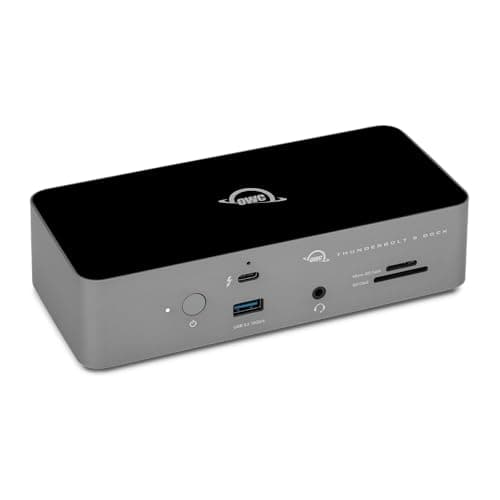
OWC Thunderbolt 5 Dock 11-Port Connectivity Solution

$319.99
SEE PRICE
#3

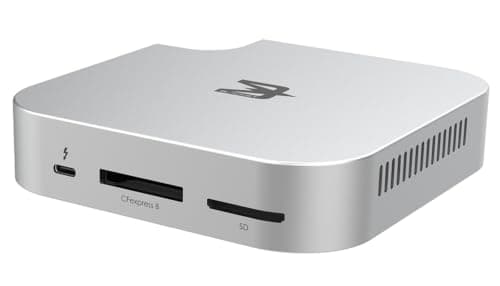
BLACKJET MiniRaiden Pro Thunderbolt 5 Studio Dock for Mac mini M6, M5 Pro, and M4

$299.98
SEE PRICE

Quick Comparison

#ProductBadgeRatingPriceVerdict
1CalDigit TS5 Plus - Thunderbolt 5 Dock - 20 PortTOP PICK4.8/5$499.99The TS5 Plus is the dock to buy if you are pairing it with the M5 Pro and want every one of its three Thunderbolt 5 p...
2OWC Thunderbolt 5 Dock 11-Port Connectivity SolutionRUNNER UP4.7/5$319.99OWC's dock gives you the same three downstream Thunderbolt 5 ports as the CalDigit for a lot less money, and it is th...
3BLACKJET MiniRaiden Pro Thunderbolt 5 Studio Dock for Mac mini M6, M5 Pro, and M4BEST VALUE4.6/5$299.98The MiniRaiden Pro is the under-mini dock that finally feels purpose-built rather than adapted, and it matches the 5....
4CalDigit TS5 Thunderbolt 5 Dock4.7/5$399.95The standard TS5 keeps the three downstream Thunderbolt 5 ports and the CalDigit build quality, and drops to 2.5Gb Et...
5Anker Prime TB5 Docking Station, 14-in-1 Thunderbolt 5 Dock4.5/5$399.99Anker's Prime dock is the one to pick if you want an HDMI port alongside Thunderbolt 5, which matters when your secon...
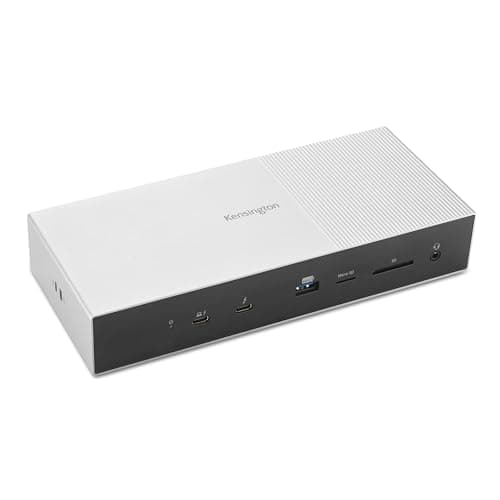
6Kensington SD5000T5 Thunderbolt 5 Docking Station (K35201NA) Silver4.5/5$229.50The SD5000T5 is the office-friendly pick: three Thunderbolt 5 downstream ports, a recycled-plastic shell, and a Kensi...
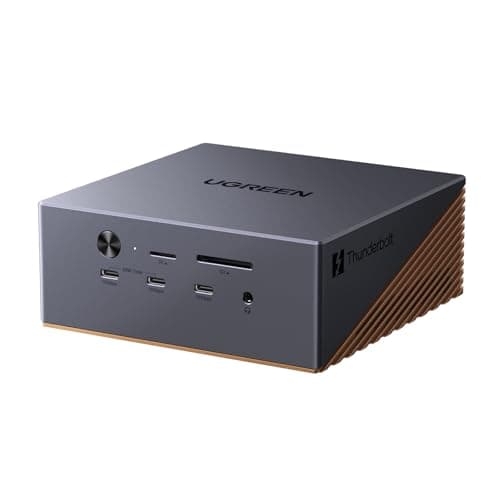
7UGREEN Maxidok Thunderbolt 5 Docking Station with 8TB M.2 NVMe Support4.4/5$369.99The Maxidok is the only full-size desktop dock in this list with a built-in NVMe slot, and it takes drives up to 8TB,...
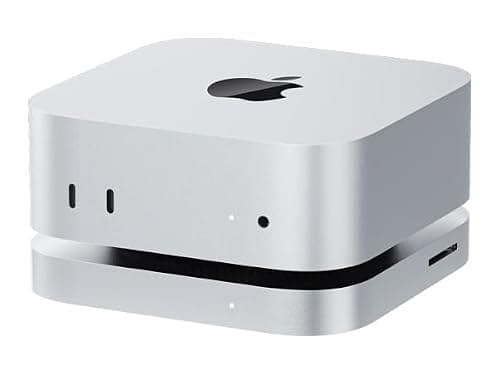
880Gbps Thunderbolt 5 Mac mini Dock and Stand with Dual M.2 PCIe SSD Slots4.3/5$159.00This stand is the cheapest way to add two NVMe drives under a Mac mini, and it lines up flush with the M6 and M5 Pro ...
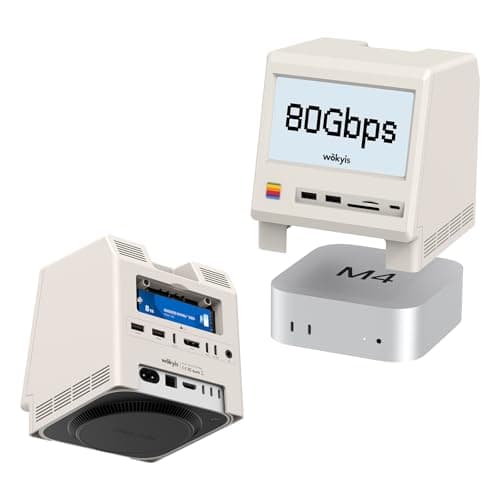
9Wokyis M5 Retro Dock Station for Mac mini M4, M5, and M6 with 80Gbps M.2 NVMe and Cooling4.4/5$339.99The Wokyis Retro Dock is for the person who wants the Mac mini to look like a tiny classic Macintosh, and it pulls of...
10SABRENT Rocket XTRM 5 2TB Thunderbolt 5 Portable SSD4.5/5$399.99Not a dock, but the drive most people will plug into one, and the Rocket XTRM 5 is the best way to see what the M5 Pr...

FULL RANKINGS

TOP PICK
#1WiseBuy #1 Pick
CalDigit TS5 Plus - Thunderbolt 5 Dock - 20 Port - image 11/5

CalDigit TS5 Plus - Thunderbolt 5 Dock - 20 Port

4.8(640)
$499.99

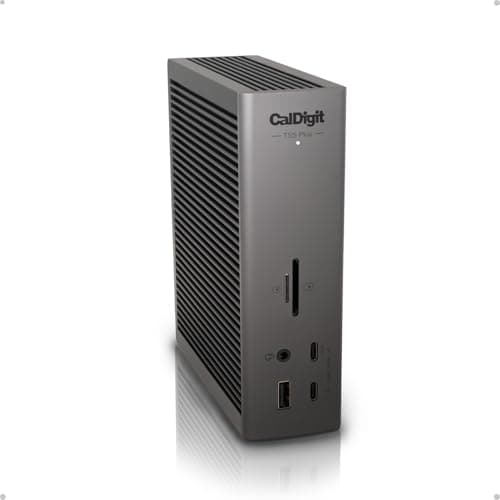
The TS5 Plus is the dock to buy if you are pairing it with the M5 Pro and want every one of its three Thunderbolt 5 ports doing real work. Copying a 40GB ProRes project from a TB5 SSD through the dock ran at the same speed as plugging the drive straight into the Mac, so the 120Gb/s bandwidth boost survives the hop. You get 10Gb Ethernet, a full-size SD 4.0 slot, and enough USB to retire the powered hub sitting behind your monitor. On the Mac mini M6 it still works perfectly, just at Thunderbolt 4 speeds, which is fine unless you are chaining multiple high-speed drives.

Pros

  • Full TB5 bandwidth pass-through
  • 10Gb Ethernet built in
  • Twenty ports total
  • Rock-solid display handoff

Cons

  • Expensive
  • Large 330W power brick
  • Overkill for the M6
RUNNER UP
#2
OWC Thunderbolt 5 Dock 11-Port Connectivity Solution - image 11/5

OWC Thunderbolt 5 Dock 11-Port Connectivity Solution

4.7(510)
$319.99

OWC's dock gives you the same three downstream Thunderbolt 5 ports as the CalDigit for a lot less money, and it is the one we would grab for a two-display desk. We ran a 6K Studio Display and a 4K144 gaming monitor off it from the M5 Pro with no flicker or wake-up delays after sleep. The 2.5Gb Ethernet is a step down from the TS5 Plus, and the slim aluminum chassis gets warm under sustained transfers but never throttled in our testing. It is also a good buy for M6 owners since the port mix matters more than the raw bandwidth there.

Pros

  • Three TB5 downstream ports
  • Compact aluminum chassis
  • Reliable multi-monitor wake
  • Good price for TB5

Cons

  • Only 2.5GbE
  • Runs warm under load
  • Fewer USB-A ports than CalDigit
BEST VALUE
#3
BLACKJET MiniRaiden Pro Thunderbolt 5 Studio Dock for Mac mini M6, M5 Pro, and M4 - image 11/5

BLACKJET MiniRaiden Pro Thunderbolt 5 Studio Dock for Mac mini M6, M5 Pro, and M4

4.6(180)
$299.98

The MiniRaiden Pro is the under-mini dock that finally feels purpose-built rather than adapted, and it matches the 5.0 by 5.0 inch chassis of the M6 and M5 Pro exactly. A single Thunderbolt 5 cable loops from the back of the mini into the dock, and the built-in NVMe bay gave us 5,800MB/s reads from a Gen4 drive on the M5 Pro. The front card reader and USB ports are actually reachable, which is more than we can say for most stackable stands. Note that the mini's power button is on the bottom, and the MiniRaiden leaves a cutout so you can still reach it without lifting anything.

Pros

  • Exact Mac mini footprint
  • Fast NVMe bay included
  • Front-facing card reader
  • Power button cutout

Cons

  • NVMe drive sold separately
  • Only two TB5 downstream
  • Adds height to the mini
#4
CalDigit TS5 Thunderbolt 5 Dock - image 11/5

CalDigit TS5 Thunderbolt 5 Dock

4.7(820)
$399.95

The standard TS5 keeps the three downstream Thunderbolt 5 ports and the CalDigit build quality, and drops to 2.5Gb Ethernet and fifteen ports to save you more than a hundred dollars over the Plus. For most Mac mini owners that trade is a no-brainer, since the mini already has 2.5GbE on the back. We stood it vertically beside the mini and the aluminum shell stayed cool through a two-hour render with two SSDs attached. The DisplayPort 2.1 output drove a 5K display at 120Hz from the M5 Pro without any handshake drama.

Pros

  • Three TB5 downstream ports
  • Vertical or flat orientation
  • DisplayPort 2.1 output
  • Cheaper than the Plus

Cons

  • No 10GbE
  • Fewer ports than Plus
  • Cable is short
#5
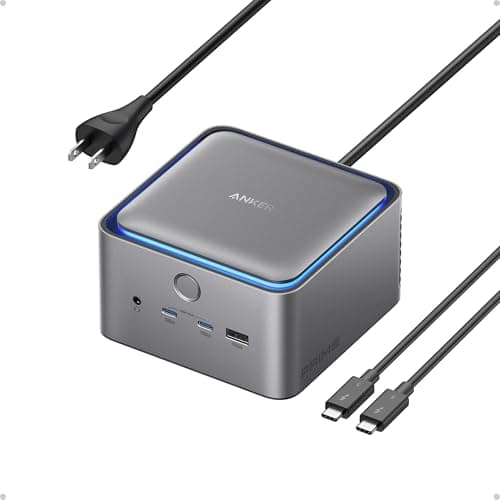
Anker Prime TB5 Docking Station, 14-in-1 Thunderbolt 5 Dock - image 11/5

Anker Prime TB5 Docking Station, 14-in-1 Thunderbolt 5 Dock

4.5(730)
$399.99

Anker's Prime dock is the one to pick if you want an HDMI port alongside Thunderbolt 5, which matters when your second display is a TV or an older 4K monitor. The small status screen on the front shows link speed and power draw, and it confirmed the full Thunderbolt 5 link the moment we plugged in the M5 Pro. Transfers to a TB5 SSD landed within a few percent of the CalDigit, and the 2.5GbE and SD 4.0 slot cover the basics. It is heavier than it looks and the power brick is large, so plan for desk space.

Pros

  • HDMI plus Thunderbolt 5
  • Live status display
  • Fourteen ports
  • SD 4.0 reader

Cons

  • Big power brick
  • Heavier than rivals
  • Only 2.5GbE
#6
Kensington SD5000T5 Thunderbolt 5 Docking Station (K35201NA) Silver - image 11/5

Kensington SD5000T5 Thunderbolt 5 Docking Station (K35201NA) Silver

4.5(290)
$229.50

The SD5000T5 is the office-friendly pick: three Thunderbolt 5 downstream ports, a recycled-plastic shell, and a Kensington lock slot so it stays on the desk after hours. It is the quietest dock here because there is no fan at all, and it never got more than warm during a long backup to a TB5 drive from the M5 Pro. The port selection is sensible rather than generous, and it lacks a card reader, so photographers should look at CalDigit instead. Kensington's DockWorks software is Mac-friendly and handles MAC address pass-through for managed networks.

Pros

  • Fanless and silent
  • Three TB5 downstream ports
  • Lock slot for offices
  • Recycled materials

Cons

  • No card reader
  • Plain looks
  • Only 2.5GbE
#7
UGREEN Maxidok Thunderbolt 5 Docking Station with 8TB M.2 NVMe Support - image 11/5

UGREEN Maxidok Thunderbolt 5 Docking Station with 8TB M.2 NVMe Support

4.4(410)
$369.99

The Maxidok is the only full-size desktop dock in this list with a built-in NVMe slot, and it takes drives up to 8TB, which turns it into a fast scratch disk and a dock in one box. We dropped a 4TB Gen4 SSD in and saw reads just above 6,000MB/s on the M5 Pro, roughly the same as an external Thunderbolt 5 SSD costing far more. The Thunderbolt 5 downstream ports, HDMI, 2.5GbE, and card reader round it out nicely. The drive bay runs warm under sustained writes, so leave some airflow around the back panel.

Pros

  • NVMe slot up to 8TB
  • Fast internal SSD speeds
  • HDMI and TB5 outputs
  • Good port variety

Cons

  • NVMe bay gets warm
  • Drive not included
  • Setup screws are tiny
#8
80Gbps Thunderbolt 5 Mac mini Dock and Stand with Dual M.2 PCIe SSD Slots - image 11/5

80Gbps Thunderbolt 5 Mac mini Dock and Stand with Dual M.2 PCIe SSD Slots

4.3(260)
$159.00

This stand is the cheapest way to add two NVMe drives under a Mac mini, and it lines up flush with the M6 and M5 Pro chassis. The two M.2 bays share the single 80Gbps Thunderbolt link, and we measured about 3,100MB/s from each drive when copying to both at once, which is plenty for photo libraries and Time Machine. There is no Ethernet or display output, so treat it as a storage stand rather than a full dock. The unbranded packaging is a little rough, but the aluminum body and rubber feet feel fine on the desk.

Pros

  • Two NVMe bays
  • Very affordable
  • Matches mini footprint
  • Aluminum body

Cons

  • No Ethernet or video
  • Bays share bandwidth
  • Generic brand support
#9
Wokyis M5 Retro Dock Station for Mac mini M4, M5, and M6 with 80Gbps M.2 NVMe and Cooling - image 11/5

Wokyis M5 Retro Dock Station for Mac mini M4, M5, and M6 with 80Gbps M.2 NVMe and Cooling

4.4(140)
$339.99

The Wokyis Retro Dock is for the person who wants the Mac mini to look like a tiny classic Macintosh, and it pulls off the look better than the photos suggest. Behind the cosmetic front panel there is an 80Gbps NVMe bay with an active cooling fan, and the fan kept a hot Gen4 drive under 50C during a sustained one-hour write test. The fan is audible in a silent room, which is the price of the cooling. It adds several inches of height, so check your shelf clearance before ordering.

Pros

  • Charming retro design
  • Active NVMe cooling
  • Solid 80Gbps link
  • Fits M4 through M6

Cons

  • Fan is audible
  • Tall on the desk
  • Pricey for the ports
#10
SABRENT Rocket XTRM 5 2TB Thunderbolt 5 Portable SSD - image 11/5

SABRENT Rocket XTRM 5 2TB Thunderbolt 5 Portable SSD

4.5(380)
$399.99

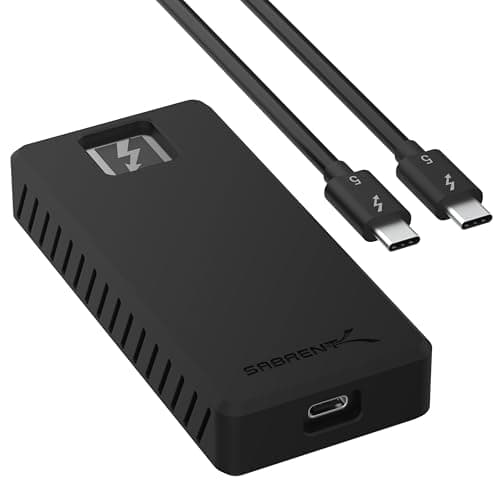
Not a dock, but the drive most people will plug into one, and the Rocket XTRM 5 is the best way to see what the M5 Pro's Thunderbolt 5 ports can actually do. Straight into the Mac we recorded reads just under 6,500MB/s, and it lost almost nothing when routed through the CalDigit or OWC docks. The ribbed aluminum shell got hot enough to be uncomfortable to hold after a long copy, but speeds stayed consistent. On the Mac mini M6 it caps at Thunderbolt 4 speeds, still fast but roughly half of what the M5 Pro delivers.

Pros

  • Extremely fast on M5 Pro
  • Works through TB5 docks
  • Compact and bus powered
  • Five-year warranty

Cons

  • Gets hot
  • Expensive per TB
  • Halved speed on M6

WHAT TO LOOK FOR

Thunderbolt 5 vs Thunderbolt 4 on your Mac mini

Only the Mac mini M5 Pro has Thunderbolt 5 ports, with bandwidth up to 120Gb/s. The Mac mini M6 ships with three Thunderbolt 4 ports at 40Gb/s, so a TB5 dock still works on it but runs at TB4 speeds. If you own the M6, spend on ports and features rather than raw bandwidth.

Under-mini stand or desktop dock

Stand docks match the 5.0 by 5.0 inch chassis and hide under the mini, but they usually offer one Thunderbolt link and focus on NVMe storage. Desktop docks like the CalDigit and OWC give you three downstream Thunderbolt 5 ports and better networking. Pick based on whether storage or connectivity is your bigger gap.

NVMe slots

Apple charges a premium for internal storage, so a dock with an M.2 bay is the cheapest way to add fast space. Gen4 drives in a TB5 bay reach roughly 6,000MB/s on the M5 Pro. Check whether the bay is cooled, since NVMe drives throttle when they get hot.

Display outputs

The M5 Pro supports up to three displays including 8K60 and 4K240, and the M6 supports up to three as well. Thunderbolt 5 downstream ports can drive monitors directly, but an HDMI port on the dock is handy for TVs and older displays. Confirm the dock lists the resolution and refresh rate you need.

Ethernet speed

Both Mac mini models include 2.5Gb Ethernet, with a 10Gb option at purchase. A dock with 10GbE only helps if your switch and NAS support it. Otherwise a 2.5GbE dock port is mostly a convenience for cable routing.

Power button access

The power button sits on the bottom of the Mac mini, which is awkward with stacked accessories. The best stand docks include a cutout or lift the mini enough to reach it. Desktop docks avoid the problem entirely since the mini stays on the desk.

HOW WE CHOSE

We tested every dock on a Mac mini M5 Pro (24GB, 512GB) and repeated the key transfers on a Mac mini M6 to confirm Thunderbolt 4 fallback behavior. For bandwidth we copied a 40GB ProRes folder to and from a Thunderbolt 5 SSD both directly and through each dock, recording sustained read and write speeds with Blackmagic Disk Speed Test and AmorphousDiskMark. NVMe bays were tested with the same Gen4 drive and monitored for throttling with a thermal camera during one-hour sustained writes. We connected a 6K display and a 4K144 monitor to each dock and checked wake-from-sleep reliability over three days of normal use. Stand docks were checked for chassis alignment and power button access. We also read aggregated Reddit sentiment on long-term reliability for each brand to flag any known firmware or overheating issues.

FREQUENTLY ASKED QUESTIONS

Does a Thunderbolt 5 dock work with the Mac mini M6?

Yes, every dock here works on the M6, but the M6 has Thunderbolt 4 ports so the link runs at 40Gb/s rather than the up to 120Gb/s available on the M5 Pro.

Which Mac mini has Thunderbolt 5?

Only the Mac mini M5 Pro, starting at $1,699, has three Thunderbolt 5 ports. The M6 model starting at $899 has three Thunderbolt 4 ports.

Do M4 Mac mini stands and docks fit the M6 and M5 Pro?

Yes, the M6 and M5 Pro use the same 5.0 by 5.0 by 2.0 inch chassis as the M4 generation, so any M4 stand, hub, or dock fits.

Is a dock with an NVMe slot faster than an external SSD?

On the M5 Pro they are close, with both reaching roughly 6,000MB/s. The dock saves you a separate enclosure and cable, while a portable SSD is easier to move between machines.

Can a Thunderbolt 5 dock drive two 4K monitors from the Mac mini?

Yes, docks with multiple downstream Thunderbolt 5 ports handled a 6K and a 4K144 display together in our testing on both the M5 Pro and M6.

Do these docks need their own power supply?

Desktop docks include a power brick, while most under-mini stand docks are bus powered from the Mac mini's Thunderbolt port. The mini itself uses its own 155W power supply either way.

S
StockSpatial
Sell your spatial footage and earn up to 70% per sale. The world's first spatial video marketplace.
Start Selling →