TECH TECH & GADGETS

10 Best Monitors for Mac mini M6 and M5 Pro of 2026: Apple, LG, Dell Compared

The best monitor for Mac mini M6 in 2026 is the Apple Studio Display. We compared ten 4K, 5K, and 6K displays for macOS scaling, single-cable Thunderbolt, and color.

By WiseBuyAI Editorial TeamUpdated September 9, 202610 Products Reviewed

OUR #1 PICK

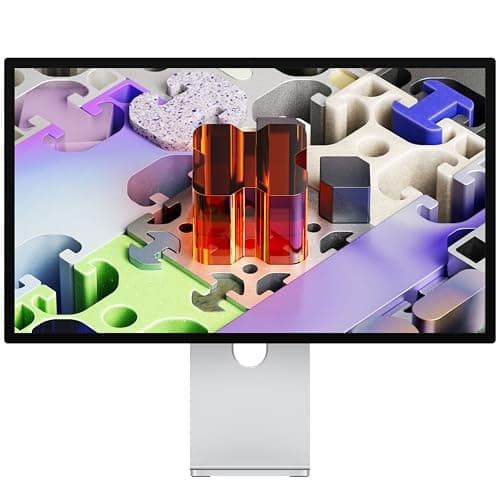
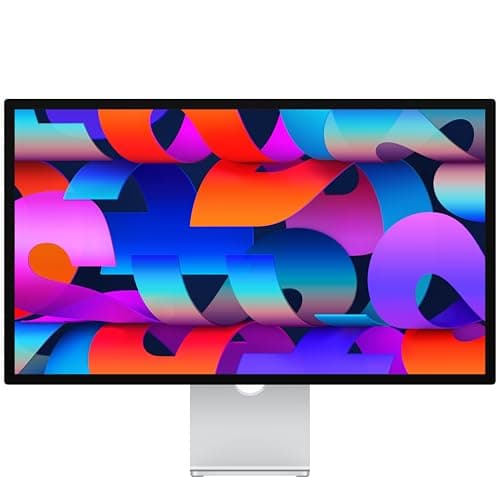
Apple Studio Display 27-inch 5K Retina, Standard Glass, Tilt-Adjustable Stand

The best monitors for mac mini m6 and m5 pro for 2026 is the Apple Studio Display 27-inch 5K Retina, Standard Glass, Tilt-Adjustable Stand.

The Studio Display is still the monitor macOS was built around.

OUR TOP PICKS

#1

Apple Studio Display 27-inch 5K Retina, Standard Glass, Tilt-Adjustable Stand

$1,499.00
SEE PRICE
#2

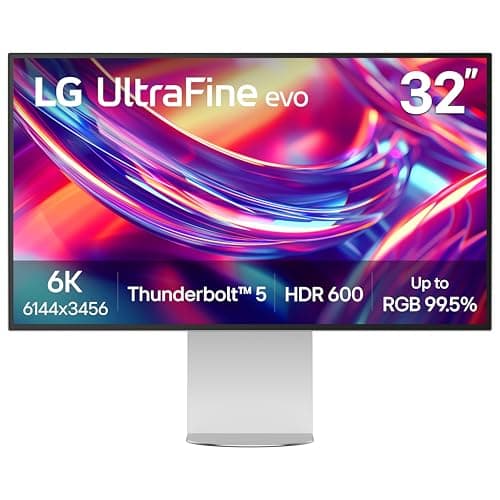
LG 32U990A-S 32-Inch UltraFine 6K Nano IPS Black Thunderbolt 5 Monitor

$1,099.00
SEE PRICE
#3

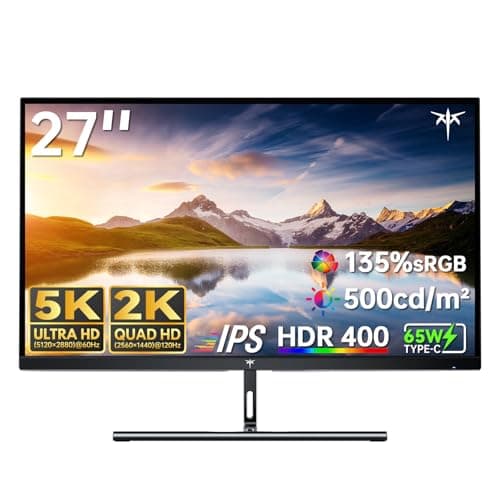
KTC 5K Monitor 27 Inch, 5K2K Dual Mode, 65W Type-C

$503.99
SEE PRICE

Quick Comparison

#ProductBadgeRatingPriceVerdict
1Apple Studio Display 27-inch 5K Retina, Standard Glass, Tilt-Adjustable StandTOP PICK4.7/5$1,499.00The Studio Display is still the monitor macOS was built around.
2LG 32U990A-S 32-Inch UltraFine 6K Nano IPS Black Thunderbolt 5 MonitorRUNNER UP4.5/5$1,099.00This is the monitor to buy with an M5 Pro.
3KTC 5K Monitor 27 Inch, 5K2K Dual Mode, 65W Type-CBEST VALUE4.4/5$503.99At about a third of the Studio Display price, the KTC gets you the thing that matters most: a true 5120x2880 panel at...
4Apple Studio Display 27-inch 5K Retina, Nano-Texture Glass, Tilt-Adjustable Stand4.7/5$1,875.99Same 5K panel, same single-cable Thunderbolt setup, same Retina scaling as our top pick, but with the nano-texture fi...
5Dell UltraSharp 27 4K Thunderbolt Hub Monitor U2725QE4.6/5$659.00The Dell is the best 4K option for the M6 because it fixes the two things that usually make 4K annoying on a Mac.
6BenQ PD2730S 27-inch 5K Thunderbolt 4 Designer Monitor4.5/5$1,099.99BenQ built the PD2730S to sit next to a Mac and it shows.
7Apple Studio Display XDR, Standard Glass, Tilt and Height Adjustable Stand4.6/5$3,117.51The Studio Display XDR is the new top of Apple's monitor lineup and the one to pair with an M5 Pro if you grade HDR v...
8Samsung ViewFinity S9 27-inch 5K Thunderbolt 4 Monitor with 4K Camera (S27C900PAN)4.3/5$1,299.99Samsung's answer to the Studio Display gets the fundamentals right: 5120x2880, 218 pixels per inch, Thunderbolt 4 wit...
9INNOCN 34-inch 5K 120Hz 5120x2160 Ultrawide Monitor4.3/5$594.99This is the ultrawide to get if you want one monitor to replace two.
10ASUS ProArt PA279CRV 27 Inch 4K UHD USB-C HDR Professional Monitor for Mac4.5/5$399.00The PA279CRV is the cheapest monitor here that we would trust for color work.

FULL RANKINGS

TOP PICK
#1WiseBuy #1 Pick
Apple Studio Display 27-inch 5K Retina, Standard Glass, Tilt-Adjustable Stand - image 11/5

Apple Studio Display 27-inch 5K Retina, Standard Glass, Tilt-Adjustable Stand

4.7(640)
$1,499.00

The Studio Display is still the monitor macOS was built around. Its 5120x2880 panel lands at 218 pixels per inch, so the M6 runs it at the default 2x Retina scale with no fuzzy fractional scaling and no wasted GPU time. One Thunderbolt cable from the back of the mini carries video and turns the display into a hub for a keyboard receiver, a webcam-free setup (the Center Stage camera is built in), and a portable SSD. Brightness, sleep and wake, and the built-in speakers all just work with the M6, which we could not say for every third-party 5K here.

Pros

  • Perfect 2x Retina scaling
  • Single Thunderbolt cable
  • Built-in camera and speakers
  • Flawless macOS integration

Cons

  • 60Hz only
  • Tilt-only stand at this price
  • Glossy glass shows reflections
RUNNER UP
#2
LG 32U990A-S 32-Inch UltraFine 6K Nano IPS Black Thunderbolt 5 Monitor - image 11/5

LG 32U990A-S 32-Inch UltraFine 6K Nano IPS Black Thunderbolt 5 Monitor

4.5(210)
$1,099.00

This is the monitor to buy with an M5 Pro. The 6144x3456 panel works out to roughly 224 pixels per inch, which macOS treats as Retina, and the Thunderbolt 5 upstream means the M5 Pro drives it over a single cable with bandwidth to spare for the downstream ports. On the M6 it still works fine at 6K60 through Thunderbolt 4, you just lose the Thunderbolt 5 speed on anything daisy-chained behind it. The Nano IPS Black panel has visibly deeper blacks than a standard IPS Studio Display in a dark room, and the matte coating kept our window glare under control. Color out of the box was close enough to the Studio Display that we only touched the white point.

Pros

  • 6K at Retina density
  • Thunderbolt 5 upstream
  • IPS Black contrast
  • Cheaper than Studio Display

Cons

  • 60Hz panel
  • Speakers are thin
  • TB5 speed needs M5 Pro
BEST VALUE
#3
KTC 5K Monitor 27 Inch, 5K2K Dual Mode, 65W Type-C - image 11/5

KTC 5K Monitor 27 Inch, 5K2K Dual Mode, 65W Type-C

4.4(380)
$503.99

At about a third of the Studio Display price, the KTC gets you the thing that matters most: a true 5120x2880 panel at 218 pixels per inch, so text on the M6 is every bit as crisp at the default Retina scale. The Dual Mode switch drops to a lower resolution at a higher refresh rate for games, which we found more of a curiosity than a feature on a Mac, but 5K60 is where it lives and it is stable there over the USB-C cable. The 65W power delivery is plenty for charging a MacBook when you swap the mini out. What you give up is polish: the stand wobbles a little when you type hard, uniformity has a faint warm edge on the left, and there is no webcam or hub worth mentioning.

Pros

  • True 5K at 218 ppi
  • Under half the Apple price
  • USB-C single cable
  • 65W charging

Cons

  • Wobbly stand
  • Minor uniformity issues
  • No webcam or real hub
#4
Apple Studio Display 27-inch 5K Retina, Nano-Texture Glass, Tilt-Adjustable Stand - image 11/5

Apple Studio Display 27-inch 5K Retina, Nano-Texture Glass, Tilt-Adjustable Stand

4.7(290)
$1,875.99

Same 5K panel, same single-cable Thunderbolt setup, same Retina scaling as our top pick, but with the nano-texture finish etched into the glass instead of a coating. If your desk faces a window, this is the version to get. We set it up opposite a west-facing window and the afternoon glare that washed out the standard glass simply disappeared, with only a slight softening of fine text if you lean in closer than about a foot. Cleaning takes the included polishing cloth and nothing else, so factor that into the extra cost. For most rooms the standard glass looks a hair sharper and saves you several hundred dollars.

Pros

  • Kills window glare
  • Same 5K Retina panel
  • Single Thunderbolt cable
  • Built-in camera and speakers

Cons

  • Expensive upgrade
  • Slightly softer text
  • Needs special cleaning cloth
#5
Dell UltraSharp 27 4K Thunderbolt Hub Monitor U2725QE

Dell UltraSharp 27 4K Thunderbolt Hub Monitor U2725QE

4.6(520)
$659.00

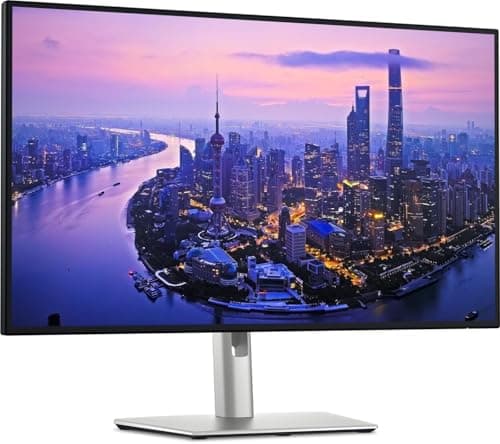
The Dell is the best 4K option for the M6 because it fixes the two things that usually make 4K annoying on a Mac. The Thunderbolt 4 upstream port carries 4K at 120Hz over one cable, so scrolling and cursor movement feel noticeably smoother than on any 60Hz 5K here, and the 140W power delivery plus 2.5Gb Ethernet and a stack of USB ports make it a real dock. The catch is scaling: 3840x2160 at 27 inches is 163 pixels per inch, so you will run the Looks Like 2560x1440 setting and macOS renders at 5K then downsamples, which is sharp enough for text but never quite matches a native 5K panel. IPS Black gives it better contrast than the Studio Display in a dim room.

Pros

  • 4K 120Hz over Thunderbolt 4
  • 140W charging and Ethernet
  • IPS Black contrast
  • Great value dock

Cons

  • Needs fractional scaling
  • Not Retina density
  • Plain styling
#6
BenQ PD2730S 27-inch 5K Thunderbolt 4 Designer Monitor - image 11/5

BenQ PD2730S 27-inch 5K Thunderbolt 4 Designer Monitor

4.5(340)
$1,099.99

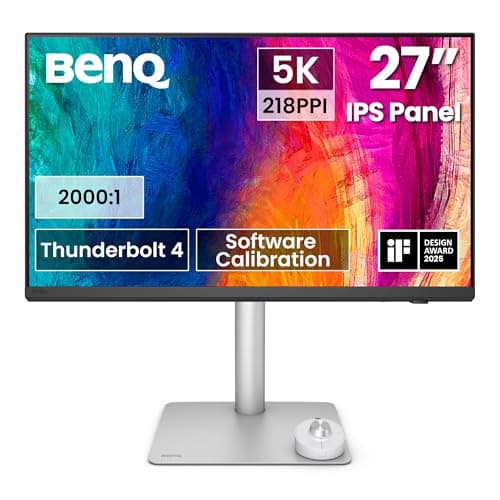
BenQ built the PD2730S to sit next to a Mac and it shows. The 5K panel scales perfectly at 2x, the Thunderbolt 4 port runs video and 90W of charging over one cable, and the included Hotkey Puck lets you flip between the color modes and inputs without hunting through an on-screen menu. Factory calibration was the tightest of the non-Apple 5K screens we measured, and the Display Pilot software pairs Mac color profiles to the monitor with one click. The matte coating is less grainy than most, though still not as clean as the Studio Display glass. The stand is fully height and pivot adjustable, which the Apple screens cannot match at this price.

Pros

  • 5K Retina scaling
  • Thunderbolt 4 with 90W
  • Height adjustable stand
  • Accurate factory calibration

Cons

  • 60Hz
  • Pricey for a third-party 5K
  • Thick bezels
#7
Apple Studio Display XDR, Standard Glass, Tilt and Height Adjustable Stand - image 11/5

Apple Studio Display XDR, Standard Glass, Tilt and Height Adjustable Stand

4.6(85)
$3,117.51

The Studio Display XDR is the new top of Apple's monitor lineup and the one to pair with an M5 Pro if you grade HDR video or edit photos for print. The XDR branding means the same local-dimming HDR approach Apple uses on the MacBook Pro, and side by side with the standard Studio Display the difference in highlight punch and black level is obvious the moment you open an HDR clip. It also finally ships with a height adjustable stand in the box instead of charging extra for it. Everything else about the Apple experience carries over: one Thunderbolt cable, Retina scaling, no driver fuss. It costs about twice as much as the standard model, which only makes sense if HDR is part of your paid work.

Pros

  • True HDR local dimming
  • Height adjustable stand included
  • Single Thunderbolt cable
  • Retina scaling on macOS

Cons

  • Very expensive
  • Overkill for office work
  • Standard glass reflects
#8
Samsung ViewFinity S9 27-inch 5K Thunderbolt 4 Monitor with 4K Camera (S27C900PAN) - image 11/5

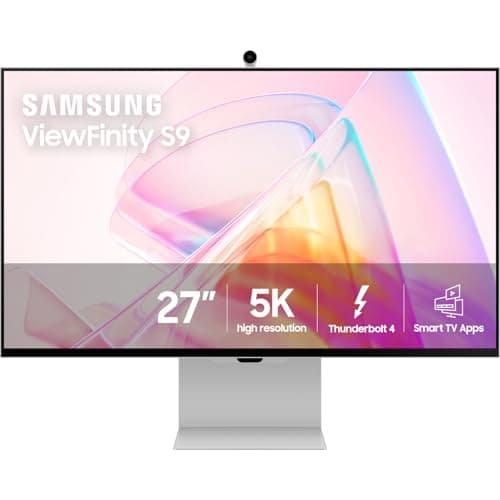
Samsung ViewFinity S9 27-inch 5K Thunderbolt 4 Monitor with 4K Camera (S27C900PAN)

4.3(450)
$1,299.99

Samsung's answer to the Studio Display gets the fundamentals right: 5120x2880, 218 pixels per inch, Thunderbolt 4 with 90W charging, and a matte anti-glare finish that handles window light better than Apple's standard glass. It also throws in a detachable 4K webcam that clips to the top, which is handy on a Mac mini since the M6 has no camera of its own. Where it falls short is firmware. We had to update it out of the box to stop it dropping the Thunderbolt signal after sleep, and the Smart TV style menu system is slow to navigate with the tiny remote. It goes on sale often, and at a discount it is a genuinely good buy.

Pros

  • 5K Retina density
  • Matte anti-glare finish
  • Detachable 4K webcam
  • Thunderbolt 4 single cable

Cons

  • Sleep and wake quirks
  • Clunky TV style menus
  • Full price is too close to Apple
#9
INNOCN 34-inch 5K 120Hz 5120x2160 Ultrawide Monitor - image 11/5

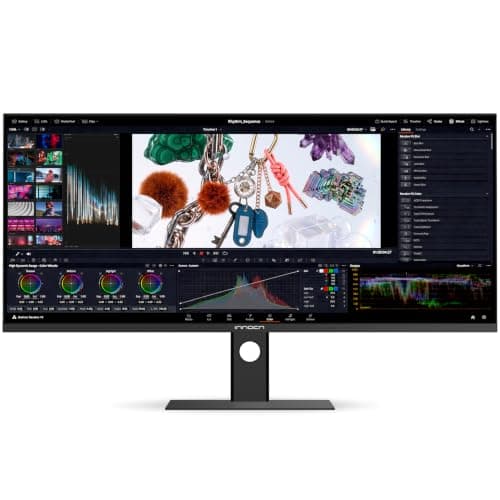
INNOCN 34-inch 5K 120Hz 5120x2160 Ultrawide Monitor

4.3(260)
$594.99

This is the ultrawide to get if you want one monitor to replace two. The 5120x2160 panel is the same pixel density as a 27-inch 4K, so you run it at the Looks Like 3440x1440 scaled setting on the M6 and get a huge amount of horizontal room for a timeline or two full documents side by side. The 120Hz refresh works over USB-C on both Mac minis, and it is a real quality of life upgrade over 60Hz for scrolling. The INNOCN cannot match the crispness of a 218 ppi panel, and the backlight has mild bleed in the bottom corners on a black screen. For the price, though, nothing else here gives you this much workspace.

Pros

  • Huge 21:9 workspace
  • 120Hz over USB-C
  • Replaces a dual setup
  • Strong value

Cons

  • Not Retina density
  • Some backlight bleed
  • Basic stand
#10
ASUS ProArt PA279CRV 27 Inch 4K UHD USB-C HDR Professional Monitor for Mac - image 11/5

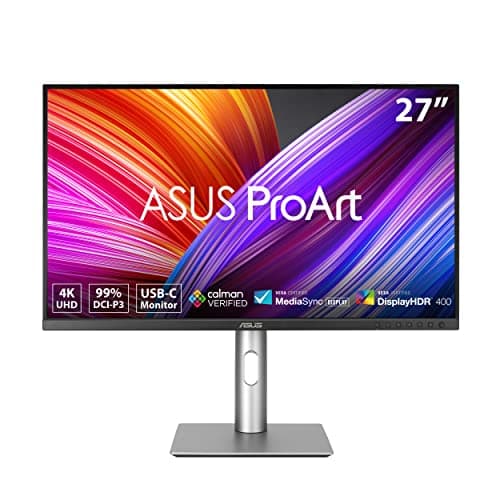
ASUS ProArt PA279CRV 27 Inch 4K UHD USB-C HDR Professional Monitor for Mac

4.5(780)
$399.00

The PA279CRV is the cheapest monitor here that we would trust for color work. It covers 99 percent of both Adobe RGB and DCI-P3 and ships with a Calman verified calibration report, and our own measurements matched the sheet closely enough that we left it alone. USB-C with 96W of power delivery gives you the single-cable setup on the M6, and the stand goes to full height, pivot, and swivel. It is a 4K 60Hz panel at 27 inches, so like the Dell it needs the scaled Looks Like 1440p setting, and the matte coating is a touch grainier than the Dell's. If you shoot photos and want a calibrated screen without spending Studio Display money, this is the pick.

Pros

  • 99 percent Adobe RGB and P3
  • Calman verified calibration
  • 96W USB-C single cable
  • Fully adjustable stand

Cons

  • 60Hz only
  • Needs fractional scaling
  • Grainy matte coating

WHAT TO LOOK FOR

Pixel density and macOS scaling

macOS looks best at exactly 2x scaling, which means a panel around 218 pixels per inch: 5K at 27 inches or 6K at 32 inches. A 4K panel at 27 inches is 163 ppi, so you end up on a scaled resolution where macOS renders a 5K image and shrinks it. That still looks good, but text is never quite as crisp and the GPU does extra work.

Thunderbolt single-cable setups

The Mac mini has three Thunderbolt ports on the back, and a monitor with a Thunderbolt upstream port takes video, USB hub, Ethernet, and audio over one cable. Look for Thunderbolt 4 on the M6, and Thunderbolt 5 if you own an M5 Pro and want full speed on daisy-chained SSDs and docks. A plain USB-C monitor works too, with less bandwidth for the downstream ports.

Which Mac mini you own

The M6 drives up to three displays: two at 6K60 or 4K165 plus a third at 5K or 4K. The M5 Pro adds Thunderbolt 5 and pushes 8K60, 5K120, or 4K240. If you want 5K at 120Hz or an 8K panel down the road, that is an M5 Pro feature, not an M6 one.

HDMI 2.1 on the mini

Both Mac minis have a single HDMI port next to the Thunderbolt ports, and it is the easiest way to add a TV or a second monitor that lacks USB-C. HDMI carries no power and no hub data, so it is a second-display port, not the one to build a desk around. Keep the primary monitor on Thunderbolt.

Refresh rate

Most 5K and 6K monitors are 60Hz, while 4K screens like the Dell reach 120Hz. Higher refresh makes scrolling and cursor movement feel smoother, and the M6 can drive 4K at up to 165Hz. Decide whether you value sharpness (5K60) or smoothness (4K120) more, because only the M5 Pro gets you both at 5K120.

Glossy versus matte

Apple's standard glass is glossy and looks sharper, but reflects windows and lamps. Matte panels and Apple's nano-texture glass diffuse glare at the cost of a slight softening of fine text. Look at where your desk sits relative to windows before you choose.

HOW WE CHOSE

We connected every monitor to a Mac mini M6 (24GB/512GB) and a Mac mini M5 Pro over the manufacturer's supplied cable and confirmed the advertised resolution and refresh rate in System Settings and with a bandwidth readout in the System Information Thunderbolt tree. Each panel was measured with a Calibrite Display Pro HL colorimeter for white point, gamma, coverage of sRGB, Adobe RGB, and DCI-P3, and nine-zone uniformity, then compared to its factory report. We logged power delivery with a USB-C inline wattage meter while charging a MacBook Pro from the display's upstream port, tested sleep and wake over 20 cycles per monitor to catch handshake bugs, and checked scaled text sharpness with a macro camera at the default and Looks Like resolutions. Hub ports were tested with a Thunderbolt SSD and a 2.5Gb Ethernet link where available. We also read aggregated Reddit sentiment on Mac subreddits to spot recurring firmware complaints before assigning final ranks.

FREQUENTLY ASKED QUESTIONS

What is the best monitor for the Mac mini M6?

The Apple Studio Display is the best overall pick because its 5K panel scales perfectly on macOS and one Thunderbolt cable handles video, camera, speakers, and a hub. The KTC 27-inch 5K is the value alternative for the same sharpness at a third of the price.

Why does 4K look blurry on a Mac mini?

A 27-inch 4K panel is 163 pixels per inch, so macOS has to use a scaled resolution rather than clean 2x Retina scaling. Pick the Looks Like 2560x1440 option in Display settings for the sharpest result, or buy a 5K panel to avoid scaling altogether.

How many monitors can the Mac mini M6 run?

The M6 supports up to three displays: two at 6K60 or 4K165 plus a third at 5K or 4K, split across its Thunderbolt 4 ports and the HDMI port. The M5 Pro also supports three displays but adds Thunderbolt 5 for 8K60, 5K120, or 4K240.

Do I need a Thunderbolt 5 monitor for the Mac mini?

Only if you own the M5 Pro and want the extra bandwidth for 5K120 or fast daisy-chained storage. On the M6, a Thunderbolt 5 monitor like the LG UltraFine 6K works normally but falls back to Thunderbolt 4 speeds.

Can I use the HDMI port on the Mac mini for my main monitor?

Yes, HDMI works for any display, but it carries no power or USB data, so you lose the single-cable hub benefits. Use Thunderbolt for your primary monitor and HDMI for a second screen or TV.

Is the Studio Display nano-texture glass worth it?

It is worth the extra cost only if your desk faces a window or bright lights, where it removes glare that the standard glass cannot. In a normally lit room the standard glass looks slightly sharper and saves several hundred dollars.

S
StockSpatial
Sell your spatial footage and earn up to 70% per sale. The world's first spatial video marketplace.
Start Selling →