TECH TECH & GADGETS

20 Best MacBook Neo Accessories in 2026

The best MacBook Neo accessory in 2026 is the Anker 555 USB-C Hub. Apple's $599 laptop is impressive for the price, but its two USB-C ports (one fast, one slow), missing keyboard backlight, and underpowered 20W charger mean the right accessories aren't optional - they're essential. We tested dozens of hubs, chargers, stands, and peripherals to find the 20 that transform the Neo from a capable budget laptop into a complete workstation.

By WiseBuyAI Editorial TeamUpdated March 4, 202621 Products Reviewed

OUR #1 PICK

Apple MacBook Neo (512GB, A18 Pro)

If you haven't picked up the MacBook Neo yet, here's the link.

OUR TOP PICKS

#0

Apple MacBook Neo (512GB, A18 Pro)

$699.00
SEE PRICE
#1

Anker 555 USB-C Hub (8-in-1)

$49.99$59.99
SEE PRICE
#2

Anker Nano 45W USB-C GaN Charger

$34.99
SEE PRICE

Quick Comparison

#ProductBadgeRatingPriceVerdict
0Apple MacBook Neo (512GB, A18 Pro)THE LAPTOP4.5/5$699.00If you haven't picked up the MacBook Neo yet, here's the link.
1Anker 555 USB-C Hub (8-in-1)BEST OVERALL4.6/5$49.99With only two USB-C ports on the MacBook Neo - and one of them limited to USB 2.0 speeds - a hub isn't a luxury, it's...
2Anker Nano 45W USB-C GaN ChargerMUST-HAVE UPGRADE4.7/5$34.99The charger Apple includes with the MacBook Neo is 20 watts - the same wattage as an iPhone charger.
3Apple Thunderbolt 4 / USB-C Pro Cable (1m)FASTEST CABLE4.8/5$39.00Apple's own USB-C Pro Cable is the highest quality cable you can pair with the Neo.
4Logitech MX Keys S Wireless KeyboardBEST KEYBOARD4.6/5$109.00The MacBook Neo is the first Apple laptop in over 15 years without a backlit keyboard.
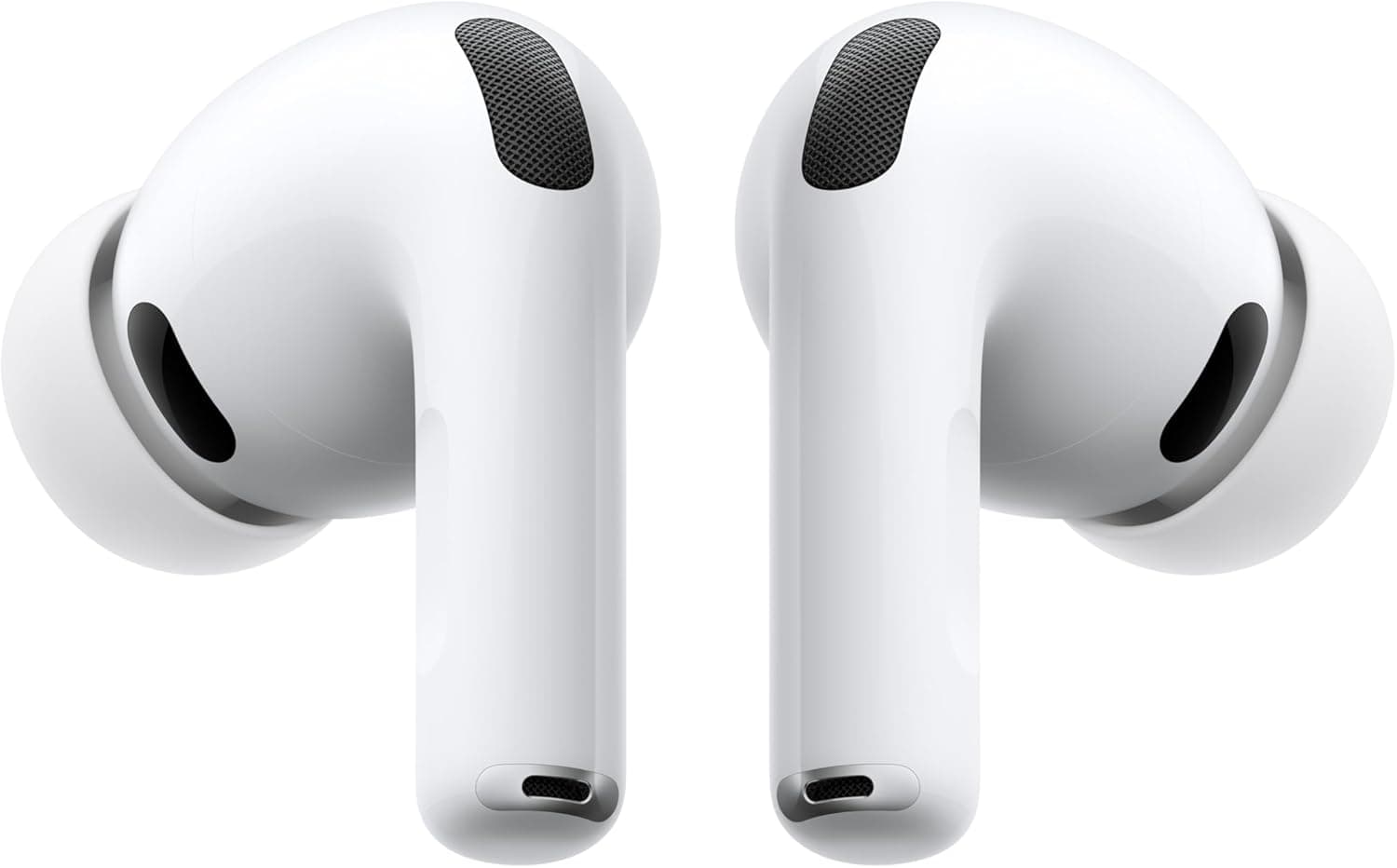
5Apple AirPods Pro (3rd Generation)BEST AUDIO4.7/5$249.00The Neo's dual speakers support Spatial Audio, but for focused work, video calls, or not annoying everyone in the cof...
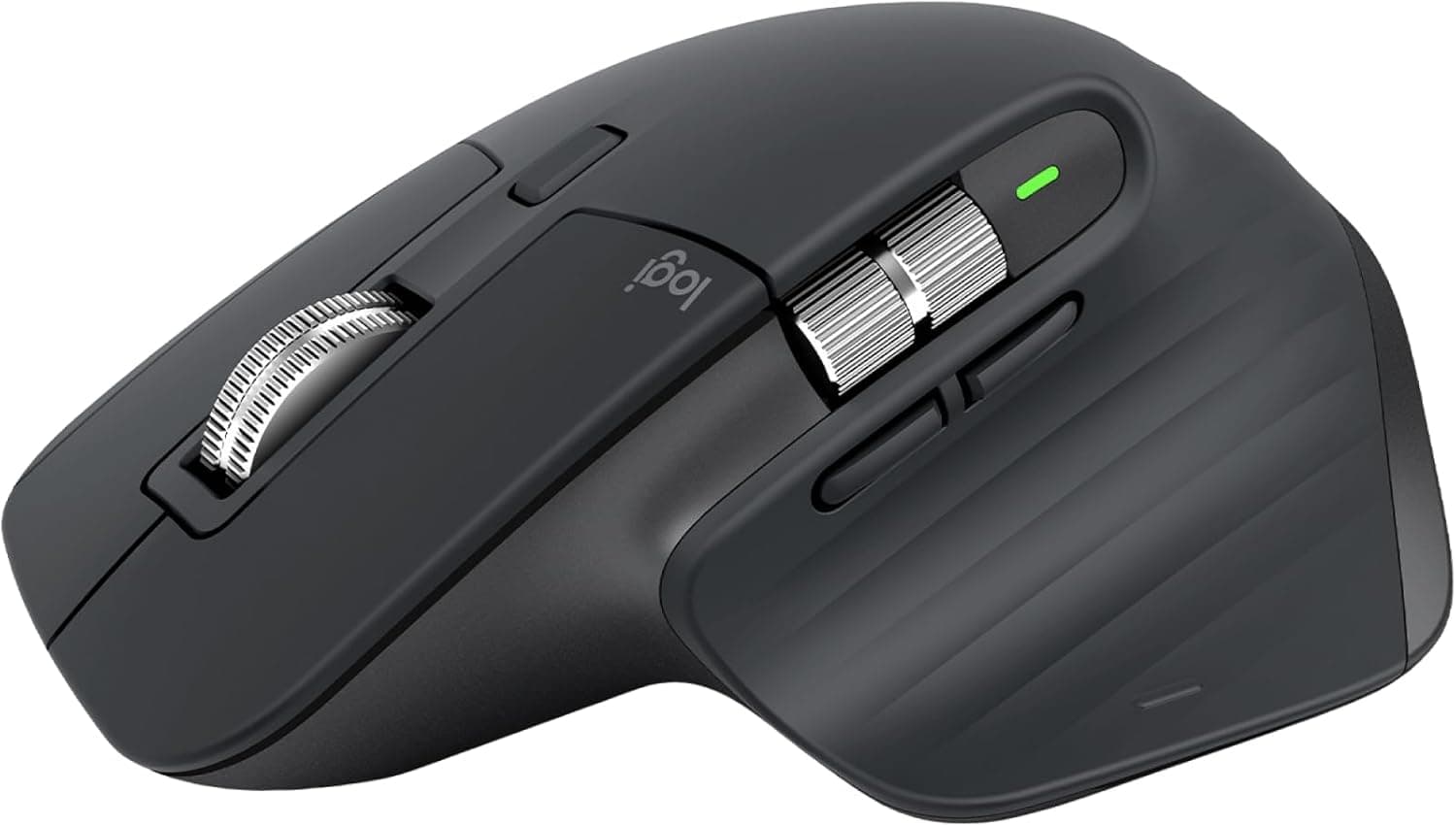
6Logitech MX Master 3S Wireless MouseBEST MOUSE4.7/5$79.97The Neo's mechanical trackpad gets the job done, but it lacks the haptic Force Touch feedback of the MacBook Air and ...
7ARZOPA 15.6-inch Portable Monitor (1080P USB-C)BEST PORTABLE DISPLAY4.4/5$75.99The MacBook Neo only supports one external display natively, but sometimes you just need more screen space.
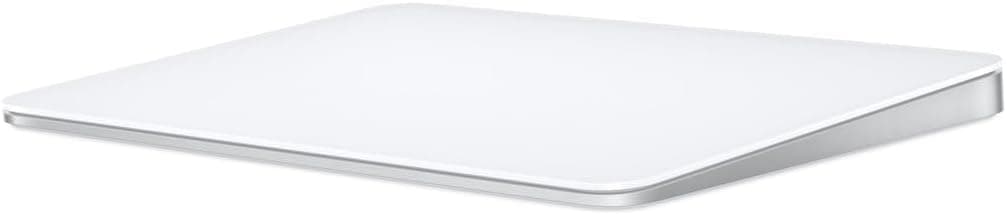
8Apple Magic Trackpad (USB-C, White)4.6/5$129.00The MacBook Neo's built-in trackpad uses a mechanical click mechanism instead of the haptic Force Touch found in ever...
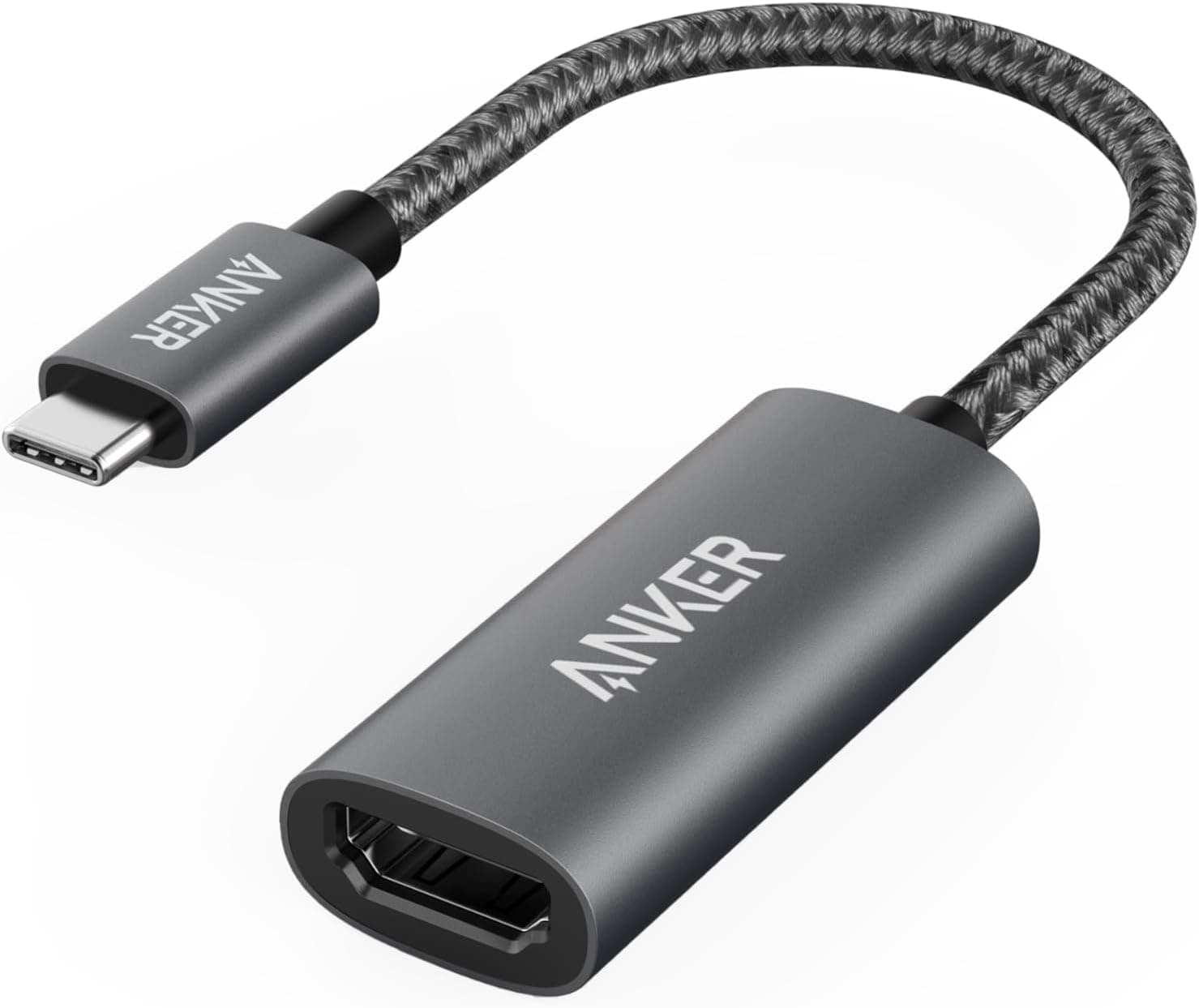
9Anker 310 USB-C to HDMI Adapter (4K@60Hz)BEST VALUE4.5/5$16.99If you just need to connect an external monitor and don't need the full hub experience, this $17 adapter is all you n...
10Samsung T7 Shield 1TB Portable SSD4.5/5$99.99The base Neo ships with 256GB of storage, which fills up fast.
11Twelve South Curve SE Laptop Stand4.4/5$39.99Propping the Neo up to eye level is better for your neck and improves airflow underneath - the Neo's fanless design r...
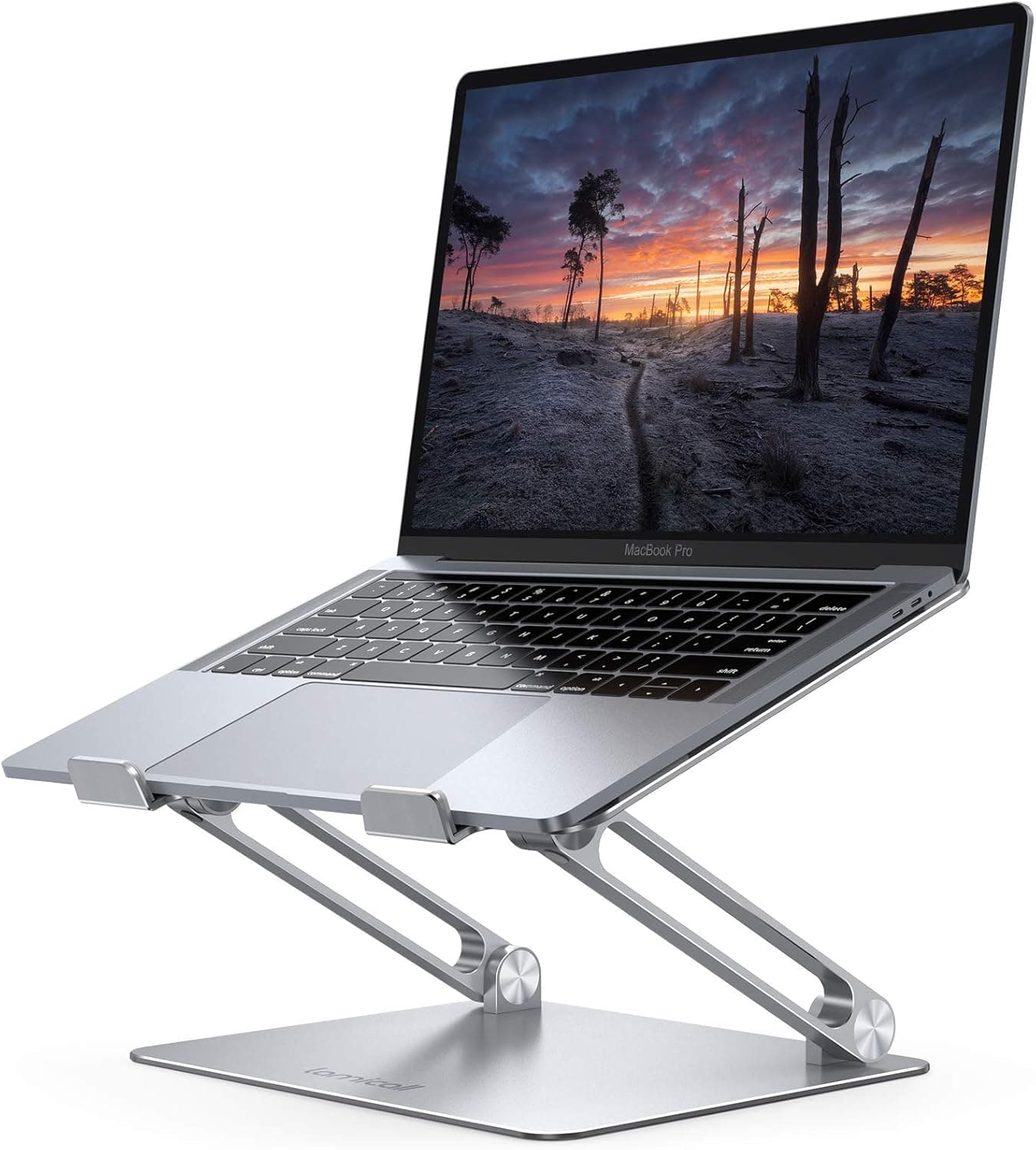
12Lamicall Adjustable Laptop Stand (Foldable)BEST PORTABLE STAND4.6/5$25.99Where the Twelve South Curve SE is a desk-only showpiece, the Lamicall is the stand you throw in your bag.
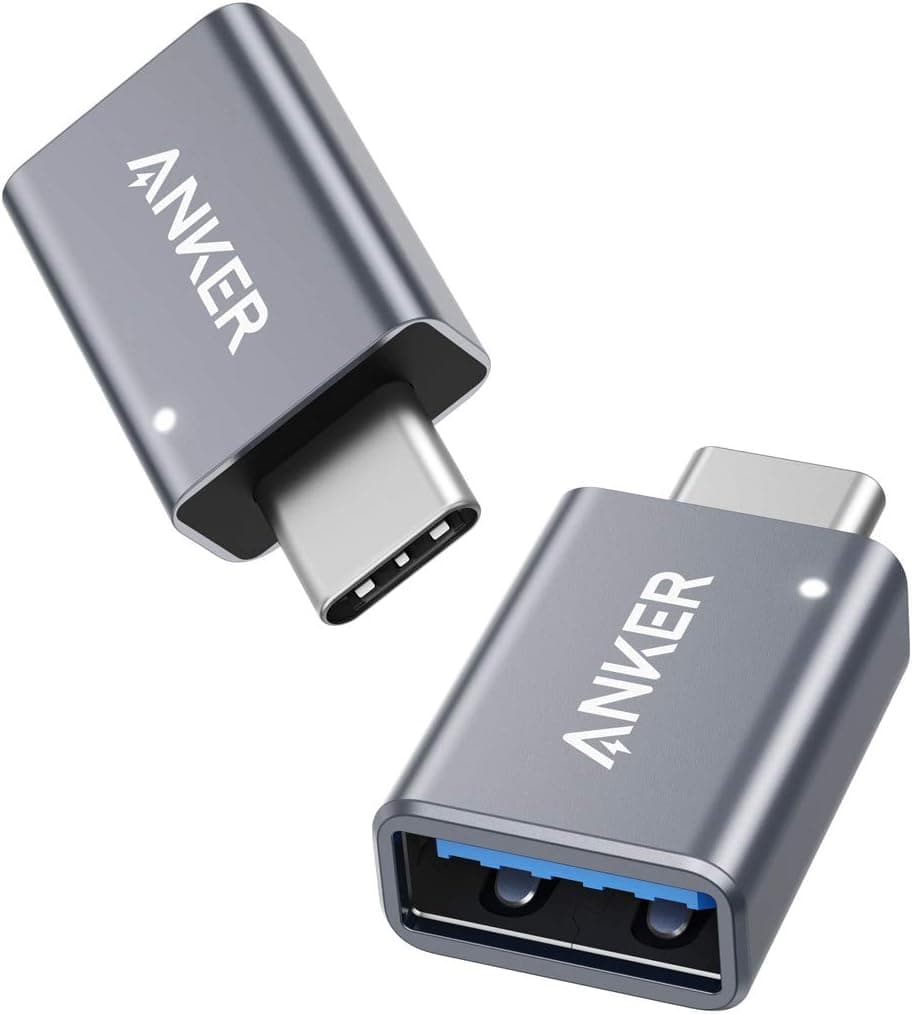
13Anker USB-C to USB-A Adapter (2-Pack)4.7/5$9.99The Neo only has USB-C ports, which means your USB-A flash drives, older keyboards, wired mice, and other legacy peri...
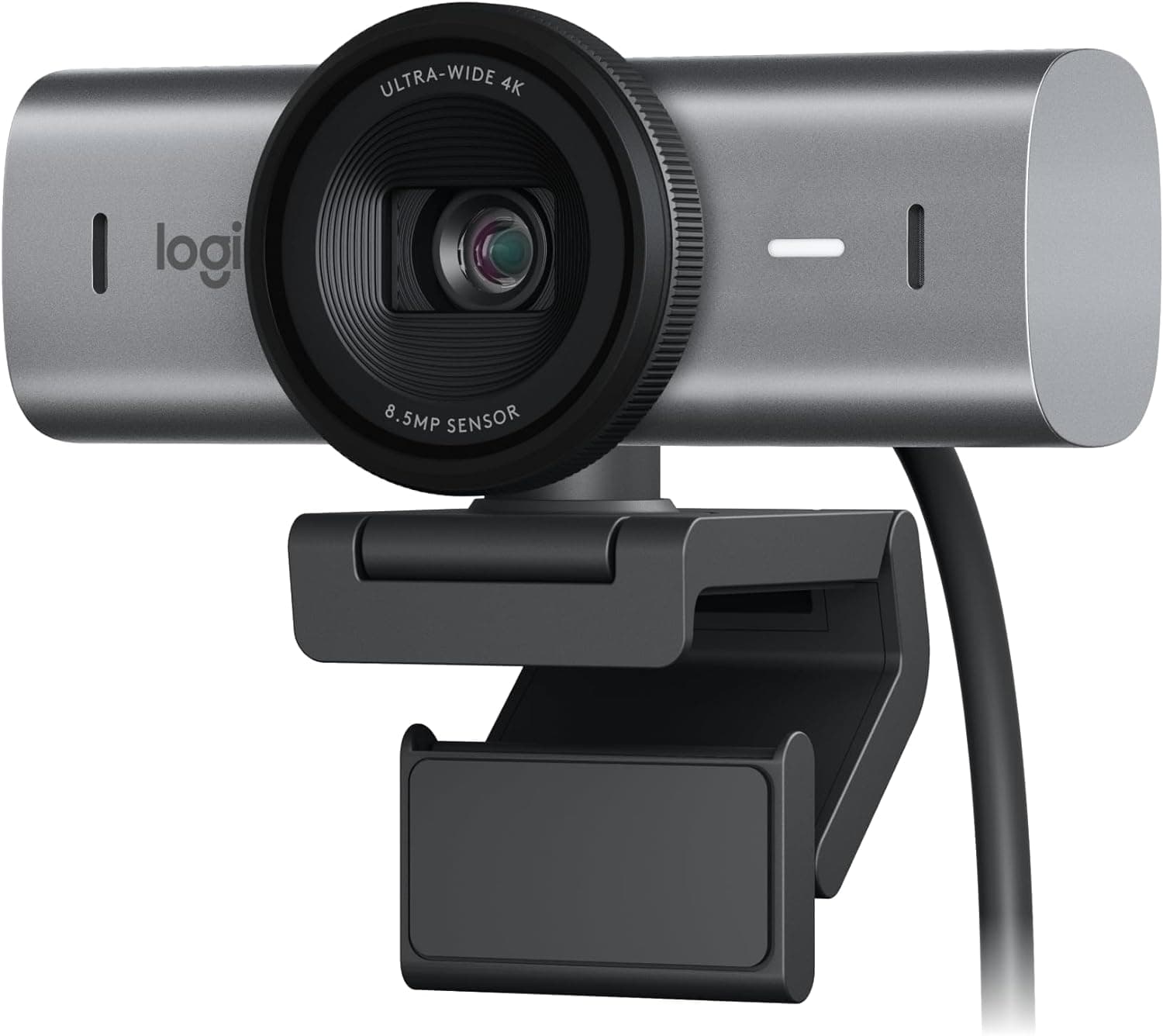
14Logitech MX Brio Ultra HD 4K WebcamBEST WEBCAM4.5/5$199.99The Neo's built-in camera is 1080p without Center Stage - functional but unremarkable.
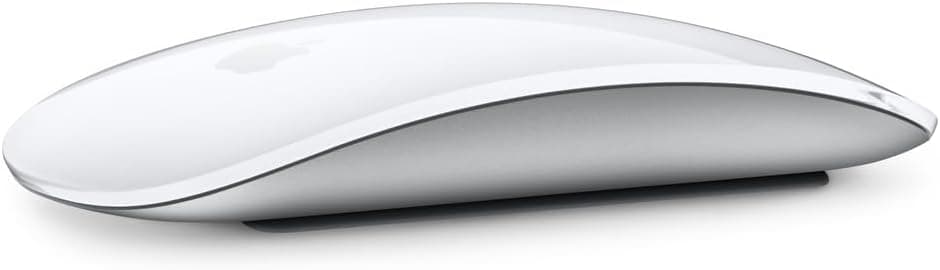
15Apple Magic Mouse (USB-C, White)4.4/5$79.00If you want to stay in the Apple ecosystem, the Magic Mouse offers Multi-Touch gestures that no third-party mouse can...
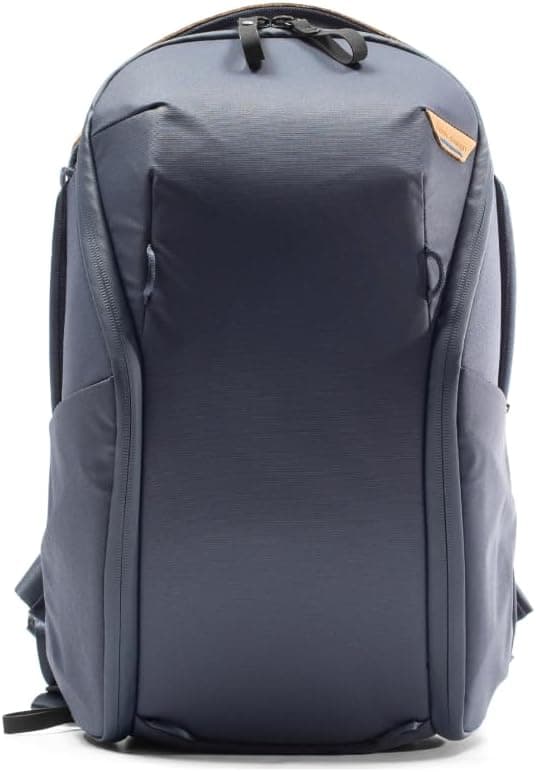
16Peak Design Everyday Backpack 20LBEST BACKPACK4.7/5$259.95The MacBook Neo weighs 2.7 pounds and is built to go everywhere - it deserves a backpack that can keep up.
17tomtoc 360 Protective Laptop Sleeve (13-inch)4.6/5$27.99At 2.7 pounds and half an inch thin, the MacBook Neo is built to travel - and it deserves a sleeve that protects it w...
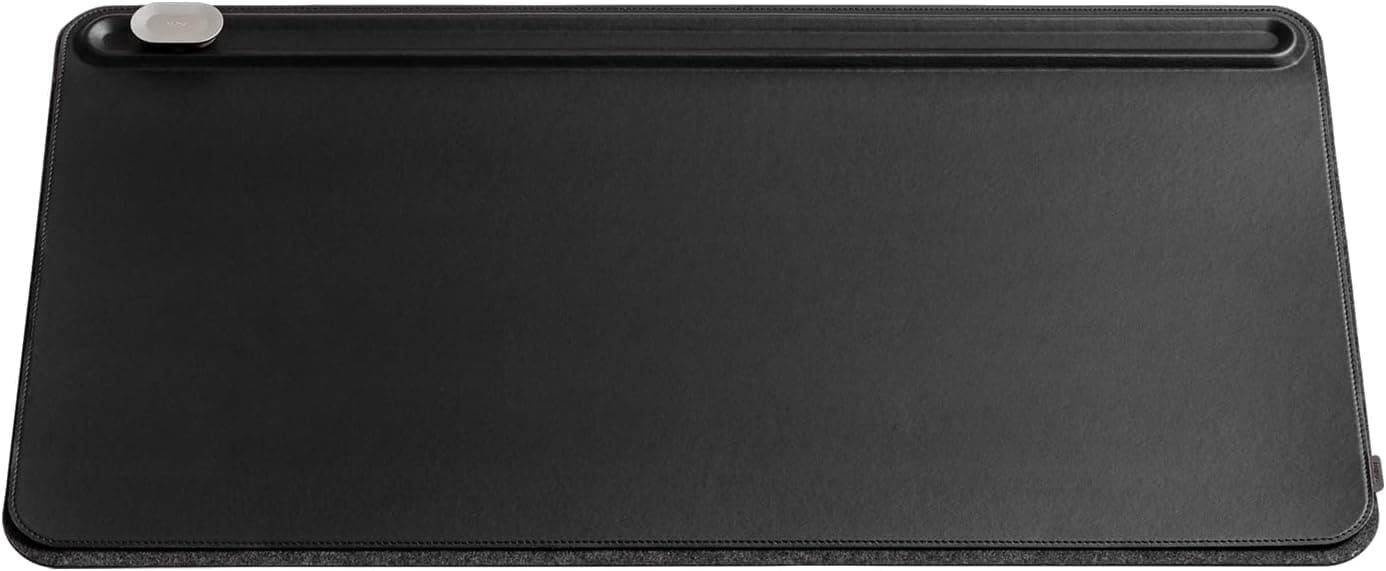
18Orbitkey Desk Mat (Medium, Vegan Leather)4.5/5$64.90A desk mat might not scream essential accessory, but once you use the Orbitkey you won't go back to a bare desk.
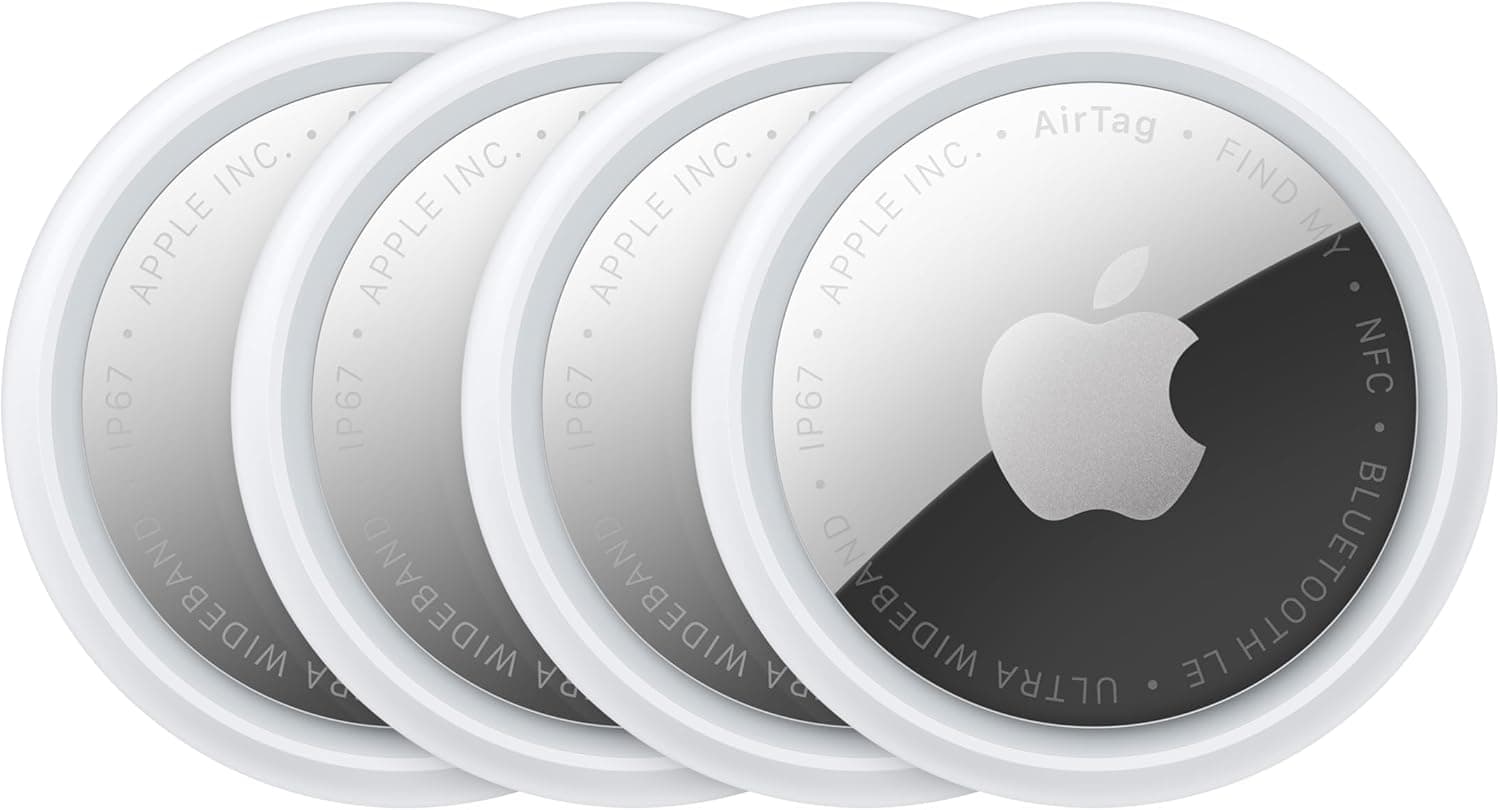
19Apple AirTag (2nd Generation)4.7/5$29.00A $599 laptop is a big investment worth protecting.
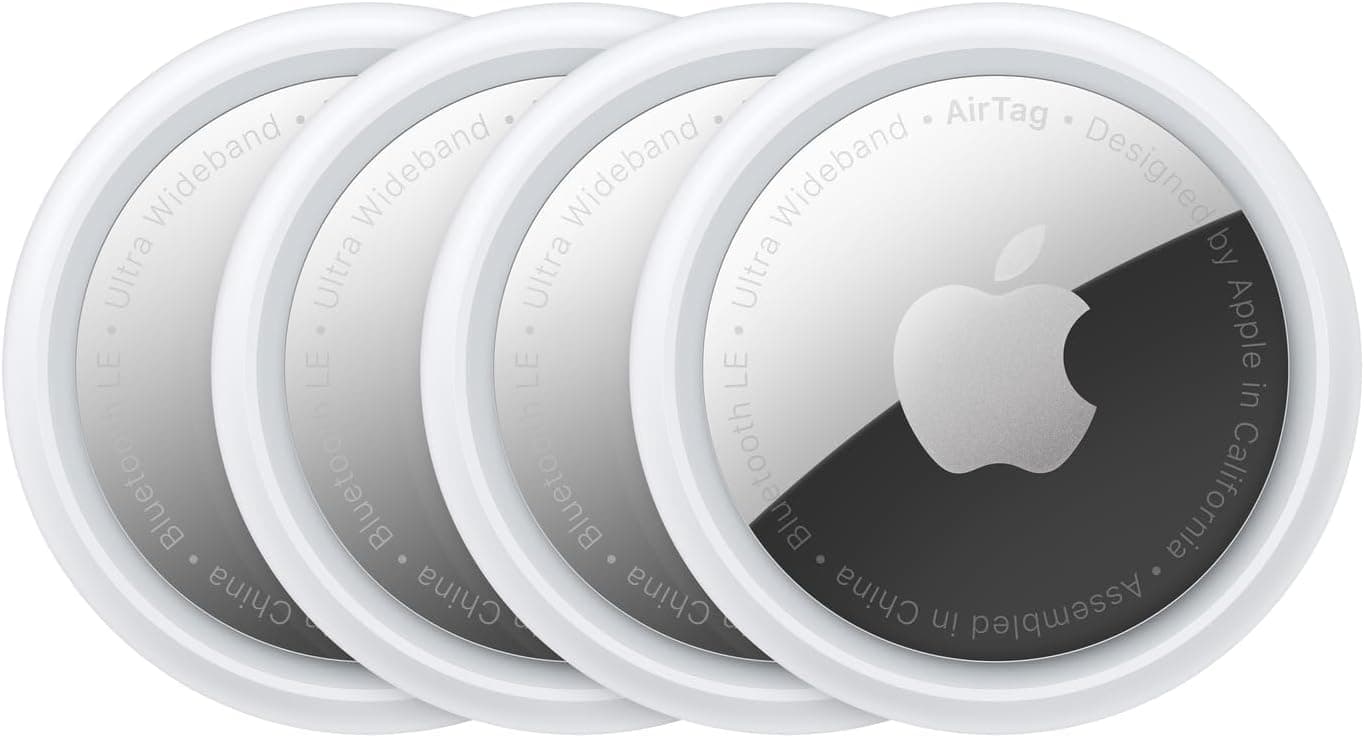
20Apple AirTag (4 Pack)BEST VALUE PACK4.8/5$79.99If you're buying an AirTag for your laptop bag, you might as well protect everything.

FULL RANKINGS

THE LAPTOP
#0
Apple MacBook Neo (512GB, A18 Pro) - image 11/5

Apple MacBook Neo (512GB, A18 Pro)

4.5(285)
$699.00

If you haven't picked up the MacBook Neo yet, here's the link. We recommend the 512GB model for the extra $100 - it's the only version with Touch ID, which makes Apple Pay, password autofill, and unlocking genuinely seamless. The A18 Pro chip handles everyday tasks, web browsing, and light photo editing without breaking a sweat. At $599-$699, this is the most accessible Mac laptop Apple has ever made, and with the accessories on this list, it punches well above its weight class. Available in Silver, Blush, Citrus, and Indigo.

Pros

  • Most affordable Mac laptop ever at $599/$699 with full macOS and Apple Intelligence
  • A18 Pro chip handles everyday tasks and light creative work effortlessly
  • All-day battery life - up to 16 hours of video playback
  • Weighs just 2.7 lbs with four color options

Cons

  • Only two USB-C ports with no MagSafe or Thunderbolt
  • No keyboard backlight on either model
  • 8GB RAM is non-upgradeable
  • Base model lacks Touch ID - spend the extra $100 for the 512GB
BEST OVERALL
#1WiseBuy #1 Pick
Anker 555 USB-C Hub (8-in-1) - image 11/5

Anker 555 USB-C Hub (8-in-1)

4.6(12,450)
$49.99$59.99

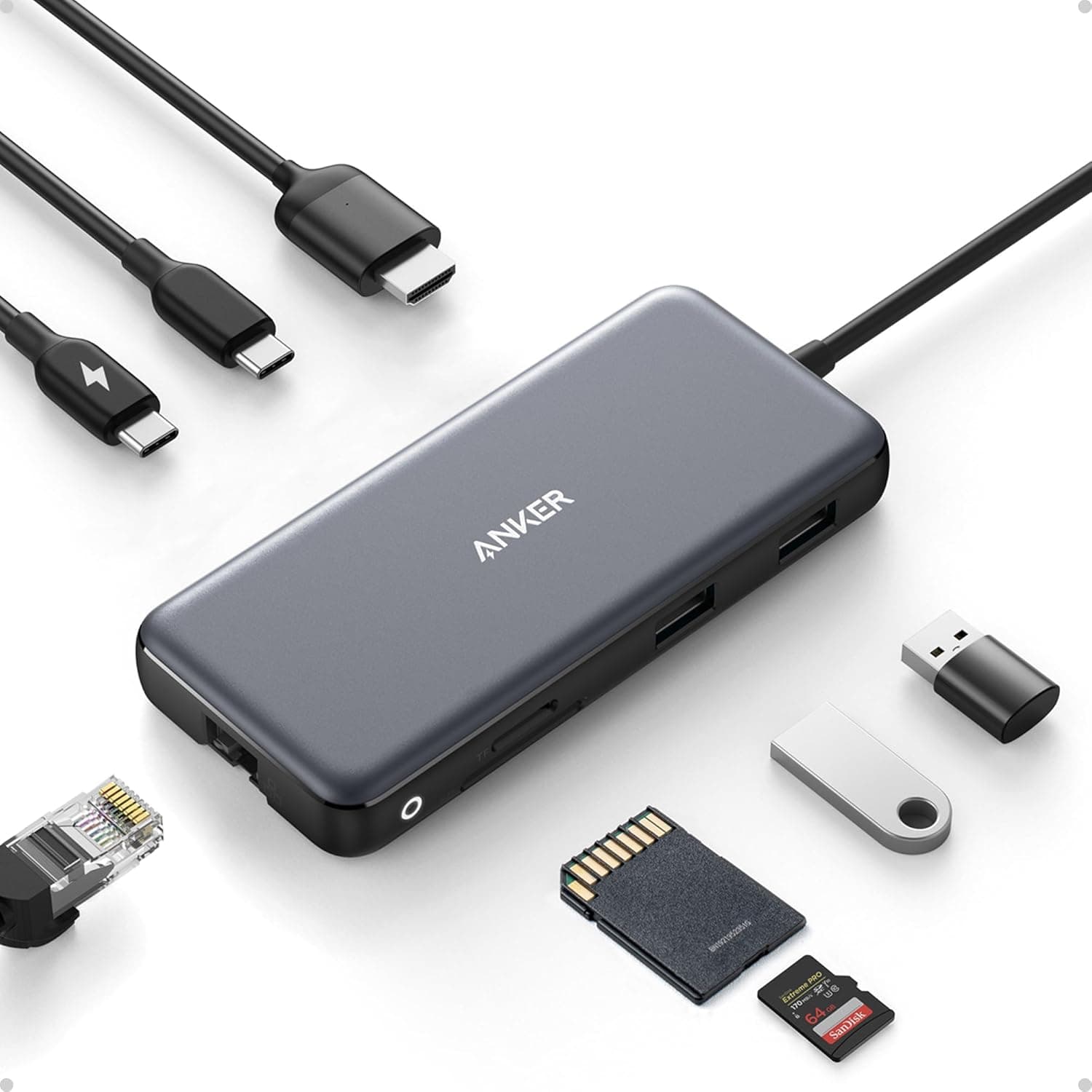
With only two USB-C ports on the MacBook Neo - and one of them limited to USB 2.0 speeds - a hub isn't a luxury, it's a necessity. The Anker 555 plugs into the left USB-C port and instantly gives you HDMI output at 4K/60Hz, gigabit ethernet, SD and microSD card readers, two USB-A ports, one USB-C data port, and 100W passthrough charging. That single connection turns the Neo's biggest weakness into a non-issue. Build quality is excellent with an aluminum shell that matches Apple's aesthetic, and the braided cable is long enough to reach comfortably from a laptop stand. Just remember: always plug this into the LEFT port - that's the one with USB 3.0 and DisplayPort Alt Mode.

Pros

  • Expands the Neo from 2 ports to 8 with a single connection
  • 4K/60Hz HDMI output works perfectly with the Neo's DisplayPort Alt Mode
  • 100W passthrough charging means you don't lose a port while charging
  • Compact aluminum build that matches the Neo's design language

Cons

  • Must use the left USB-C port for full functionality - right port won't support display output
  • Gets warm during heavy use with multiple peripherals connected
  • No Thunderbolt speeds since the Neo doesn't support Thunderbolt
MUST-HAVE UPGRADE
#2
Anker Nano 45W USB-C GaN Charger - image 11/5

Anker Nano 45W USB-C GaN Charger

4.7(3,840)
$34.99

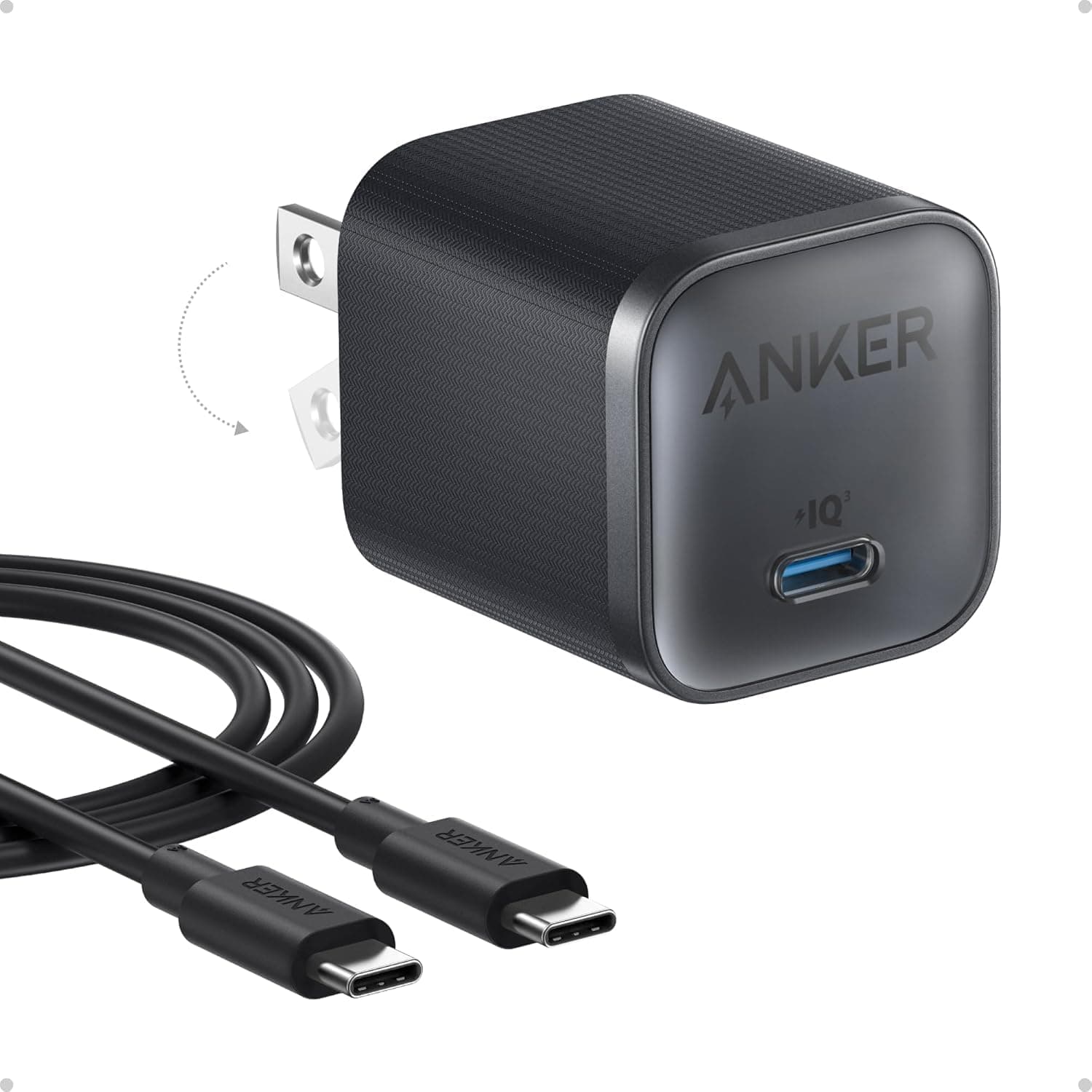
The charger Apple includes with the MacBook Neo is 20 watts - the same wattage as an iPhone charger. Charging a laptop with it is painfully slow. This Anker Nano pumps out 45W through a charger barely bigger than the stock one, cutting charge times by more than half. The foldable prongs make it genuinely pocketable, and the included 6-foot USB-C cable is a welcome bonus since Apple's included cable is only 1.5 meters. GaN technology keeps it cool and efficient. For $35, this is the single most impactful upgrade any MacBook Neo owner can make.

Pros

  • Over 2x faster charging than the included 20W adapter
  • Foldable prongs and compact size make it perfect for travel
  • Includes a 6ft USB-C cable in the box
  • GaN technology runs cool even at full 45W output

Cons

  • Occupies one of only two USB-C ports unless you use a passthrough hub
  • No LED indicator to show charging status
  • White color only - picks up scuffs over time
FASTEST CABLE
#3
Apple Thunderbolt 4 / USB-C Pro Cable (1m) - image 11/3

Apple Thunderbolt 4 / USB-C Pro Cable (1m)

4.8(920)
$39.00

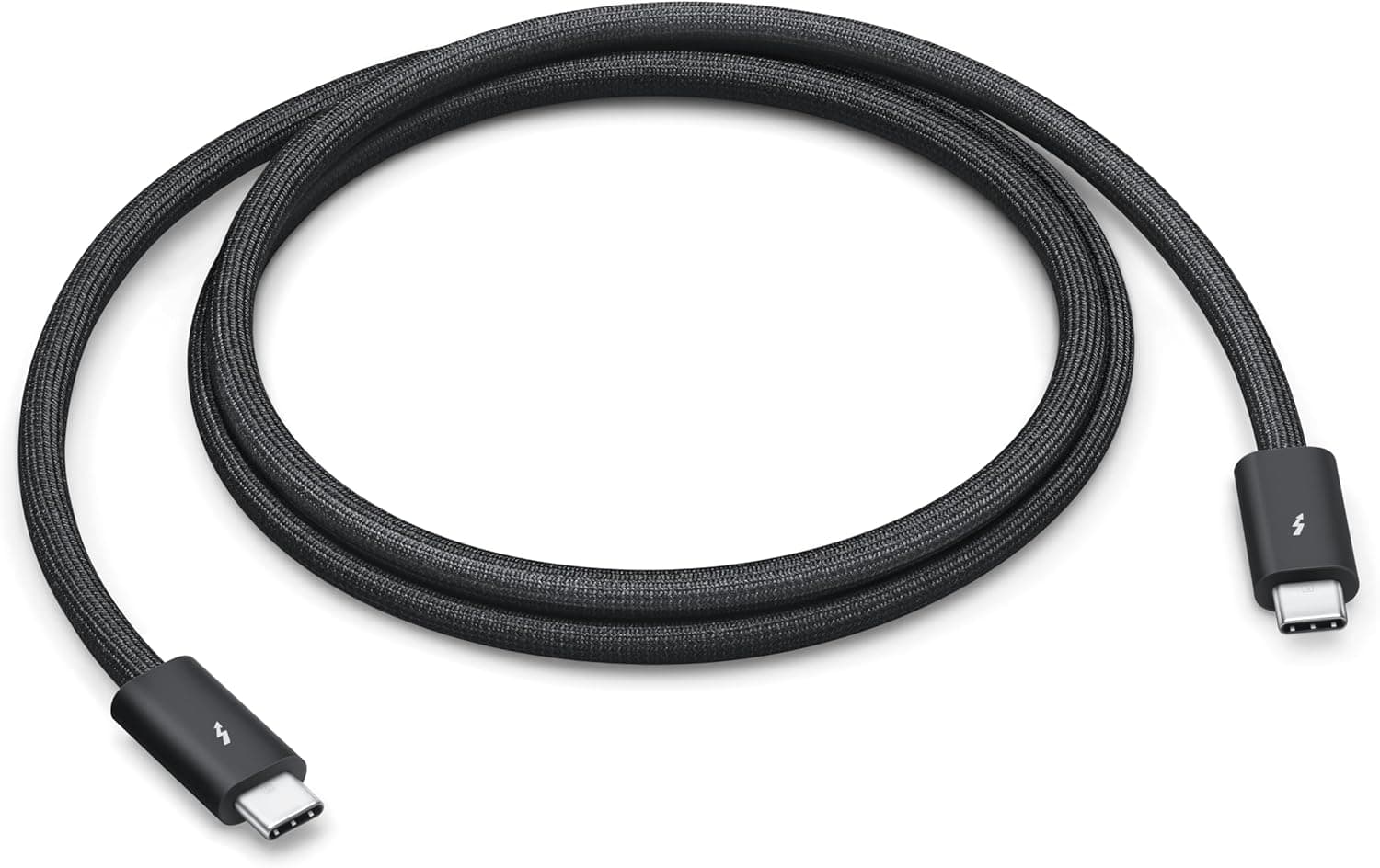
Apple's own USB-C Pro Cable is the highest quality cable you can pair with the Neo. While the Neo doesn't support Thunderbolt speeds, this cable handles USB 3.0 at the full 10Gb/s the left port can deliver, plus USB Power Delivery for charging, and DisplayPort Alt Mode for video output - all over a single cable. The braided design is incredibly durable and tangle-resistant, and the connectors seat firmly without wobbling. Yes, it's $39 for a one-meter cable, but it replaces the flimsy cable Apple includes in the box and handles every protocol the Neo supports. If you're connecting to a hub, dock, or display, this is the cable to use.

Pros

  • Supports every protocol the Neo can use: USB 3.0, DisplayPort, and Power Delivery
  • Braided design is far more durable than the included cable
  • Apple-certified build quality with solid connector fit
  • Future-proof - supports Thunderbolt 4 if you upgrade laptops later

Cons

  • Only 1 meter long - can be limiting on a desk setup
  • $39 is expensive for a single cable
  • The Neo can't take advantage of the full Thunderbolt 4 speeds
BEST KEYBOARD
#4
Logitech MX Keys S Wireless Keyboard - image 11/5

Logitech MX Keys S Wireless Keyboard

4.6(8,920)
$109.00$129.99

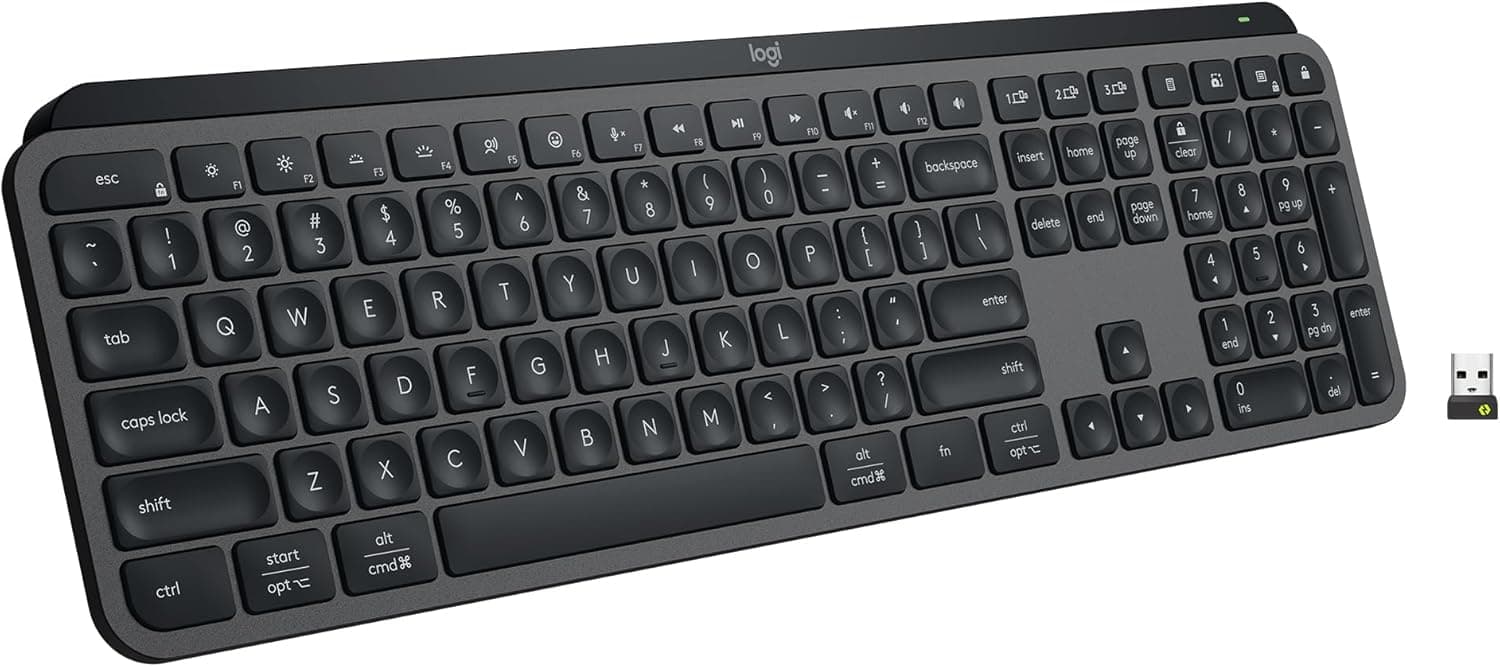
The MacBook Neo is the first Apple laptop in over 15 years without a backlit keyboard. If you work in dim environments - which is most of us at some point - the MX Keys S solves this completely. The auto-adjusting backlight turns on when your hands approach and adapts to ambient light, using proximity sensors built into the keyboard. Beyond solving the backlight gap, this is simply a fantastic typing experience with perfectly sculpted concave keys that guide your fingers naturally. Smart Actions let you assign custom macros, and it pairs with up to three devices simultaneously via Bluetooth. USB-C rechargeable with a 10-day battery (5 months with backlight off).

Pros

  • Auto-adjusting backlight with proximity sensors - exactly what the Neo lacks
  • Sculpted concave keys provide a premium typing feel that rivals Apple's own keyboards
  • Pairs with up to 3 devices simultaneously and switches between them instantly
  • Smart Actions allow custom macro assignments for productivity workflows

Cons

  • At $109, it costs almost 20% of the Neo's base price
  • Not mechanical - won't satisfy those who prefer tactile key switches
  • Requires Logi Options+ software for full customization features
BEST AUDIO
#5
Apple AirPods Pro (3rd Generation) - image 11/5

Apple AirPods Pro (3rd Generation)

4.7(1,250)
$249.00

The Neo's dual speakers support Spatial Audio, but for focused work, video calls, or not annoying everyone in the coffee shop, the AirPods Pro 3 are the ideal companion. The seamless integration with macOS is unmatched - they auto-connect instantly when you open the lid, switch between your iPhone and Neo automatically, and the Active Noise Cancellation is genuinely best-in-class. For video calls, the beam-forming microphones deliver clearer audio than the Neo's built-in dual-mic array. The USB-C case charges with the same cable as your Neo.

Pros

  • Seamless auto-switching between MacBook Neo, iPhone, and other Apple devices
  • Industry-leading Active Noise Cancellation for focused work sessions
  • USB-C charging case uses the same cable as the Neo
  • Spatial Audio with head tracking for immersive media

Cons

  • Premium price at $249 alongside a budget laptop
  • In-ear fit isn't comfortable for everyone during long sessions
  • Easy to misplace without an AirTag
BEST MOUSE
#6
Logitech MX Master 3S Wireless Mouse - image 11/5

Logitech MX Master 3S Wireless Mouse

4.7(15,200)
$79.97$99.99

The Neo's mechanical trackpad gets the job done, but it lacks the haptic Force Touch feedback of the MacBook Air and Pro. The MX Master 3S makes the trackpad question irrelevant. The MagSpeed electromagnetic scroll wheel shifts from precise ratcheted scrolling to frictionless free-spin with a flick, letting you fly through long documents and spreadsheets. The ergonomic sculpted shape is comfortable for all-day use, and the 8K DPI sensor tracks on literally any surface, including glass. Connects via Bluetooth or the included Logi Bolt receiver, and the USB-C rechargeable battery lasts about a month.

Pros

  • MagSpeed scroll wheel switches between precise and free-spin modes automatically
  • Ergonomic design is comfortable for extended work sessions
  • 8K DPI sensor tracks on any surface including glass desks
  • USB-C rechargeable with ~30 day battery life

Cons

  • Larger size isn't ideal for travel alongside a portable laptop like the Neo
  • Right-handed only design with no left-hand option
  • Logi Options+ software needed to customize buttons and gestures
BEST PORTABLE DISPLAY
#7
ARZOPA 15.6-inch Portable Monitor (1080P USB-C) - image 11/5

ARZOPA 15.6-inch Portable Monitor (1080P USB-C)

4.4(6,800)
$75.99$119.99

The MacBook Neo only supports one external display natively, but sometimes you just need more screen space. This ARZOPA plugs into the left USB-C port and gives you an instant dual-screen setup for under $80. At 15.6 inches and 1080p IPS, it's a meaningful screen expansion over the Neo's 13-inch display. It weighs just 1.6 pounds with a built-in kickstand, so it travels easily alongside the Neo. The USB-C connection handles both video and power, so no separate adapter needed. For students splitting between a lecture and notes, or anyone who needs a second screen on the go, this is a game-changer at this price.

Pros

  • Instant dual-screen setup via a single USB-C cable to the Neo's left port
  • 15.6-inch IPS panel provides meaningful extra workspace over the 13-inch Neo
  • Only 1.6 lbs with built-in kickstand for easy portability
  • USB-C carries both video and power - no extra adapter needed

Cons

  • 1080p resolution looks noticeably less sharp next to the Neo's Retina display
  • Must use the left USB-C port - occupies your only fast/display port
  • Built-in speakers are weak - use headphones for audio
#8
Apple Magic Trackpad (USB-C, White) - image 11/5

Apple Magic Trackpad (USB-C, White)

4.6(3,400)
$129.00

The MacBook Neo's built-in trackpad uses a mechanical click mechanism instead of the haptic Force Touch found in every other modern Mac laptop. If you've used a MacBook Air or Pro and miss that precise haptic feedback, the Magic Trackpad brings it back with a large, edge-to-edge glass surface. Force Click, pressure-sensitive drawing, and all macOS gestures work perfectly. The USB-C version charges natively with the same cable as the Neo and pairs instantly via Bluetooth. It's a premium accessory at $129, but for a desk setup where you're already using an external keyboard, it's the most Mac-native pointing device you can get.

Pros

  • Brings Force Touch haptic feedback that the Neo's mechanical trackpad lacks
  • Large edge-to-edge glass surface supports all macOS Multi-Touch gestures
  • USB-C charging matches the Neo's cable ecosystem
  • Instant Bluetooth pairing with macOS - zero setup required

Cons

  • $129 is steep for a trackpad - almost a quarter of the Neo's price
  • Not ergonomic for extended use compared to a mouse
  • Glass surface shows fingerprints and smudges quickly
BEST VALUE
#9
Anker 310 USB-C to HDMI Adapter (4K@60Hz) - image 11/5

Anker 310 USB-C to HDMI Adapter (4K@60Hz)

4.5(9,870)
$16.99

If you just need to connect an external monitor and don't need the full hub experience, this $17 adapter is all you need. It supports the Neo's maximum 4K at 60Hz output in a compact aluminum dongle small enough to live permanently in your bag. Zero drivers or setup required - plug it in and it works. One critical note: you MUST plug this into the LEFT USB-C port. That's the only port with DisplayPort Alt Mode support. The right port physically cannot output video. This trips up a lot of people.

Pros

  • Supports the Neo's full 4K/60Hz external display capability for just $17
  • Compact aluminum build that practically disappears in a bag pocket
  • Plug-and-play with zero driver installation required
  • Durable braided cable design that resists fraying

Cons

  • Only works in the LEFT USB-C port - right port has no display output
  • Single function - if you also need USB ports or charging, get the Anker 555 hub instead
  • No passthrough charging - uses your only fast USB-C port
#10
Samsung T7 Shield 1TB Portable SSD - image 11/5

Samsung T7 Shield 1TB Portable SSD

4.5(18,400)
$99.99$159.99

The base Neo ships with 256GB of storage, which fills up fast. The Samsung T7 Shield adds 1TB of rugged external storage that transfers at up to 1,050MB/s - but only when plugged into the LEFT USB-C port. The right port tops out at USB 2.0 speeds (480Mb/s), which would bottleneck this drive to less than half its capability. The IP65 rating means it handles rain, dust, and drops up to 9.8 feet, making it ideal for students and travelers. The rubberized exterior provides excellent grip and the included USB-C cable is solid quality.

Pros

  • 1TB of fast external storage for a Neo with limited built-in capacity
  • IP65 water and dust resistance plus 9.8-foot drop protection
  • Reads at 1,050MB/s when connected to the Neo's left USB-C port
  • Compact and rugged enough to toss in a backpack without worry

Cons

  • Must use the LEFT USB-C port for full speed - right port bottlenecks to USB 2.0
  • Gets warm during sustained large file transfers
  • Not the cheapest 1TB SSD option if you don't need IP65 ruggedness
#11
Twelve South Curve SE Laptop Stand - image 11/5

Twelve South Curve SE Laptop Stand

4.4(2,150)
$39.99$49.99

Propping the Neo up to eye level is better for your neck and improves airflow underneath - the Neo's fanless design relies on passive cooling, so keeping the bottom clear actually helps thermal performance. The Curve SE's matte aluminum finish matches Apple's design language perfectly, and anti-slip silicone pads cradle the laptop securely without scratching. At 5.6 inches of elevation, it pairs perfectly with an external keyboard and mouse. This is a desk-only accessory, but for a home or office setup it's the most elegant option available.

Pros

  • Premium aluminum construction that perfectly matches Apple's design aesthetic
  • Elevates screen to ergonomic height and improves passive cooling airflow
  • Anti-slip silicone pads protect the Neo's finish from scratches
  • Sturdy fixed-height design with no wobble during typing

Cons

  • Not adjustable - fixed height only, unlike the pricier Curve Flex
  • Not portable or foldable - strictly a desk accessory
  • Assembly is tight and requires some force to snap together
BEST PORTABLE STAND
#12
Lamicall Adjustable Laptop Stand (Foldable) - image 11/5

Lamicall Adjustable Laptop Stand (Foldable)

4.6(5,600)
$25.99

Where the Twelve South Curve SE is a desk-only showpiece, the Lamicall is the stand you throw in your bag. It folds flat, weighs almost nothing, and has multi-angle height adjustment so you can dial in exactly the right ergonomic position wherever you're working. The aluminum construction is surprisingly sturdy for the price, and the silicone pads grip the Neo securely. At $26, it's an easy impulse buy that saves your neck at coffee shops, libraries, and co-working spaces. The open design also allows full airflow under the Neo's fanless chassis.

Pros

  • Foldable and lightweight - perfect travel companion for the portable Neo
  • Multi-angle adjustment lets you set the exact height you want
  • Aluminum construction with silicone grip pads at under $30
  • Open design allows full airflow for the Neo's passive cooling

Cons

  • Not as premium-looking as the Twelve South for a permanent desk setup
  • Hinge can loosen over time with heavy laptops (fine for the 2.7 lb Neo)
  • No cable management built in
#13
Anker USB-C to USB-A Adapter (2-Pack) - image 11/5

Anker USB-C to USB-A Adapter (2-Pack)

4.7(28,000)
$9.99

The Neo only has USB-C ports, which means your USB-A flash drives, older keyboards, wired mice, and other legacy peripherals won't connect without an adapter. This $10 two-pack solves the problem permanently. Each adapter supports USB 3.0 speeds (5Gb/s) and is small enough to leave attached to your most-used USB-A device or toss in a pocket. Keep one in your bag and one on your desk. At this price there's zero reason not to have a pair on hand for the inevitable moment someone hands you a USB-A thumb drive.

Pros

  • Two-pack for under $10 means you can keep one everywhere you work
  • USB 3.0 speeds at 5Gb/s - no bottleneck for flash drives or peripherals
  • Compact enough to leave permanently attached to USB-A devices
  • Works with the Neo's left port at full speed for fast data transfers

Cons

  • Only converts USB-C to USB-A - no other functionality
  • Small size makes them easy to lose
  • No indicator light or lanyard attachment point
BEST WEBCAM
#14
Logitech MX Brio Ultra HD 4K Webcam - image 11/5

Logitech MX Brio Ultra HD 4K Webcam

4.5(2,100)
$199.99

The Neo's built-in camera is 1080p without Center Stage - functional but unremarkable. The MX Brio leaps to 4K at 30fps with a Sony Starvis sensor, auto-framing, and AI-enhanced lighting that makes you look professional even in mediocre room lighting. For remote workers, students doing video presentations, or anyone on frequent video calls, the upgrade is immediately noticeable. It connects natively via USB-C (no adapter needed) and the privacy shutter is a physical slider, not software. The magnetic mount clips securely to the Neo's thin display bezel.

Pros

  • 4K at 30fps with Sony Starvis sensor - massive upgrade from the Neo's 1080p camera
  • AI-powered auto-framing and light correction for professional video calls
  • Native USB-C connection - no adapter required
  • Physical privacy shutter for genuine camera security

Cons

  • At $200, it's a third the price of the Neo itself
  • Bulky compared to the Neo's minimal, portable design
  • Requires Logi Tune app for advanced settings like zoom and FOV adjustment
#15
Apple Magic Mouse (USB-C, White) - image 11/5

Apple Magic Mouse (USB-C, White)

4.4(4,200)
$79.00

If you want to stay in the Apple ecosystem, the Magic Mouse offers Multi-Touch gestures that no third-party mouse can replicate - swipe between desktops, scroll through web pages with momentum, and zoom with a pinch. The USB-C version finally ditches Lightning, so it charges with the same cable as the Neo. It's polarizing - people either love the low profile and gesture surface or find it uncomfortable. But for macOS-specific gestures and seamless pairing that just works the moment you turn it on, nothing else comes close. At $79 it's also the most affordable Apple peripheral on this list.

Pros

  • Multi-Touch surface supports macOS gestures no third-party mouse can match
  • USB-C charging uses the same cable as the Neo - no more Lightning
  • Instant Bluetooth pairing - turn it on and it's connected
  • Slim, lightweight design is easy to slip into a bag

Cons

  • Ergonomics are divisive - low profile isn't comfortable for everyone
  • Still charges on the bottom, making it unusable while plugged in
  • No scroll wheel - gesture scrolling takes getting used to
BEST BACKPACK
#16
Peak Design Everyday Backpack 20L - image 11/5

Peak Design Everyday Backpack 20L

4.7(5,400)
$259.95

The MacBook Neo weighs 2.7 pounds and is built to go everywhere - it deserves a backpack that can keep up. The Peak Design Everyday is one of the best-designed bags you'll ever own. The FlexFold dividers inside let you configure the interior however you want - laptop, charger, hub, cables, camera gear, or just everyday stuff. The MagLatch closure opens with one hand, and the side zip access lets you grab your Neo without opening the top. The 20L size is perfect for daily carry without being oversized. Weatherproof 100% recycled nylon shell handles rain without a cover. It's expensive, but this is a buy-it-once-for-years kind of product.

Pros

  • FlexFold dividers create custom compartments for the Neo and all its accessories
  • MagLatch closure and side zip access for quick one-handed Neo retrieval
  • Weatherproof recycled nylon shell handles rain without a separate cover
  • 20L capacity is the sweet spot between daily carry and travel

Cons

  • At $260, it costs almost half as much as the Neo itself
  • Heavier than minimalist backpacks due to the divider system
  • Magnetic latch takes practice to use smoothly at first
#17
tomtoc 360 Protective Laptop Sleeve (13-inch) - image 11/5

tomtoc 360 Protective Laptop Sleeve (13-inch)

4.6(22,500)
$27.99

At 2.7 pounds and half an inch thin, the MacBook Neo is built to travel - and it deserves a sleeve that protects it without adding bulk. The tomtoc 360 uses patented CornerArmor technology that reinforces the corners where impact damage actually happens. The interior is soft enough to prevent scratches while the exterior is water-resistant against spills and light rain. The front accessory pocket fits your charger, adapter, and cables neatly. At $28, it's an easy purchase that could save you from a cracked screen or dented chassis. Wirecutter's pick for best laptop sleeve, and we agree.

Pros

  • CornerArmor patent technology protects against the drops that actually happen
  • Water-resistant exterior guards against spills and light rain
  • Front pocket fits the Neo's charger, hub, and cables perfectly
  • Snug 13-inch fit designed specifically for this laptop size

Cons

  • Only fits 13-inch laptops - won't accommodate a future larger MacBook
  • No shoulder strap or handles - sleeve only, not a bag
  • Limited color options compared to competitors
#18
Orbitkey Desk Mat (Medium, Vegan Leather) - image 11/5

Orbitkey Desk Mat (Medium, Vegan Leather)

4.5(3,200)
$64.90

A desk mat might not scream essential accessory, but once you use the Orbitkey you won't go back to a bare desk. The water-repellent vegan leather surface provides a smooth, consistent area for your mouse and protects your desk from scratches. The hidden document hideaway underneath lets you stash notes and papers out of sight, and the magnetic cable holder along the top edge keeps your USB-C charger from sliding off the desk when unplugged. It ties together a Neo desk setup beautifully - laptop on stand, keyboard and mouse on the mat, cables managed. Available in multiple colors to match the Neo's Silver, Blush, Citrus, or Indigo.

Pros

  • Water-repellent vegan leather protects your desk and provides a smooth mouse surface
  • Hidden document hideaway stores papers and notes out of sight
  • Magnetic cable holder keeps the Neo's charger from falling off the desk
  • Multiple color options to match the Neo's four colorways

Cons

  • At $65, it's a luxury accessory rather than a necessity
  • Medium size may not cover full desk width for some setups
  • Vegan leather can show wear marks from heavy mouse use over time
#19
Apple AirTag (2nd Generation) - image 11/5

Apple AirTag (2nd Generation)

4.7(2,800)
$29.00

A $599 laptop is a big investment worth protecting. Slip an AirTag into your backpack or laptop sleeve and you can track it through Apple's Find My network if it ever goes missing. The 2nd generation AirTag adds improved Precision Finding with UWB and a louder speaker. Setup takes seconds - just hold it near your Neo and tap to pair. The replaceable CR2032 battery lasts about a year. For students leaving their Neo in lecture halls, coffee shops, or libraries, the peace of mind is worth every penny of the $29.

Pros

  • Track your Neo's bag through Apple's massive Find My network
  • 2nd generation with improved Precision Finding and louder speaker
  • One-tap setup - hold near your Neo and it pairs instantly
  • Replaceable CR2032 battery lasts about a year

Cons

  • Requires an Apple device to set up and track - no Android support
  • Only tracks the bag, not the Neo itself (MacBook has built-in Find My)
  • No hole for direct keychain attachment - needs a holder accessory
BEST VALUE PACK
#20
Apple AirTag (4 Pack) - image 11/5

Apple AirTag (4 Pack)

4.8(45,000)
$79.99$99.00

If you're buying an AirTag for your laptop bag, you might as well protect everything. The 4-pack gives you tags for your backpack, luggage, keys, and one spare - at a meaningful discount over buying individually. Put one in your Peak Design backpack with the Neo, one on your keychain, one in your checked luggage, and keep a spare for whatever you need next. The same 2nd-gen Precision Finding and year-long battery life apply. At about $20 per tag versus $29 individually, the math is simple.

Pros

  • Four AirTags at ~$20 each versus $29 individually - meaningful savings
  • Protect your Neo bag, keys, luggage, and more with one purchase
  • Same 2nd-gen Precision Finding technology as the single pack
  • Replaceable batteries mean they last years with minimal cost

Cons

  • Still requires Apple devices - useless if your household is mixed Android/iOS
  • No holders included - you'll need to buy those separately
  • Overkill if you really only need one tracker

HOW WE CHOSE

We selected these 20 accessories specifically for the MacBook Neo's unique constraints: only two USB-C ports with different speeds (left = USB 3.0 10Gb/s + DisplayPort, right = USB 2.0 480Mb/s), no MagSafe charging, no Thunderbolt, no keyboard backlight, a mechanical trackpad without Force Touch, and an underpowered 20W included charger. Every product was verified for compatibility with the Neo's port configuration. We prioritized accessories that solve the Neo's specific limitations while keeping total cost reasonable - since most Neo buyers chose it for its $599-$699 price point.

FREQUENTLY ASKED QUESTIONS

Why are the MacBook Neo's two USB-C ports different?

The left USB-C port supports USB 3.0 at 10Gb/s with DisplayPort Alt Mode for external displays. The right port is USB 2.0 only at 480Mb/s with no display output. They look identical, so always plug displays, fast storage, and hubs into the LEFT port.

Can I charge the MacBook Neo while using an external display?

Yes, but you'll need a USB-C hub with passthrough charging like the Anker 555. Since the Neo has no MagSafe, charging uses one of the two USB-C ports. A hub with passthrough charging lets you power the laptop and connect a display through a single port.

Is the included 20W charger really that slow?

Yes. The 20W adapter is the same wattage Apple uses for iPhones. A 45W charger like the Anker Nano cuts charge time by more than half. It's the single most worthwhile upgrade for any Neo owner.

Can the MacBook Neo connect to two external monitors?

Not natively - it supports one external display at 4K/60Hz through the left USB-C port. For dual monitors, you'd need a DisplayLink-compatible dock and the DisplayLink Manager software, which uses the CPU for the second display.

Will Thunderbolt accessories work with the MacBook Neo?

Thunderbolt accessories will physically connect via USB-C but fall back to USB 3.0 speeds (10Gb/s) instead of Thunderbolt speeds (40Gb/s). Save money and buy USB-C accessories instead - you'll get the same performance the Neo can actually deliver.

Which USB-C port should I use for charging?

Either port accepts charging, but we recommend charging through the RIGHT port (or through a hub on the left port). This keeps the faster left port free for data-intensive tasks like external displays, fast storage, and hubs.