TECH TECH & GADGETS

10 Best WiFi Routers of 2026

We analyzed thousands of real user discussions and expert benchmarks to find the most recommended standalone WiFi routers for 2026. From budget-friendly WiFi 6 workhorses to blazing-fast WiFi 7 flagships, these are the routers that deliver the best performance, reliability, and value.

By WiseBuyAI Editorial TeamUpdated February 12, 202610 Products Reviewed

OUR TOP PICKS

#1

GL.iNet GL-MT6000 (Flint 2)

$139.99
SEE PRICE
#2

TP-Link Archer AXE75

$149.99
SEE PRICE
#3

ASUS RT-AX86U Pro

$229.99
SEE PRICE

FULL RANKINGS

BEST OVERALL
#1WiseBuy #1 Pick
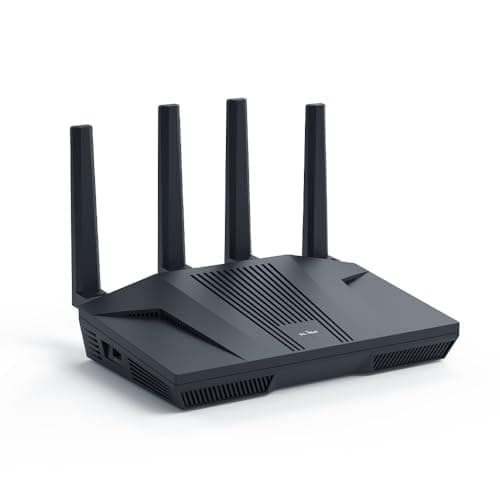
GL.iNet GL-MT6000 (Flint 2)

GL.iNet GL-MT6000 (Flint 2)

4.7(4,200)
$139.99

The GL.iNet Flint 2 has quietly become the most recommended standalone router among networking enthusiasts, and for good reason. It runs OpenWrt out of the box, giving you enterprise-level control over your network without the bloatware and telemetry that plagues consumer routers from larger brands. With dual 2.5G Ethernet ports, WiFi 6 AX6000 speeds, and a MediaTek Filogic 830 chipset, it delivers performance that embarrasses routers at twice the price — all for under $140.

Pros

  • Runs OpenWrt natively — full control over your network without firmware hacks or compromises
  • Dual 2.5G Ethernet ports handle multi-gig internet plans that most consumer routers cannot
  • Built-in WireGuard and OpenVPN support with hardware acceleration for fast VPN speeds
  • Under $140 delivers performance rivaling routers costing $250 or more
  • AdGuard Home built-in provides network-wide ad blocking without additional hardware

Cons

  • OpenWrt interface can be intimidating for users who want a simple plug-and-play experience
  • WiFi 6 only — lacks WiFi 7 support for future-proofing
  • No built-in modem — requires a separate modem or ONT for internet connectivity
  • Limited parental controls compared to consumer-oriented routers from ASUS or Netgear
BEST VALUE
#2
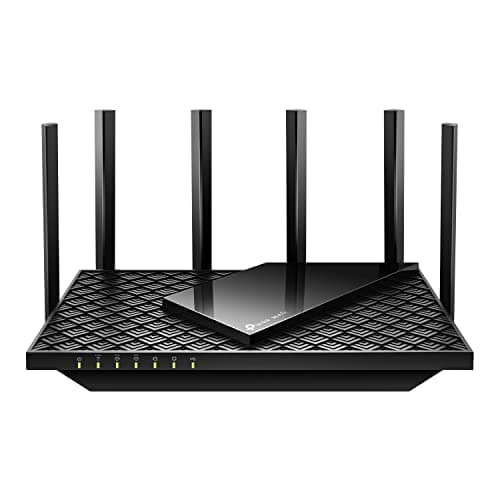
TP-Link Archer AXE75

TP-Link Archer AXE75

4.5(12,500)
$149.99

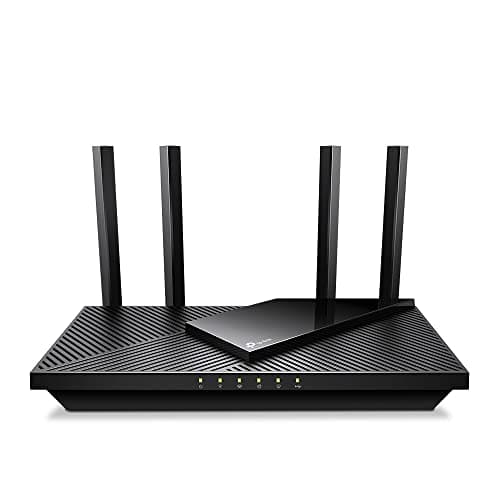
The TP-Link Archer AXE75 is the WiFi 6E router that delivers tri-band performance at a price that makes spending more feel wasteful. The dedicated 6GHz band eliminates congestion for newer devices, while the 5GHz and 2.4GHz bands handle everything else. With a quad-core processor, 160MHz channel support, and full WPA3 security, it gives you the core benefits of WiFi 6E without the premium price tag. PCMag awarded it an Editor's Choice for good reason — it is simply the best value in tri-band routing.

Pros

  • WiFi 6E with dedicated 6GHz band provides a congestion-free channel for compatible devices
  • AXE5400 tri-band speeds handle 4K streaming, gaming, and large file transfers simultaneously
  • Quad-core CPU prevents slowdowns even with dozens of connected devices
  • OneMesh compatible — pair with TP-Link range extenders for affordable whole-home coverage
  • Under $150 for genuine tri-band WiFi 6E is exceptional value

Cons

  • 6GHz range is shorter than 5GHz — coverage diminishes faster through walls
  • No multi-gig Ethernet ports — limited to standard gigabit LAN connections
  • TP-Link HomeShield advanced features require a paid subscription
  • External antenna design is bulkier than some competing routers
EDITOR'S PICK
#3
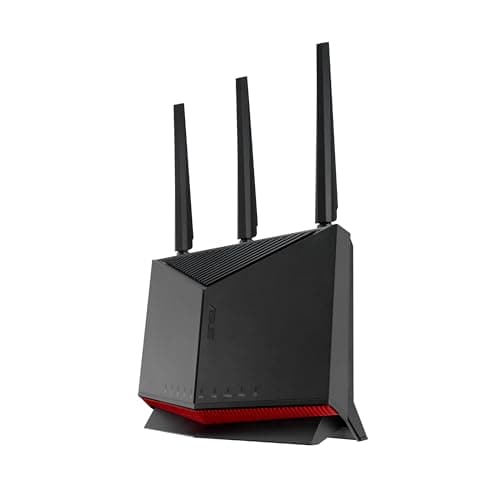
ASUS RT-AX86U Pro

ASUS RT-AX86U Pro

4.6(8,900)
$229.99

The ASUS RT-AX86U Pro is the router that gamers and power users have crowned as the best all-around WiFi 6 router you can buy. Its dedicated gaming port prioritizes traffic to your PC or console, and the mobile game mode optimizes latency for competitive mobile gaming. But it is far more than a gaming gimmick — with AiProtection Pro powered by Trend Micro, built-in VPN server and client, and AiMesh support for future expansion, it is a genuinely feature-complete router that does everything well.

Pros

  • Dedicated 2.5G WAN/LAN port and gaming port with traffic prioritization for low-latency gaming
  • AiProtection Pro provides lifetime free network security powered by Trend Micro — no subscription needed
  • Comprehensive VPN support with WireGuard, OpenVPN, and IPSec server and client modes
  • AiMesh compatible for seamless expansion to a mesh network if your coverage needs grow
  • Intuitive ASUSWRT interface balances power-user features with accessible design

Cons

  • WiFi 6 only — no 6GHz band or WiFi 7 support for future device compatibility
  • Aggressive antenna design takes up significant desk space and is hard to hide
  • Some advanced features like AiMesh node mode reduce available throughput
  • Higher price than competing WiFi 6 routers that offer similar raw throughput
#4
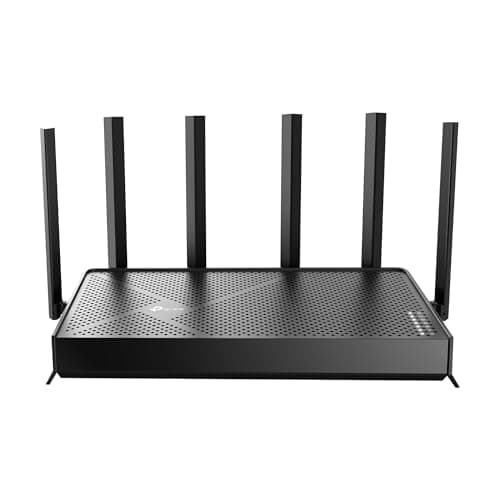
TP-Link Archer BE9700 (Archer BE600)

TP-Link Archer BE9700 (Archer BE600)

4.5(2,100)
$299.99

The TP-Link Archer BE600 is the WiFi 7 router that finally makes the new standard affordable. With a 10G WAN port, three 2.5G LAN ports, and 320MHz channel support, it is built for multi-gig internet connections that are becoming increasingly common. Tri-band BE9700 speeds and MLO (Multi-Link Operation) deliver the tangible benefits of WiFi 7 without requiring a second mortgage. For anyone ready to step into WiFi 7 without the $500+ entry fee of competing flagships, this is the router to buy.

Pros

  • 10G WAN port future-proofs for multi-gig internet plans as they become available
  • Three 2.5G LAN ports provide multi-gig wired connections for NAS, gaming PCs, and workstations
  • 320MHz channel width on 6GHz band maximizes WiFi 7 throughput for compatible devices
  • MLO (Multi-Link Operation) bonds multiple bands for improved reliability and speed
  • Under $300 makes it the most affordable fully-featured WiFi 7 tri-band router

Cons

  • Still relatively new — long-term firmware stability remains to be proven
  • WiFi 7 client devices are still limited, reducing the immediate benefit of the upgrade
  • HomeShield advanced security features require a paid subscription
  • No USB port for network-attached storage sharing
BEST PREMIUM
#5
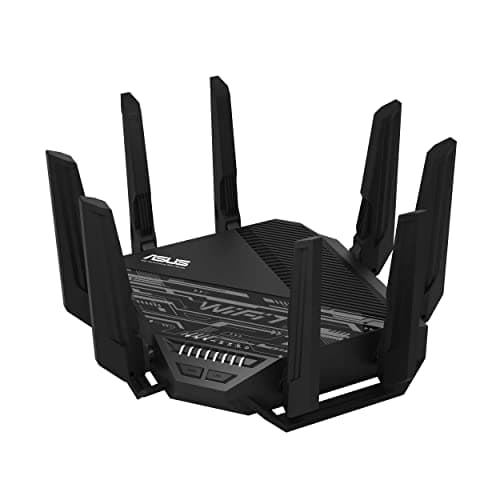
ASUS RT-BE96U

ASUS RT-BE96U

4.6(3,200)
$499.99

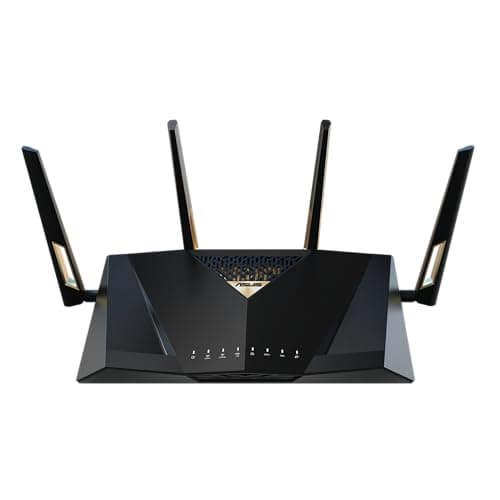
The ASUS RT-BE96U is the WiFi 7 flagship that proves the new standard is ready for prime time. With dual 10G ports, BE19000 tri-band speeds, and full 320MHz channel support with 4096-QAM, it delivers raw throughput that saturates even the fastest home internet connections. The signature ASUSWRT interface provides deep customization without requiring a networking degree, and AiProtection Pro gives you enterprise-grade security at no recurring cost. It is expensive, but it is the best WiFi 7 router you can buy today.

Pros

  • Dual 10G ports provide the fastest wired connectivity available on any consumer router
  • BE19000 tri-band with 320MHz channels and 4096-QAM delivers maximum WiFi 7 throughput
  • AiProtection Pro with Trend Micro provides lifetime free security — no subscription required
  • Multi-Link Operation bonds bands for lower latency and more reliable connections
  • AiMesh support allows expansion to a mesh network using other ASUS routers

Cons

  • At $500, it is a significant investment that most households do not yet need
  • Very few WiFi 7 client devices currently exist to take full advantage of its capabilities
  • Large form factor with prominent antennas requires dedicated placement space
  • Power consumption is higher than WiFi 6 routers due to the more powerful chipset
BEST FOR GAMING
#6
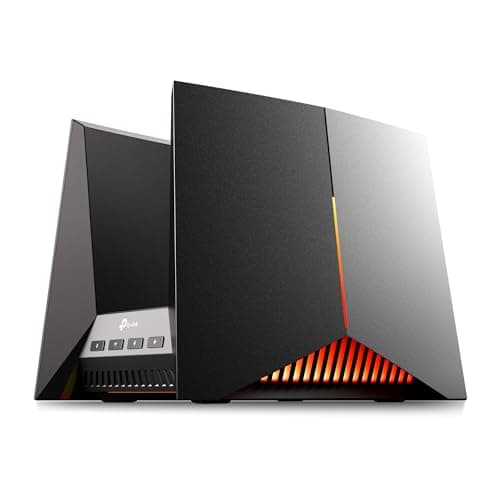
TP-Link Archer GE800

TP-Link Archer GE800

4.5(1,800)
$449.99

The TP-Link Archer GE800 is the first TP-Link router built from the ground up for competitive gaming, and it delivers. The dedicated gaming port with turbo acceleration prioritizes your gaming traffic at the hardware level, while the gaming dashboard provides real-time latency monitoring and device-level bandwidth control. With dual 10G ports, four 2.5G LAN ports, and WiFi 7 BE19000 tri-band speeds, it has the raw networking power to eliminate every bottleneck between you and your game server.

Pros

  • Dedicated gaming port with hardware-level turbo acceleration minimizes latency for competitive play
  • Dual 10G ports and four 2.5G LAN ports provide the fastest wired network available
  • Real-time gaming dashboard shows latency, bandwidth, and device-level traffic monitoring
  • RGB lighting on the gaming panel is customizable and can be disabled entirely if preferred
  • USB 3.0 port supports network-attached storage for game backups and media sharing

Cons

  • Gaming-specific features add $100+ premium over similarly-specced non-gaming WiFi 7 routers
  • Aggressive gamer aesthetic with RGB lighting will not blend into every home environment
  • Large footprint requires significant shelf or desk space for proper placement
  • HomeShield advanced parental controls and security require a paid subscription
#7
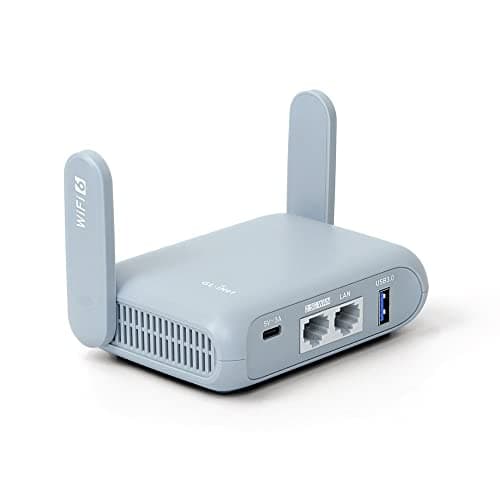
GL.iNet GL-MT3000 (Beryl AX)

GL.iNet GL-MT3000 (Beryl AX)

4.5(6,800)
$86.00

The GL.iNet Beryl AX is the pocket-sized router that has earned a cult following among travelers, privacy enthusiasts, and VPN users. It fits in your palm, runs OpenWrt with full WireGuard hardware acceleration, and can serve as a travel router, VPN gateway, or secondary home router. At under $90 with a 2.5G WAN port and WiFi 6 AX3000 speeds, it is absurdly capable for its size and price. For anyone who needs a portable router that takes privacy and security seriously, nothing else comes close.

Pros

  • Pocket-sized form factor is genuinely portable — fits in a jacket pocket or laptop bag
  • WireGuard VPN with hardware acceleration delivers encrypted speeds over 300Mbps
  • 2.5G WAN port at this size and price is exceptionally rare and future-proof
  • OpenWrt-based firmware with AdGuard Home built in for network-wide ad blocking
  • Under $90 makes it an easy recommendation as a secondary or travel router

Cons

  • Single-band 5GHz WiFi 6 — no 6GHz band or tri-band capability
  • Small size means limited antenna power — coverage is adequate for hotel rooms but not large homes
  • Only one LAN port limits wired device connectivity without a switch
  • Not designed to be a primary router for large households or heavy network loads
#8
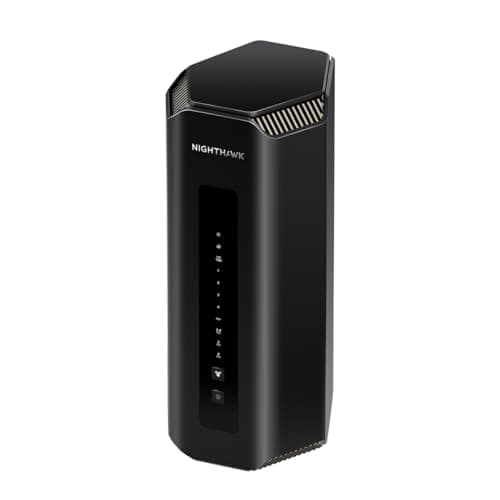
Netgear Nighthawk RS700S

Netgear Nighthawk RS700S

4.4(2,400)
$499.99

The Netgear Nighthawk RS700S is the WiFi 7 powerhouse from one of the most recognized names in consumer networking. With BE19000 tri-band speeds, a 10G internet port, and coverage up to 3,500 square feet, it is built for large homes with demanding network needs. The included year of Netgear Armor security (powered by Bitdefender) provides comprehensive threat protection out of the box. The Nighthawk app is one of the most polished router management experiences available, making complex network management genuinely accessible.

Pros

  • 10G internet port handles the fastest residential broadband plans available today
  • 3,500 sq ft coverage handles large homes without needing extenders or mesh nodes
  • One year of Netgear Armor security included — comprehensive threat protection out of the box
  • Nighthawk app is one of the most user-friendly router management interfaces available
  • BE19000 tri-band WiFi 7 with 320MHz channel support delivers flagship-level performance

Cons

  • At $500, it matches the ASUS RT-BE96U but offers less customization depth
  • Netgear Armor becomes a paid subscription after the first year — $99.99 per year thereafter
  • Large wing-shaped design is visually imposing and difficult to place discreetly
  • Firmware update history has occasionally lagged behind ASUS and TP-Link competitors
#9
ASUS RT-AX88U Pro

ASUS RT-AX88U Pro

4.5(5,400)
$249.99

The ASUS RT-AX88U Pro is the networking workhorse built for homes with many wired devices. With eight Gigabit LAN ports (including a 2.5G port), it eliminates the need for a separate network switch in most setups — plug in your desktop, NAS, smart TV, gaming console, and more without running out of ports. AX6000 dual-band WiFi 6 delivers fast wireless speeds, and the full suite of ASUS software features including AiProtection Pro, WAN aggregation, and comprehensive VPN support makes it a complete networking solution.

Pros

  • Eight LAN ports including one 2.5G port — the most ports on any consumer router
  • WAN aggregation bonds two internet connections for increased bandwidth and failover
  • AiProtection Pro with lifetime free Trend Micro security — no subscription needed
  • Full WireGuard and OpenVPN server and client support built in
  • Proven ASUSWRT firmware with years of stability and regular security updates

Cons

  • Dual-band only — no dedicated 6GHz band for congestion-free connectivity
  • WiFi 6, not WiFi 7 — lacks future-proofing for the newest wireless standard
  • Large router footprint with eight prominent antennas requires significant placement space
  • Price has crept up — similar money can now buy entry-level WiFi 7 routers
BEST BUDGET
#10
TP-Link Archer AX55 Pro

TP-Link Archer AX55 Pro

4.4(9,200)
$99.99

The TP-Link Archer AX55 Pro is the best WiFi router you can buy for under $100, delivering dual-band AX3000 WiFi 6 performance with a 2.5G WAN port that most routers at this price completely lack. It handles 4K streaming, video calls, and general browsing across a medium-sized home without breaking a sweat. The OneMesh compatibility means you can add TP-Link range extenders later if your coverage needs grow. For most households with standard internet plans up to 1 Gbps, this is genuinely all the router you need.

Pros

  • Under $100 with a 2.5G WAN port — exceptional value for multi-gig-ready networking
  • AX3000 dual-band WiFi 6 handles everyday internet needs for most households effortlessly
  • OneMesh compatible for affordable future expansion without replacing the router
  • Easy setup through the Tether app takes under five minutes from unboxing to connected
  • Full VPN server and client support built in for privacy-conscious users

Cons

  • Dual-band only — no 6GHz band means more congestion in dense apartment buildings
  • Four Gigabit LAN ports may not be enough for households with many wired devices
  • HomeShield advanced security features require a paid subscription
  • No USB 3.0 port — the USB port is too slow for practical network-attached storage

HOW WE CHOSE

These rankings are based on comprehensive analysis of thousands of real user discussions, professional benchmarks from Tom's Hardware, RTINGS, and Dong Knows Tech, and real-world performance data. Products are ranked using a weighted formula combining user satisfaction, wireless throughput, range and coverage, feature completeness, firmware quality, and value for money. We specifically focused on standalone routers — not mesh systems — and evaluated each product's suitability for different household sizes and use cases. Data reflects the most current information available as of February 2026.

FREQUENTLY ASKED QUESTIONS

Should I buy a WiFi 7 router in 2026 or wait?

If you have multi-gig internet (2 Gbps or faster) or plan to upgrade soon, WiFi 7 is worth buying now — routers like the TP-Link Archer BE600 (our #4 pick) offer genuine performance gains at reasonable prices. If your internet plan is 1 Gbps or slower, a WiFi 6 or WiFi 6E router will deliver identical real-world speeds at a lower cost. WiFi 7's biggest benefits — 320MHz channels, 4096-QAM, and Multi-Link Operation — require both a WiFi 7 router and WiFi 7 client devices, and most laptops and phones sold before 2025 do not support it.

What is the difference between a standalone router and a mesh system?

A standalone router is a single device that broadcasts WiFi from one location. It is simpler, often more powerful at its core, and gives you more control over your network settings. A mesh system uses multiple nodes placed throughout your home to create seamless WiFi coverage. For homes under 2,000 square feet with a centrally-located router, a standalone router typically provides better performance per dollar. For larger homes, multi-story layouts, or homes with thick walls, a mesh system provides more consistent coverage throughout.

Do I need a router with a 2.5G or 10G Ethernet port?

If your internet plan exceeds 1 Gbps, yes — a standard Gigabit WAN port will bottleneck your connection. A 2.5G port handles plans up to 2.5 Gbps, while a 10G port handles the fastest residential connections available. Even if your current plan is under 1 Gbps, a 2.5G WAN port future-proofs your router for ISP upgrades. For LAN ports, 2.5G or 10G is valuable if you transfer large files between devices on your home network (NAS backups, local game streaming, etc.).

Is OpenWrt firmware worth the complexity?

For privacy-conscious users, VPN enthusiasts, and anyone who wants full control over their network, absolutely. OpenWrt provides features like WireGuard VPN, AdGuard Home ad-blocking, advanced firewall rules, and granular traffic management that consumer firmware simply cannot match. The GL.iNet Flint 2 (our #1 pick) makes OpenWrt accessible with a user-friendly admin panel layered on top, so you get the power of OpenWrt without needing to configure everything through a command line. For users who just want reliable WiFi with no tinkering, ASUS and TP-Link consumer firmware is a better fit.

How many devices can a single router handle?

Most modern routers advertise support for 40-200+ devices, but real-world performance depends on what those devices are doing. A WiFi 6 router with a quad-core processor comfortably handles 30-50 actively streaming, browsing, or gaming devices. IoT devices like smart bulbs and sensors use minimal bandwidth and barely count. If you regularly have more than 40 devices actively transferring data simultaneously, a tri-band router (which splits traffic across three frequencies) or a mesh system will provide a better experience.

Why do some routers require paid security subscriptions?

TP-Link (HomeShield) and Netgear (Armor) offer advanced security features like real-time threat protection, vulnerability scanning, and detailed parental controls as paid subscriptions — typically $30-100 per year. ASUS bucks this trend by offering AiProtection Pro (powered by Trend Micro) for free with no subscription on all their routers. If ongoing subscription costs concern you, ASUS routers or OpenWrt-based routers like the GL.iNet Flint 2 provide robust security at no recurring cost.