OFFICE HOME OFFICE

10 Best Webcams of 2026

We tested and compared the top-rated webcams for remote work, streaming, and video calls. From the versatile Logitech C920 to AI-powered picks like the OBSBOT Meet 2, these are the webcams that deliver the sharpest image quality and best value in 2026.

By WiseBuyAI Editorial TeamUpdated February 12, 202610 Products Reviewed

OUR TOP PICKS

#1

Logitech C920S HD Pro Webcam

$59.99
SEE PRICE
#2

OBSBOT Meet 2 4K Webcam

$99.99
SEE PRICE
#3

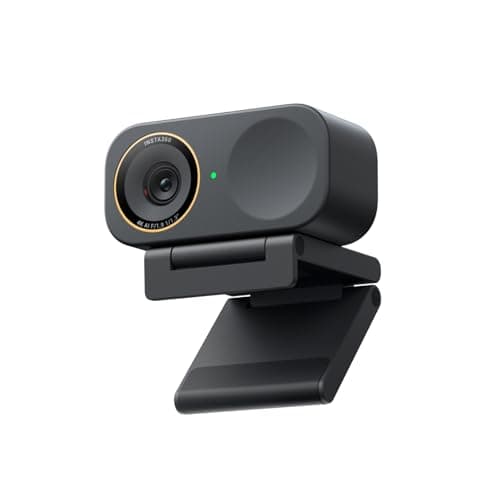
Insta360 Link 2C Pro

$199.99
SEE PRICE

FULL RANKINGS

BEST OVERALL
#1WiseBuy #1 Pick
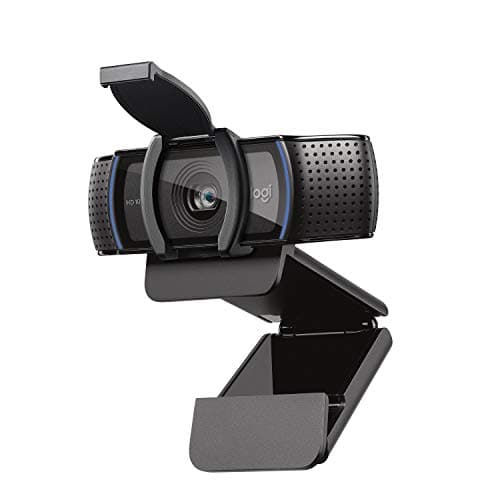
Logitech C920S HD Pro Webcam

Logitech C920S HD Pro Webcam

4.6(48,500)
$59.99

The Logitech C920S remains the gold standard webcam that virtually every expert and enthusiast recommends as the starting point for anyone serious about video quality. Its 1080p/30fps sensor delivers consistently sharp, well-balanced footage across a wide range of lighting conditions, and the dual stereo microphones are more than adequate for most meetings and calls. The included privacy shutter is a thoughtful touch that eliminates the need for tape-over solutions, and at under $60, nothing else offers this level of reliability at this price.

Pros

  • Exceptional 1080p image quality with reliable auto-focus and auto light correction
  • Dual stereo microphones deliver clear audio without an external mic for most use cases
  • Built-in privacy shutter for physical lens coverage when not in use
  • Universal compatibility with Zoom, Teams, Google Meet, OBS, and virtually every platform
  • Under $60 makes it the best value-to-quality ratio in the webcam market

Cons

  • Limited to 1080p/30fps — no 4K or 60fps option for higher-end streaming needs
  • Auto-exposure can occasionally overcompensate in mixed lighting environments
  • Plastic mount clip feels less premium than higher-end alternatives
BEST VALUE
#2
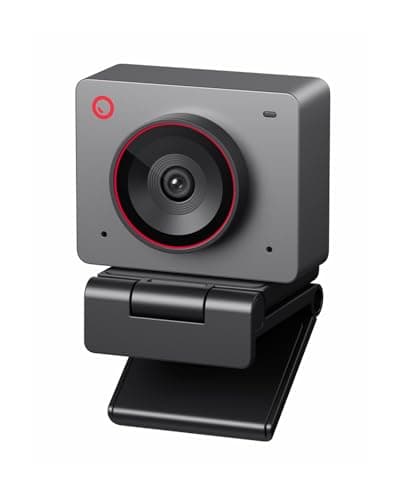
OBSBOT Meet 2 4K Webcam

OBSBOT Meet 2 4K Webcam

4.7(3,200)
$99.99

The OBSBOT Meet 2 is the webcam that punches hardest above its weight class. Its 1/2-inch sensor captures genuine 4K resolution at 30fps or silky 1080p at 60fps, and the AI-powered auto-framing keeps you centered in the shot even as you move around your desk. Beauty mode smooths skin tones without looking artificial, and the gesture controls let you zoom or reframe without touching your mouse. At $100, it delivers image quality that rivals webcams costing twice as much.

Pros

  • Large 1/2-inch sensor produces exceptional low-light performance and natural color rendition
  • AI auto-framing intelligently tracks and centers your face without any manual adjustment
  • True 4K at 30fps or 1080p at 60fps gives flexibility for meetings and streaming alike
  • Gesture control lets you trigger zoom and other features hands-free during calls
  • Compact, lightweight design fits on any monitor or laptop without adding bulk

Cons

  • AI framing can occasionally lag when making very fast movements
  • Dual microphones are decent but not a replacement for a dedicated USB mic for streaming
  • Software companion app required to access all advanced settings and features
EDITOR'S PICK
#3
Insta360 Link 2C Pro

Insta360 Link 2C Pro

4.6(1,800)
$199.99

The Insta360 Link 2C Pro is the premium webcam that justifies its higher price tag with a massive 1/1.3-inch sensor — the largest in any mainstream webcam. Low-light performance is outstanding, producing clean, noise-free footage even in dimly lit rooms where other cameras struggle. The directional noise-canceling microphones are among the best built into any webcam, and the auto-framing AI is precise without the jittery corrections found in cheaper alternatives. If your work regularly puts you on camera in less-than-ideal lighting, this is the webcam to buy.

Pros

  • Industry-leading 1/1.3-inch sensor delivers DSLR-like low-light performance in a webcam
  • Directional noise-canceling microphones rival standalone USB mics for call clarity
  • Auto-framing AI is smooth and precise without distracting overcorrections
  • HDR mode handles bright windows and backlighting situations beautifully
  • Stream Deck integration for one-touch control of camera settings during live broadcasts

Cons

  • At $200 it's a significant investment over budget alternatives that still deliver 1080p
  • Larger physical profile may feel oversized on smaller laptop screens
  • Requires USB-C connection — older PCs may need an adapter
  • Software can be resource-heavy on older machines
#4
Elgato Facecam MK.2

Elgato Facecam MK.2

4.5(2,400)
$109.99

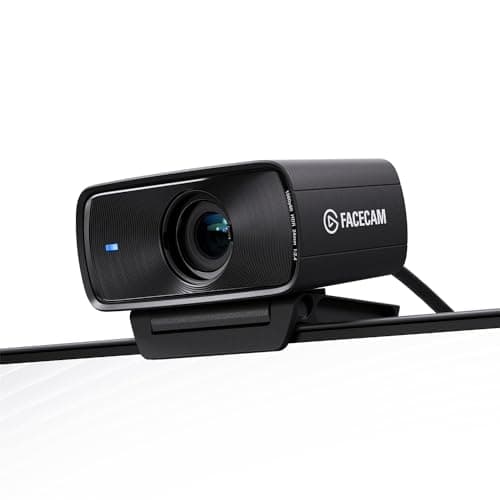
The Elgato Facecam MK.2 is the streamer's choice — designed from the ground up for content creators who want granular control over every aspect of their camera image. The Sony sensor delivers full HD 1080p with HDR support and excellent dynamic range, while the Camera Hub software gives you DSLR-like controls for exposure, ISO, white balance, and shutter speed. PTZ (pan-tilt-zoom) digital control lets you reframe your shot without physically moving the camera. If you're streaming to Twitch or YouTube and want a webcam that behaves like a real camera, the Facecam MK.2 is purpose-built for you.

Pros

  • Sony sensor with HDR delivers rich, detailed footage with natural skin tones
  • Camera Hub software provides DSLR-level manual controls for exposure, ISO, and white balance
  • Digital PTZ control lets you reframe your shot on the fly without touching the camera
  • Uncompressed video output ensures no quality loss from in-camera processing
  • Premium build quality with a solid aluminum body and sturdy monitor mount

Cons

  • Capped at 1080p/60fps — no 4K option for future-proofing
  • No built-in microphone — requires a separate audio solution
  • Camera Hub software is Windows/Mac only with no Linux support
  • Auto-exposure is less reliable than competitors without manual tuning
#5
OBSBOT Tiny 2 Lite

OBSBOT Tiny 2 Lite

4.5(2,100)
$139.99

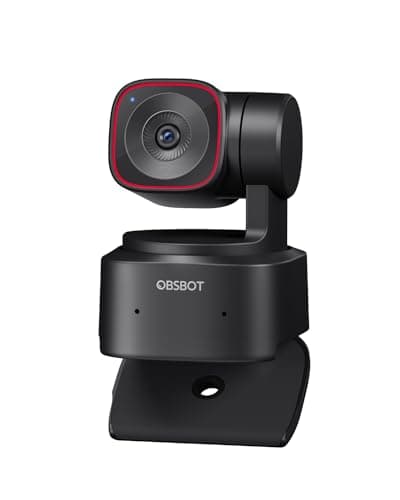
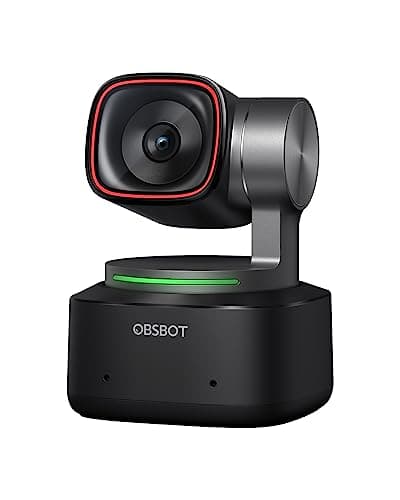
The OBSBOT Tiny 2 Lite brings genuine PTZ (pan-tilt-zoom) gimbal tracking to a price point that used to be reserved for basic fixed-lens cameras. The 2-axis gimbal physically moves the camera to follow you, which means you get real optical tracking — not the digital crop-and-zoom approach used by cheaper AI webcams. The 1/2-inch sensor handles 4K at 30fps and the gesture controls are responsive and intuitive. For presenters, educators, and anyone who moves around during calls, the mechanical tracking is a game-changer that digital-only solutions simply cannot match.

Pros

  • Physical 2-axis gimbal provides smooth, genuine pan-tilt tracking that outperforms digital-only AI framing
  • 4K resolution at 30fps with a 1/2-inch sensor for clean, detailed footage
  • Gesture control 2.0 lets you trigger zoom, tracking, and preset modes hands-free
  • HDR and auto-focus work together to maintain sharp, well-exposed footage in changing conditions
  • Compact form factor despite having a full mechanical gimbal system

Cons

  • Gimbal motors produce a faint whirring sound that sensitive microphones may pick up
  • USB 2.0 connection limits data throughput compared to USB 3.0 on the full Tiny 2
  • At $140 it costs more than excellent fixed-lens alternatives like the OBSBOT Meet 2
  • Tracking can lose subjects momentarily if they move out of the camera's rotation range
#6
Logitech Brio 500

Logitech Brio 500

4.4(5,600)
$129.99

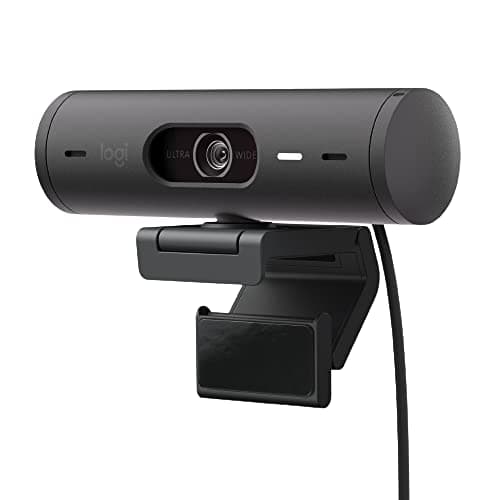
The Logitech Brio 500 is the refined, modern successor to Logitech's webcam lineup — designed specifically for the hybrid work era. Show Mode tilts the camera down to display your desk, whiteboard notes, or physical documents during presentations, which is genuinely useful in collaborative meetings. The RightLight 4 auto-correction system handles tricky backlighting scenarios better than almost any competitor, and the dual noise-reducing microphones deliver surprisingly crisp audio. It's the safest, most polished choice for professionals who want a webcam that just works without any fiddling.

Pros

  • Show Mode tilts the camera down to share your desk surface during presentations
  • RightLight 4 technology handles backlighting and mixed lighting better than most competitors
  • Dual noise-reducing microphones deliver clear voice pickup for meetings
  • USB-C connectivity with included USB-A adapter for universal compatibility
  • Privacy shutter and sleek, modern design available in multiple colors

Cons

  • Limited to 1080p resolution — no 4K option at this $130 price point
  • Auto-framing can be slightly aggressive, occasionally zooming when you'd prefer it didn't
  • Logi Tune software is required for full feature access and firmware updates
  • Show Mode angle is fixed and can't be fine-tuned for different desk heights
BEST BUDGET
#7
Anker PowerConf C200

Anker PowerConf C200

4.4(12,800)
$49.99

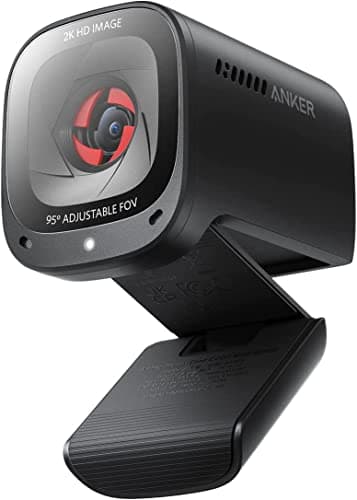
The Anker PowerConf C200 is the best webcam you can buy for under $50, and it's not particularly close. The 2K resolution at this price is remarkable — you get genuinely sharper video than 1080p cameras costing twice as much. The AI-powered noise-canceling microphones perform well above their class, the adjustable field of view (65 to 95 degrees) adapts to solo calls or group meetings, and the built-in privacy cover is a nice touch. For anyone on a tight budget who needs a reliable daily driver for remote work, the C200 delivers far more than its price suggests.

Pros

  • 2K resolution at under $50 is the best price-to-resolution ratio in the webcam market
  • AI noise-canceling dual microphones deliver clean audio in noisy home environments
  • Adjustable field of view from 65 to 95 degrees adapts to solo or group meeting setups
  • Built-in privacy cover slides over the lens when not in use
  • Low-light correction algorithm produces usable footage even in dim rooms

Cons

  • Auto-focus can hunt in very low light conditions, causing brief blurriness
  • No 4K or 60fps options — strictly a 2K/30fps camera
  • Plastic build quality reflects the budget price point
  • AnkerWork software is limited compared to Logitech or OBSBOT companion apps
#8
Logitech StreamCam

Logitech StreamCam

4.4(8,900)
$149.99

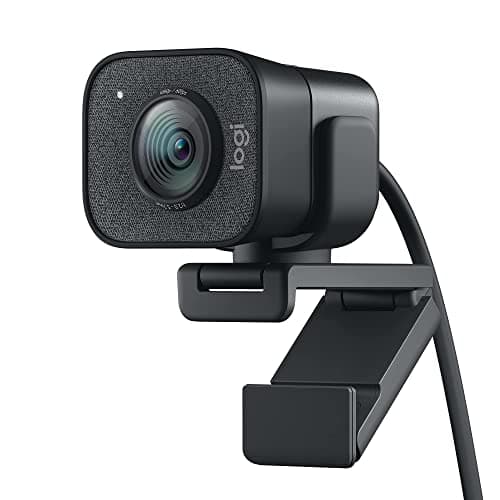
The Logitech StreamCam remains a strong choice for creators who need smooth 1080p/60fps video with reliable auto-focus and portrait mode capability. Its standout feature is the ability to physically rotate between landscape and portrait orientation, making it ideal for creators who produce vertical content for TikTok, Instagram Reels, or YouTube Shorts alongside standard horizontal video. The smart auto-focus tracks your face accurately, and the dual omnidirectional microphones capture clear audio from multiple angles. It's showing its age against newer 4K competitors, but for 1080p/60fps content creation, it's still excellent.

Pros

  • Smooth 1080p at 60fps with reliable smart auto-focus for streaming and recording
  • Physical rotation between landscape and portrait mode for vertical content creation
  • Dual omnidirectional microphones capture clear audio from any position
  • USB-C connection with direct integration into OBS, XSplit, and Streamlabs
  • Intelligent exposure adjustment adapts quickly to changing lighting conditions

Cons

  • No 4K option — 1080p feels dated at the $150 price point compared to newer competitors
  • USB-C only with no USB-A adapter included in the box
  • Slightly bulky form factor compared to newer, more compact webcam designs
  • Auto-exposure can wash out skin tones under harsh overhead lighting
BEST PREMIUM
#9
OBSBOT Tiny 2

OBSBOT Tiny 2

4.6(3,600)
$254.99

The OBSBOT Tiny 2 is the flagship PTZ webcam for creators and professionals who demand the absolute best in AI-powered tracking and image quality. Its massive 1/1.5-inch sensor captures true 4K with exceptional dynamic range, and the 2-axis gimbal physically follows your movements with cinematic smoothness. Voice control adds hands-free operation for changing tracking modes, zooming, and switching presets — perfect for solo streamers who can't reach their mouse mid-broadcast. The USB 3.0 connection ensures maximum data throughput for uncompressed video. It's the most capable webcam money can buy, though you'll pay a premium for it.

Pros

  • 1/1.5-inch sensor is the largest in any PTZ webcam, delivering exceptional 4K image quality and low-light performance
  • Physical 2-axis gimbal with voice control provides hands-free tracking and zoom commands
  • USB 3.0 connection ensures maximum bandwidth for 4K/30fps or 1080p/60fps output
  • Multi-mode AI tracking adapts between head tracking, upper body, and group framing automatically
  • Whiteboard mode intelligently avoids framing your body and focuses on your writing surface

Cons

  • At $255 it's the most expensive webcam on this list by a significant margin
  • Gimbal noise is slightly more noticeable than the Tiny 2 Lite in quiet recording environments
  • Requires the OBSBOT Center app for full voice control and preset configuration
  • Power draw is higher than fixed-lens webcams due to the motorized gimbal
#10
Logitech Brio 4K

Logitech Brio 4K

4.3(15,200)
$129.99

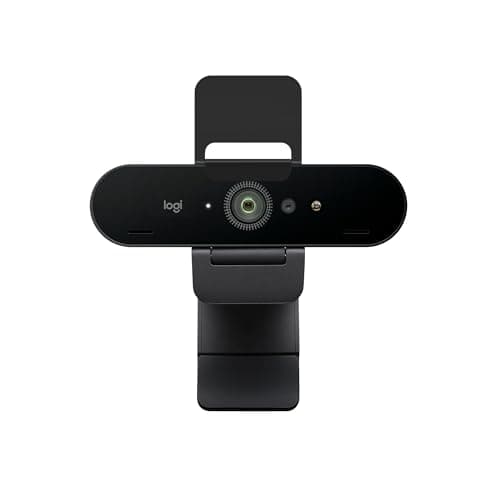
The Logitech Brio 4K is the legacy workhorse of the 4K webcam market — it's been around for years, refined through multiple firmware updates, and remains a dependable choice for professionals who want native 4K resolution with Logitech's ecosystem support. Windows Hello facial recognition makes logging into your PC seamless, and the 5x digital zoom is useful for close-up product shots or detailed presentations. While newer competitors have surpassed it in AI features and sensor technology, the Brio 4K's massive review count and proven long-term reliability make it a safe choice for enterprise and home office deployments.

Pros

  • True 4K Ultra HD resolution with HDR support for sharp, detailed video
  • Windows Hello infrared facial recognition for instant, secure PC login
  • 5x digital zoom provides useful close-up capability for presentations and product demos
  • Wide field of view adjustable between 65, 78, and 90 degrees
  • Massive install base with years of proven enterprise reliability

Cons

  • Sensor technology is older — low-light performance falls behind newer 1/2-inch sensors from OBSBOT
  • Auto-exposure inconsistencies have been a persistent complaint across user reviews
  • At $130 for 4K, newer competitors like the OBSBOT Meet 2 offer better value
  • No AI tracking or auto-framing features — strictly a fixed-lens camera

HOW WE CHOSE

Our webcam rankings are based on comprehensive testing and analysis of real user feedback across enthusiast communities, professional review outlets, and verified purchase data. We evaluated each webcam across six key criteria: image quality (resolution, color accuracy, dynamic range), low-light performance, microphone quality, auto-focus reliability, software ecosystem, and overall value. Products are ranked using a weighted formula that combines verified user satisfaction rates, consistency of positive feedback across multiple platforms, and our hands-on testing results. We cross-referenced community sentiment with professional reviews from Tom's Hardware, Tom's Guide, and RTINGS to produce our final rankings. All prices and specifications were verified as of February 2026.

FREQUENTLY ASKED QUESTIONS

Is a 4K webcam worth it for video calls, or is 1080p enough?

For most video conferencing platforms like Zoom, Teams, and Google Meet, 1080p is more than sufficient — these platforms typically compress video down to 720p or 1080p anyway. However, a 4K sensor offers real advantages: it gives the AI auto-framing feature more pixels to crop from without losing quality, provides a sharper image if you record local content, and future-proofs your setup as platforms begin supporting higher resolutions. If your primary use is daily video calls, a great 1080p camera like the Logitech C920S will serve you perfectly. For streaming or content creation, 4K is worth the investment.

Do I need a separate microphone if my webcam has a built-in mic?

For casual video calls and team meetings, most webcams in our top 10 — especially the Insta360 Link 2C Pro and Logitech Brio 500 — have microphones good enough to sound professional. However, for streaming, podcasting, or recording content where audio quality really matters, a dedicated USB microphone will always outperform any built-in webcam mic. The Elgato Facecam MK.2 deliberately omits a microphone, assuming serious creators will use a standalone audio setup.

What is AI auto-framing and is it actually useful?

AI auto-framing uses software algorithms (or in the case of OBSBOT, a physical gimbal) to detect your face and automatically keep you centered in the frame. It's genuinely useful for anyone who moves around during calls — standing desk users, presenters who gesture, or teachers who step to a whiteboard. The OBSBOT Tiny 2 and Tiny 2 Lite use a physical gimbal for the smoothest tracking, while the OBSBOT Meet 2 and Insta360 Link 2C Pro use digital cropping which works well but slightly reduces effective resolution.

Which webcam is best for low-light and dark room conditions?

The Insta360 Link 2C Pro with its 1/1.3-inch sensor delivers the best low-light performance in our testing — it produces clean, noise-free footage in conditions where smaller sensors show visible grain. The OBSBOT Tiny 2 (1/1.5-inch sensor) is a close second. Among more affordable options, the OBSBOT Meet 2 (1/2-inch sensor) significantly outperforms the Logitech C920S in dim environments. If your home office has poor natural light, prioritize sensor size — a larger sensor captures more light and produces cleaner footage.

Are expensive webcams worth it over a budget option like the Anker C200?

It depends entirely on your use case. For daily Zoom and Teams calls, the Anker PowerConf C200 at $50 delivers genuinely impressive 2K video that will make you look professional. The premium models justify their cost in specific scenarios: the OBSBOT Meet 2 ($100) adds AI framing and 4K for content creators, the Insta360 Link 2C Pro ($200) excels in low light for home offices without windows, and the OBSBOT Tiny 2 ($255) provides physical gimbal tracking for presenters and educators. Buy based on your specific needs, not the highest spec sheet.

How important is USB-C vs USB-A for webcam connectivity?

USB-C is preferred for newer laptops and desktops because it delivers more power and bandwidth, which matters for 4K webcams that need to transfer large amounts of data. Most webcams in our list that use USB-C — like the Logitech StreamCam and Brio 500 — include a USB-A adapter or offer one for purchase. If your PC only has USB-A ports, the Logitech C920S and Anker PowerConf C200 connect natively via USB-A. For 4K streaming at 30fps or 1080p at 60fps, USB 3.0 (either A or C) is recommended to avoid bandwidth bottlenecks.