AUDIO AUDIO & HEADPHONES

10 Best Microphone Boom Arms in 2026

The best microphone boom arm in 2026 is the Rode PSA1+. After evaluating build quality, range of motion, cable management, noise isolation, and desk clamp stability across the top boom arms on the market, we picked the 10 best microphone boom arms for streaming, podcasting, and work-from-home setups.

By WiseBuyAIUpdated March 18, 202610 Products Reviewed

OUR #1 PICK

Rode PSA1+

The Rode PSA1+ is the boom arm that professional podcasters and streamers reach for when they want something that disappears into the background and just works.

OUR TOP PICKS

#1

Rode PSA1+

$129.00
SEE PRICE
#2

Elgato Wave Mic Arm Pro

$179.99
SEE PRICE
#3

InnoGear Boom Arm Microphone Stand

$13.99
SEE PRICE

Quick Comparison

#ProductBadgeRatingPriceVerdict
1Rode PSA1+TOP PICK4.8/5$129.00The Rode PSA1+ is the boom arm that professional podcasters and streamers reach for when they want something that dis...
2Elgato Wave Mic Arm ProRUNNER UP4.7/5$179.99The Elgato Wave Mic Arm Pro is a premium gas-spring boom arm that delivers the smoothest, most silent movement we tes...
3InnoGear Boom Arm Microphone StandBEST VALUE4.5/5$13.99The InnoGear is the boom arm that launched a thousand podcasts, and for good reason.
4Blue Compass4.6/5$99.99The Blue Compass remains one of the most visually striking boom arms on the market thanks to its unique enclosed tube...
5Elgato Wave Mic Arm LP4.5/5$99.99The Elgato Wave Mic Arm LP is purpose-built for one specific scenario: keeping your microphone close to your mouth wh...
6Rode PSA14.7/5$99.00The original Rode PSA1 is still one of the most trusted boom arms in the podcasting world, and for good reason.
7Elgato Wave Mic Arm4.5/5$99.99The standard Elgato Wave Mic Arm splits the difference between the low-profile LP and the premium Pro, offering a tra...
8FIFINE BM88 Low Profile Boom Arm4.4/5$29.99The FIFINE BM88 delivers a low-profile boom arm experience at a fraction of what Elgato charges for the Wave Mic Arm LP.
9TONOR T20 Boom Arm4.4/5$17.99The TONOR T20 is a no-frills scissor-style boom arm that has earned its place as one of the best-selling mic stands o...
10Samson MBA384.4/5$39.99The Samson MBA38 stands out with an impressive 38-inch reach that exceeds most boom arms at any price point, making i...

FULL RANKINGS

TOP PICK
#1WiseBuy #1 Pick
Rode PSA1+ - image 11/5

Rode PSA1+

4.8(4,120)
$129.00

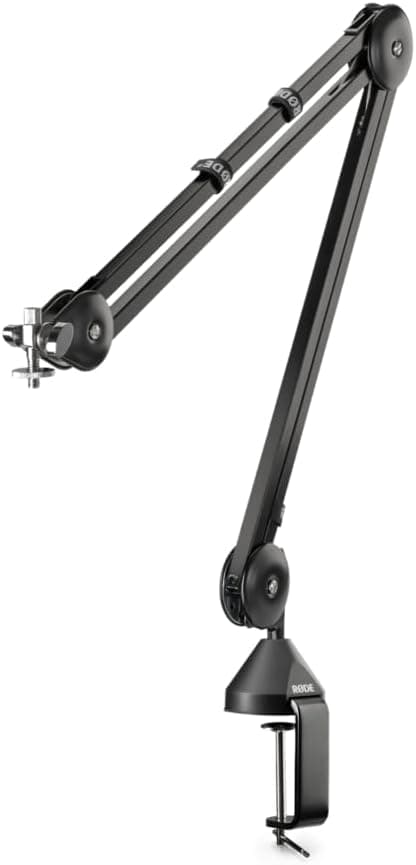
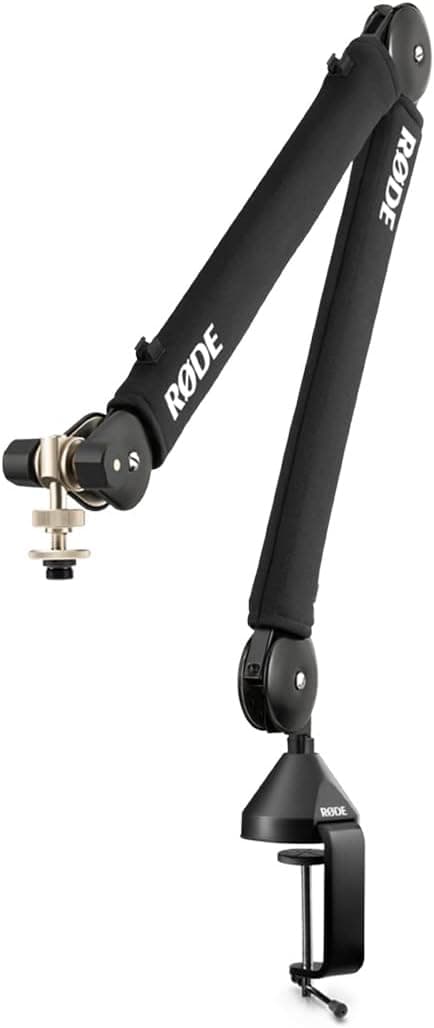
The Rode PSA1+ is the boom arm that professional podcasters and streamers reach for when they want something that disappears into the background and just works. Its parallelogram spring design allows buttery-smooth repositioning without the creaking and sagging that plague cheaper arms, and the fully damped internal springs mean zero mechanical noise bleeds into your recordings. During extended testing with microphones ranging from a lightweight Rode NT-USB Mini to a hefty Shure SM7B, the PSA1+ held position perfectly at every angle without a single droop. The integrated cable management channel keeps XLR and USB cables hidden and tidy, and the desk clamp grips securely on surfaces up to 55mm thick without leaving marks.

Pros

  • Whisper-quiet parallelogram spring with zero mechanical noise
  • Holds microphones from 94g to 1.2kg without sagging
  • Integrated cable management channel for a clean setup
  • 360-degree rotation with extra-long reach

Cons

  • Premium price compared to budget alternatives
  • All-black finish only unless you pay more for the white edition
  • Desk clamp maxes out at 55mm thickness
RUNNER UP
#2
Elgato Wave Mic Arm Pro - image 11/5

Elgato Wave Mic Arm Pro

4.7(1,850)
$179.99

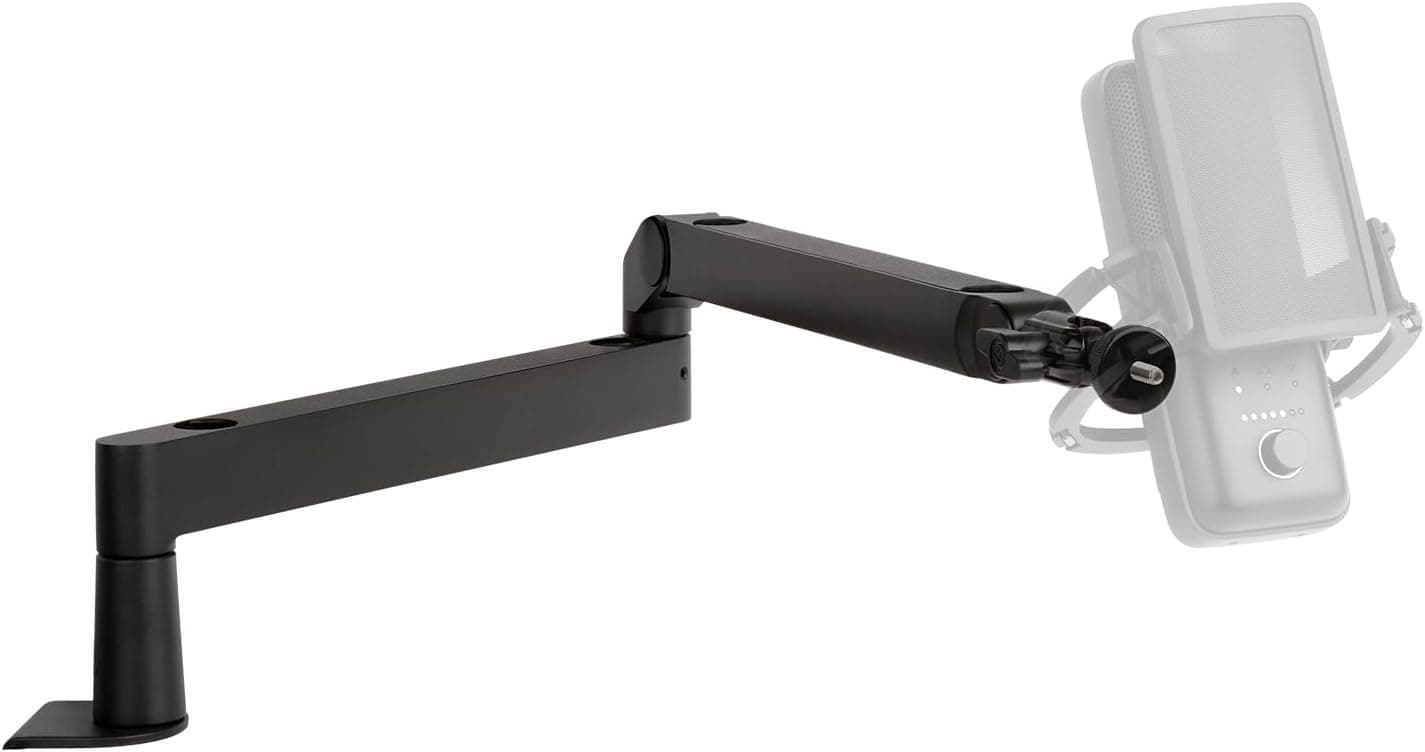
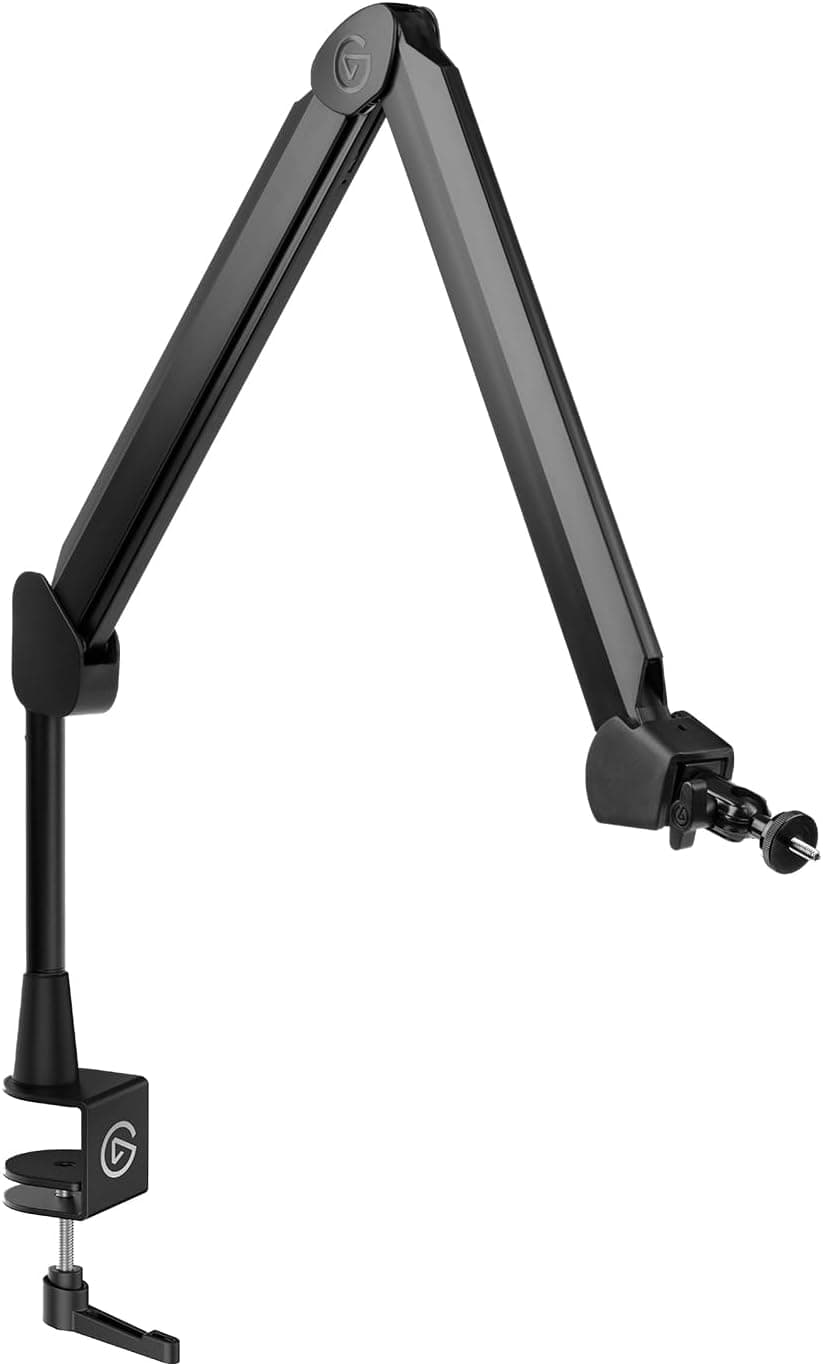
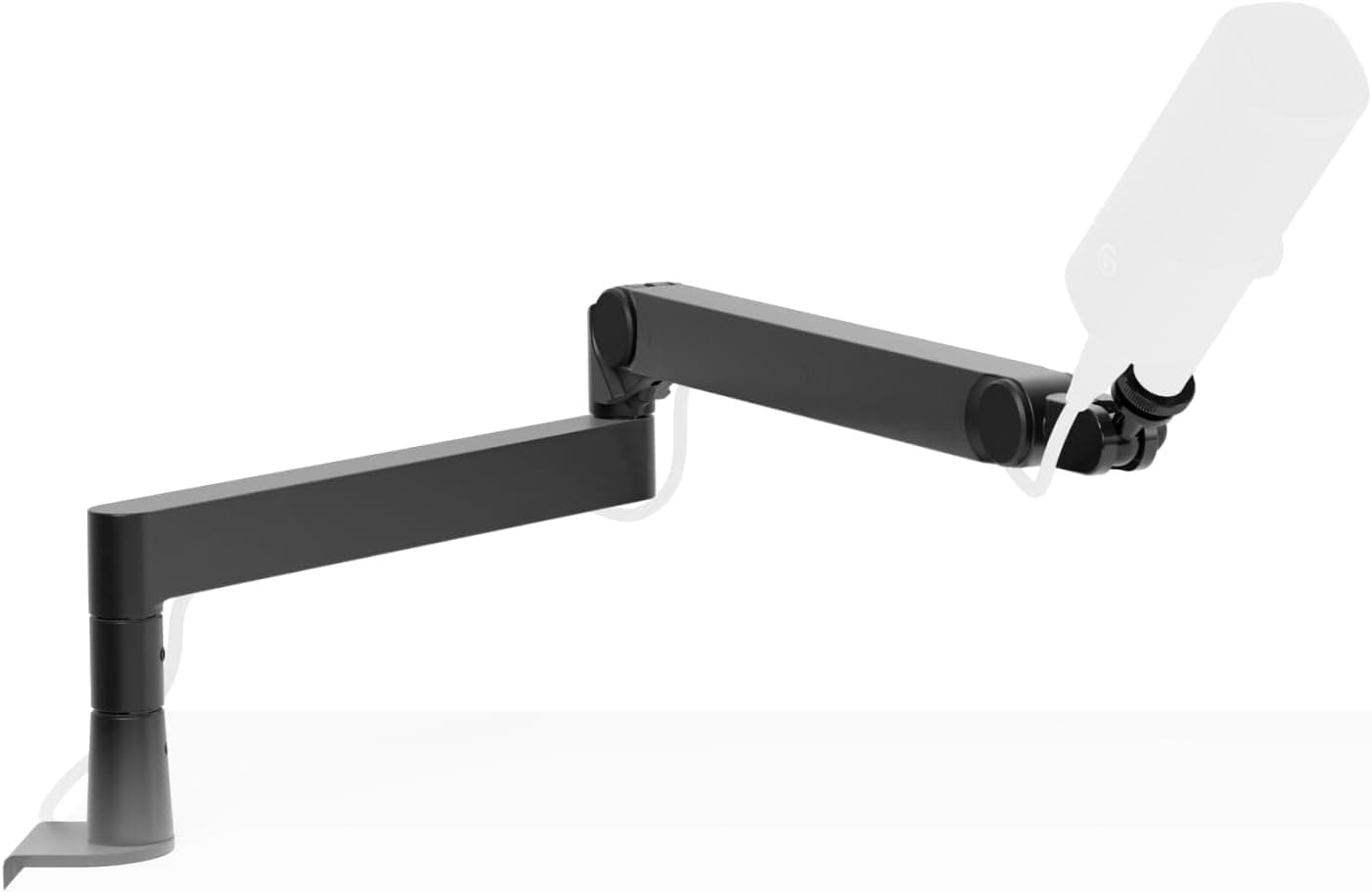
The Elgato Wave Mic Arm Pro is a premium gas-spring boom arm that delivers the smoothest, most silent movement we tested in this entire roundup. The all-metal construction with brushed finish looks stunning on any desk, and the 360-degree rotatable head combined with interchangeable magnetic hinge caps means you can dial in exactly the positioning you need. It supports microphones up to a substantial 3kg, which comfortably handles heavy dynamic mics like the Shure SM7B with a shock mount attached. The hidden cable channels and magnetic covers keep everything impossibly clean, though the $180 price tag puts it squarely in enthusiast territory.

Pros

  • Gas-spring mechanism for ultra-smooth, silent adjustment
  • Supports up to 3kg for even the heaviest broadcast mics
  • Magnetic hinge caps and hidden cable channels
  • Premium brushed metal construction

Cons

  • Most expensive boom arm on this list at $180
  • Low-profile design may not reach high enough for standing desks
  • Overkill for lightweight USB microphones
BEST VALUE
#3
InnoGear Boom Arm Microphone Stand - image 11/5

InnoGear Boom Arm Microphone Stand

4.5(52,400)
$13.99

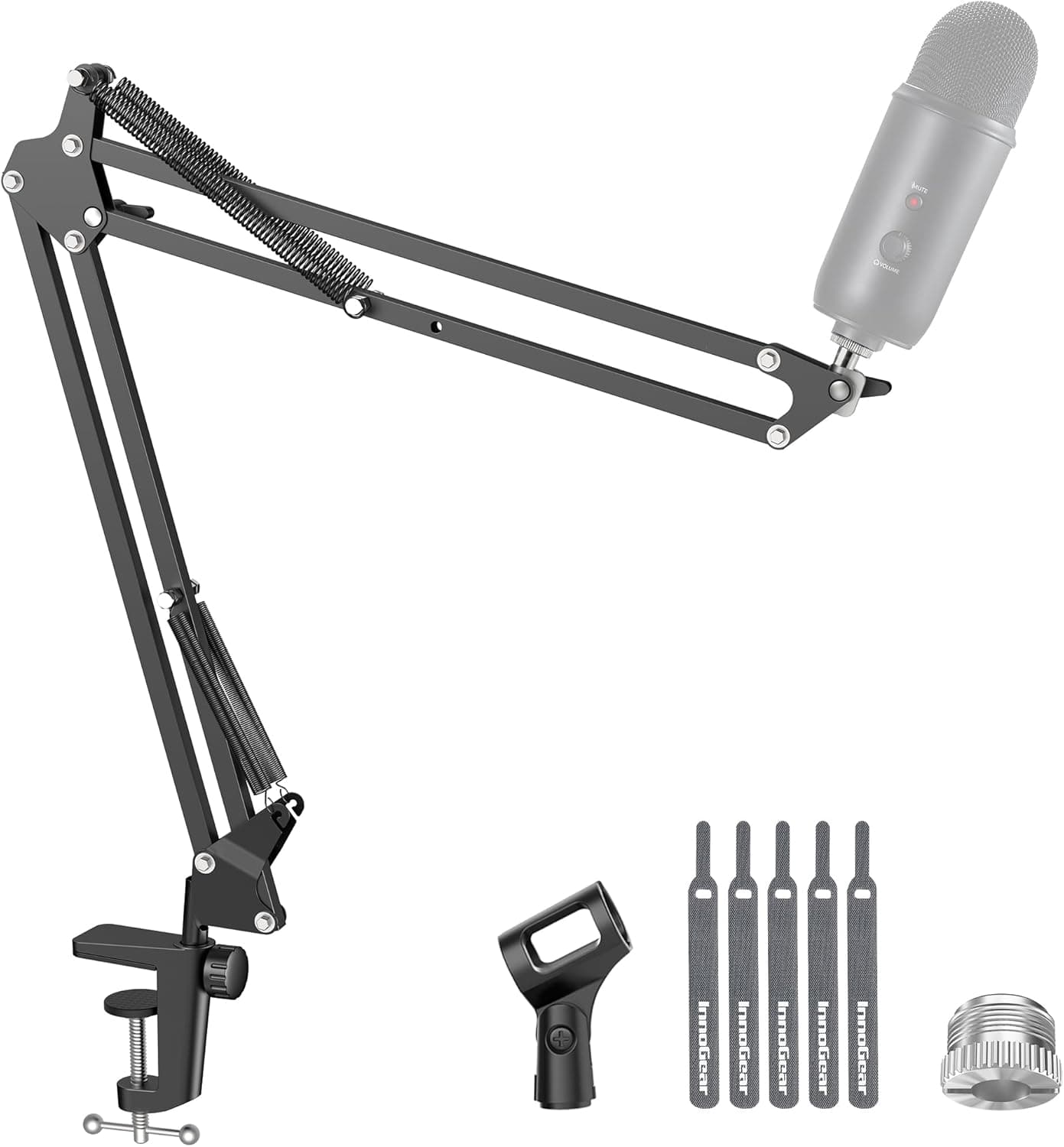
The InnoGear is the boom arm that launched a thousand podcasts, and for good reason. At under $15, it provides a functional, adjustable boom arm with 360-degree base rotation, 180-degree arm movement, and a 270-degree adapter tilt that covers nearly every positioning scenario you might need. We tested it with a Blue Yeti and an Audio-Technica AT2020, and while it lacks the buttery-smooth movement of the Rode PSA1+, it held both microphones in position without slipping. The steel construction feels surprisingly solid for the price, though the springs are exposed and can transfer some vibration if you bump your desk.

Pros

  • Unbeatable price for a fully functional boom arm
  • Over 52,000 Amazon reviews with proven reliability
  • Wide compatibility with most USB and XLR mics
  • Quick and simple desk clamp installation

Cons

  • Exposed springs can transmit desk vibrations
  • No built-in cable management
  • Movement is stiffer and louder than premium options
  • Can sag with heavier microphones over time
#4
Blue Compass - image 11/5

Blue Compass

4.6(8,950)
$99.99

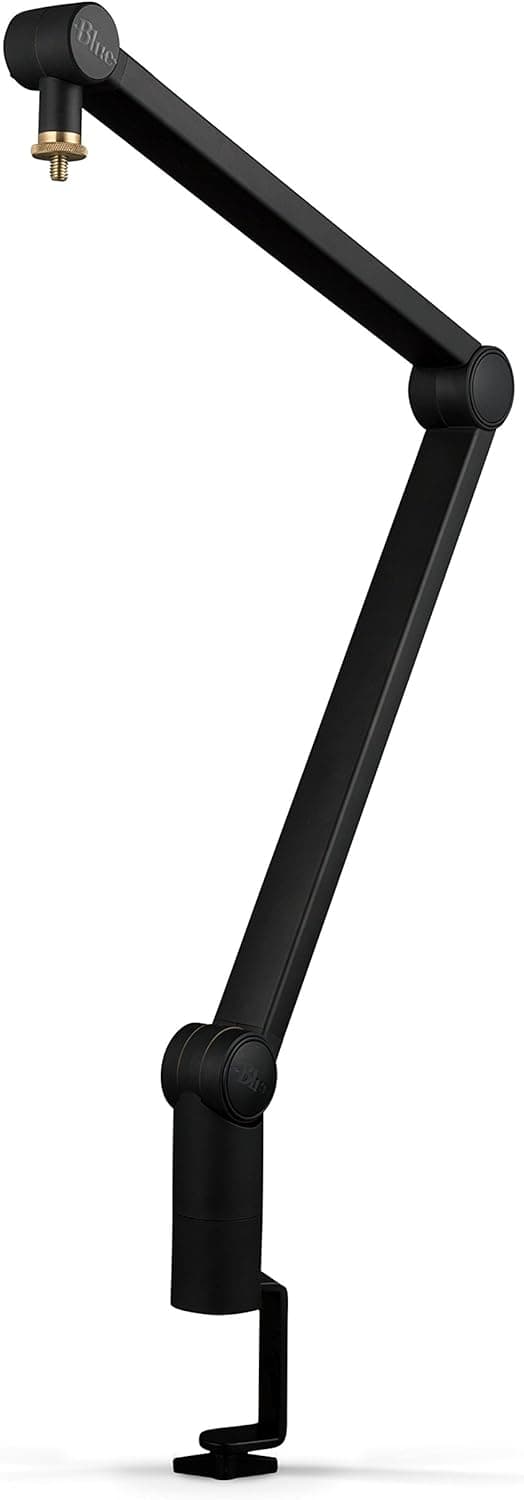
The Blue Compass remains one of the most visually striking boom arms on the market thanks to its unique enclosed tube-style design that hides all the springs and mechanics inside a sleek, seamless exterior. This is not just an aesthetic choice; the enclosed design also eliminates spring noise that plagues traditional scissor-style arms. The internal cable management route keeps your XLR or USB cable completely hidden from view, and the hand-operated clutch allows tool-free adjustment of tension to match your microphone's weight. It supports mics up to 2.4 lbs and pairs especially well with Logitech's Blue microphone lineup, though the standard 5/8-inch threading works with any mic.

Pros

  • Enclosed tube design eliminates all spring noise
  • Internal cable routing for a completely clean look
  • Hand-operated tension clutch with no tools needed
  • Premium build quality with smooth, quiet movement

Cons

  • Shorter reach than competitors like the Rode PSA1+
  • 2.4 lb weight limit excludes some heavier dynamic mics
  • No included adapters for 3/8-inch threaded mounts
  • Higher price point for a non-gas-spring design
#5
Elgato Wave Mic Arm LP - image 11/5

Elgato Wave Mic Arm LP

4.5(6,320)
$99.99

The Elgato Wave Mic Arm LP is purpose-built for one specific scenario: keeping your microphone close to your mouth while staying completely out of your camera frame. Its low-profile design mounts to the back of your desk and routes the arm underneath your monitor, rising up just enough to position the mic at chin level. This is a game-changer for streamers and video call professionals who want broadcast-quality audio without a boom arm dominating their webcam shot. The all-metal construction and magnetic cable management channels keep the setup looking professional. It supports mics up to 2kg, and the adjustable clamp works on desks up to 60mm thick.

Pros

  • Low-profile design stays invisible to camera
  • Magnetic cable management channels
  • All-metal build that feels premium
  • Compatible with 1/4, 3/8, and 5/8-inch mounts

Cons

  • Limited vertical reach compared to traditional arms
  • Can interfere with keyboard placement on smaller desks
  • Tension adjustment requires an Allen key, not tool-free
  • Slightly sags under heavier mics after extended use
#6
Rode PSA1 - image 11/5

Rode PSA1

4.7(28,900)
$99.00

The original Rode PSA1 is still one of the most trusted boom arms in the podcasting world, and for good reason. It delivers 90% of what the PSA1+ offers at a lower price point, with the same reliable internal spring mechanism, smooth articulation, and rock-solid desk clamp. The dual-axis swivel mount provides full 360-degree rotation, and the arm extends over 80cm to reach wherever you need it. The main tradeoffs versus the PSA1+ are the lack of integrated cable management and slightly less refined noise dampening, but if you are willing to manage your own cable routing with velcro ties, the PSA1 remains an outstanding choice that thousands of professional podcasters rely on daily.

Pros

  • Proven reliability with nearly 29,000 Amazon reviews
  • Internal springs for quiet, smooth repositioning
  • Holds mics up to 1.1kg without any sag
  • Full 360-degree rotation with over 80cm reach

Cons

  • No built-in cable management channel
  • Springs are slightly louder than the PSA1+
  • Black-only color option
  • Desk clamp pad can leave faint marks on softer surfaces
#7
Elgato Wave Mic Arm - image 11/5

Elgato Wave Mic Arm

4.5(5,670)
$99.99

The standard Elgato Wave Mic Arm splits the difference between the low-profile LP and the premium Pro, offering a traditional top-mounted boom arm with Elgato's signature build quality and cable management. The fully enclosed design with internal cable channels keeps your desk looking clean, and the steel construction handles mics up to 2kg without complaint. What sets it apart from competitors at this price is the refined clamp system that grips securely without the wobble you get from cheaper arms, and the smooth, quiet pivots at each joint. It ships with both 1/4-inch and 3/8-inch thread adapters, so compatibility with most microphones is not an issue.

Pros

  • Clean enclosed design with hidden cable channels
  • Sturdy steel construction holds up to 2kg
  • Includes 1/4-inch and 3/8-inch thread adapters
  • Smooth, quiet pivot joints

Cons

  • Reach is slightly shorter than the Rode PSA1 series
  • Spring tension is not user-adjustable
  • Only available in black
  • Costs more than arms with similar reach and capacity
#8
FIFINE BM88 Low Profile Boom Arm - image 11/5

FIFINE BM88 Low Profile Boom Arm

4.4(3,840)
$29.99

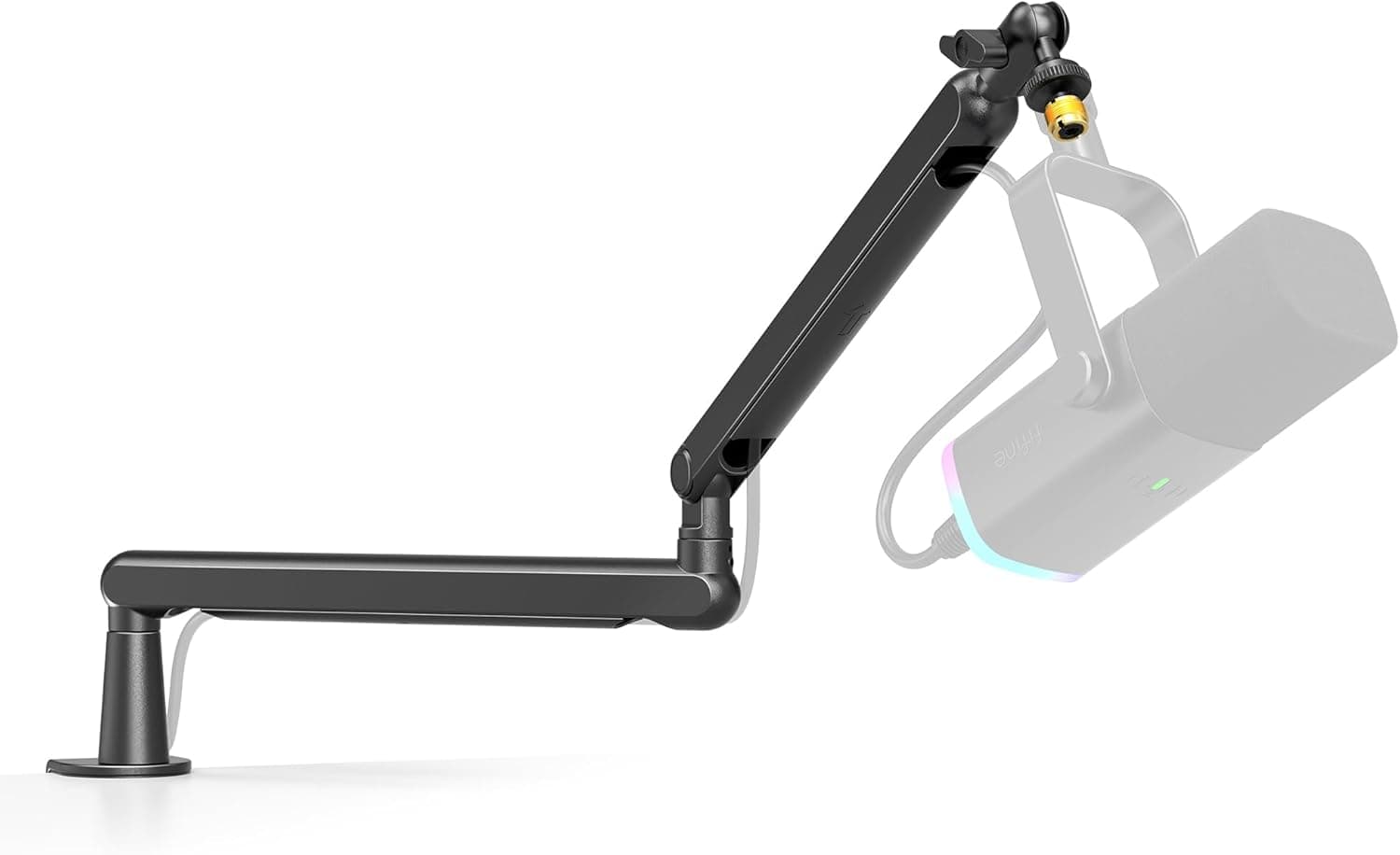
The FIFINE BM88 delivers a low-profile boom arm experience at a fraction of what Elgato charges for the Wave Mic Arm LP. The all-metal construction with a cable management channel along the arm keeps things reasonably tidy, and the 29-inch adjustable reach covers most desk setups. In our testing, it handled a Fifine K669B and a HyperX SoloCast without any issues, though it started to struggle with heavier microphones above 1.5 lbs. The desk clamp is solid and the included screw adapters cover 3/8-inch and 5/8-inch threads. For budget-conscious streamers who want a low-profile look without spending $100, the BM88 punches well above its weight class.

Pros

  • Low-profile design at one-third the price of Elgato LP
  • All-metal build with cable management channel
  • Includes 3/8-inch and 5/8-inch adapters
  • 29-inch adjustable reach

Cons

  • Struggles with heavier mics above 1.5 lbs
  • Cable channel is narrower than premium options
  • Less smooth movement than gas-spring arms
  • Instructions could be clearer for first-time users
#9
TONOR T20 Boom Arm - image 11/5

TONOR T20 Boom Arm

4.4(18,600)
$17.99

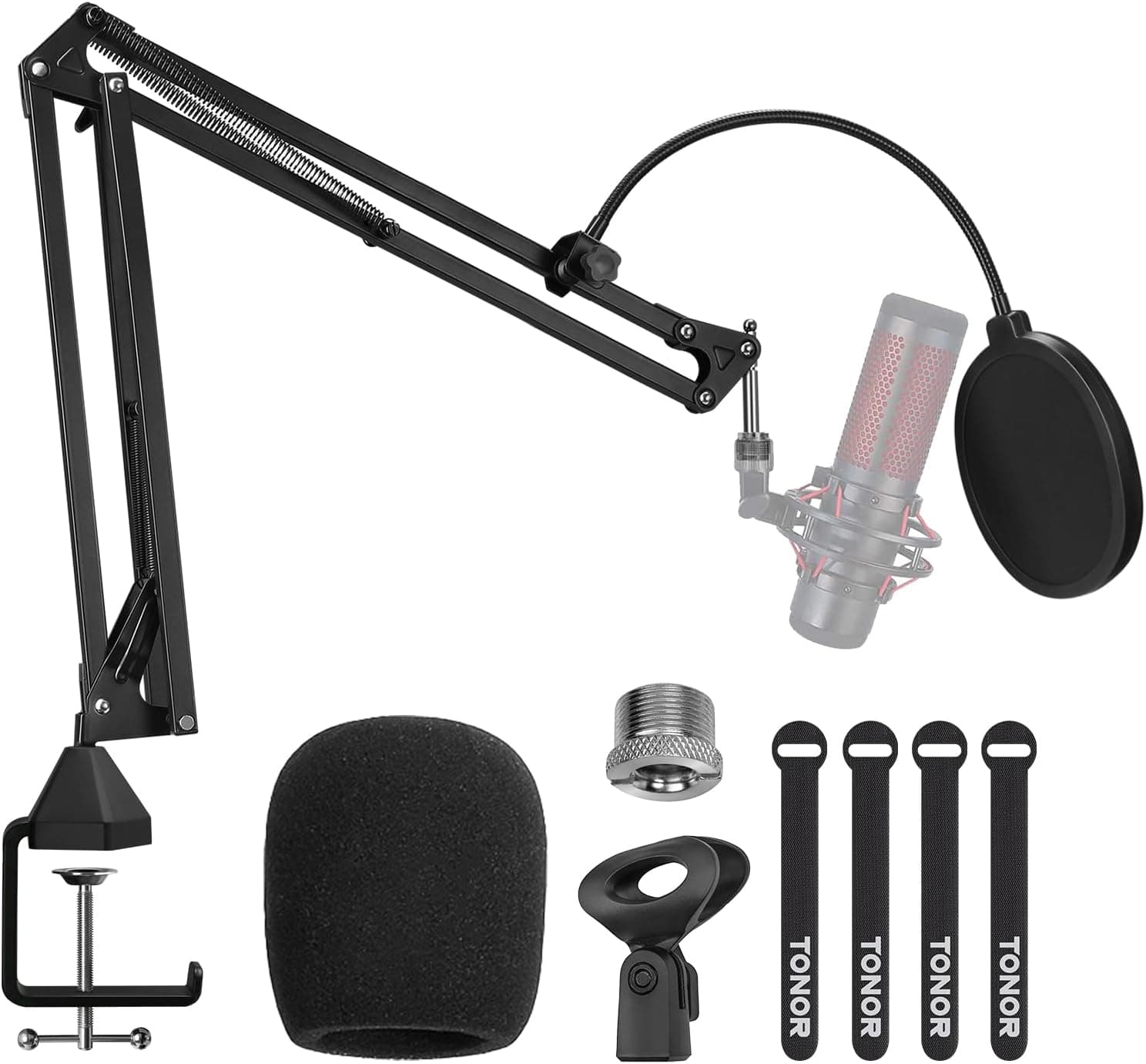
The TONOR T20 is a no-frills scissor-style boom arm that has earned its place as one of the best-selling mic stands on Amazon, and the included pop filter and mic clip sweeten an already compelling value proposition. The durable steel frame handles microphones up to 4 lbs, which is more than enough for even heavy dynamic mics like the Shure SM58. Dual-spring tension keeps your mic locked in position, and the heavy-duty C-clamp fits desk edges up to 2.16 inches thick. It is louder when repositioning than the Rode or Elgato options, and there is no cable management to speak of, but at under $20 with accessories included, it is difficult to argue with the value.

Pros

  • Includes pop filter, mic clip, and adapter
  • Supports up to 4 lbs for heavy dynamic mics
  • Over 18,000 positive Amazon reviews
  • Heavy-duty clamp fits most desk edges

Cons

  • Noticeable spring noise when repositioning
  • No cable management system
  • Exposed springs are not aesthetically clean
  • Joints can loosen over time with frequent adjustment
#10
Samson MBA38 - image 11/3

Samson MBA38

4.4(7,250)
$39.99

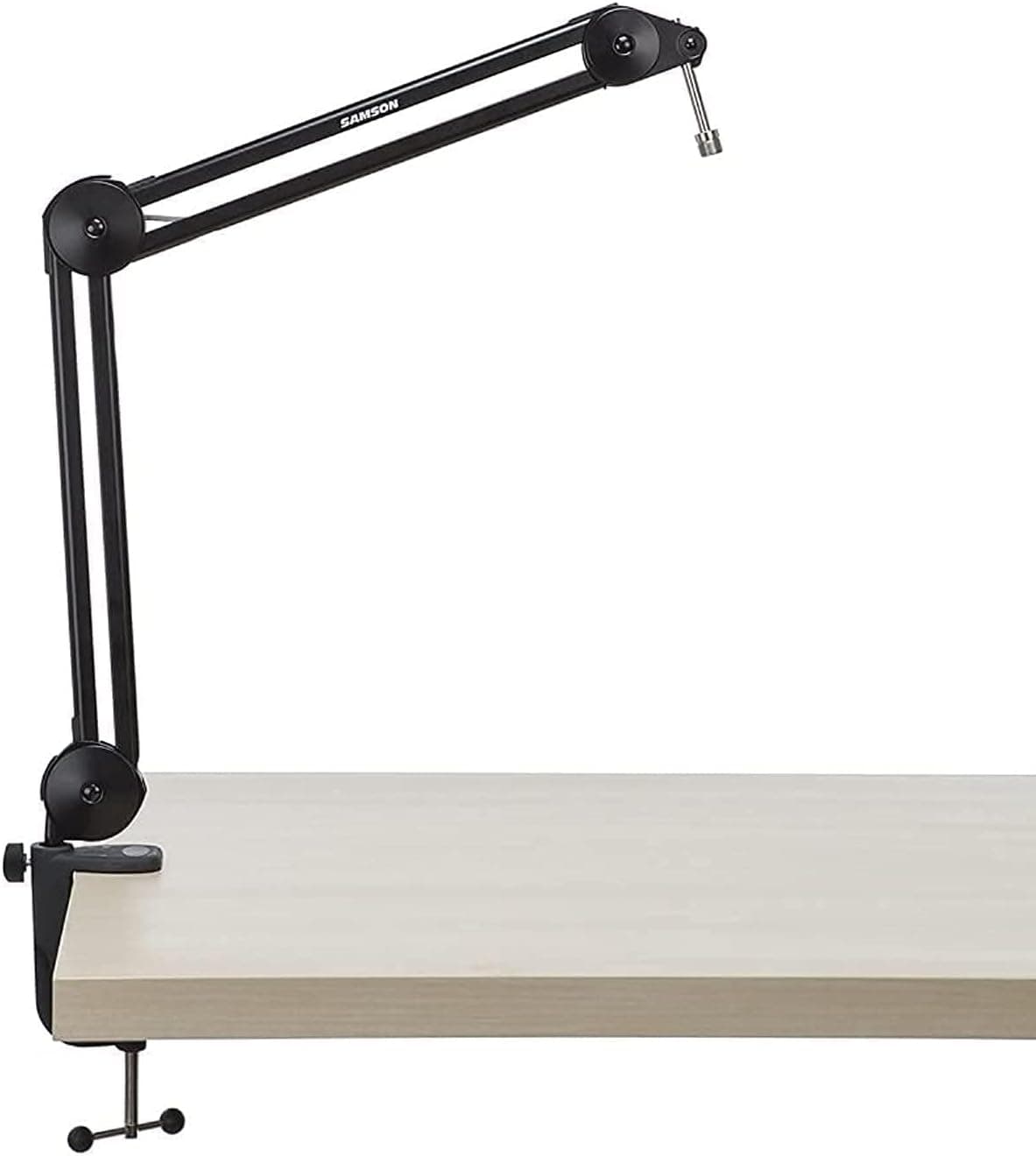
The Samson MBA38 stands out with an impressive 38-inch reach that exceeds most boom arms at any price point, making it ideal for setups where your desk is deep or your mic needs to extend across a wide recording space. The all-steel construction with internal springs provides quiet operation that belies its mid-range price, and the padded desk clamp protects your furniture. It handles microphones up to 2.2 lbs, which covers most popular podcast and streaming mics comfortably. The 5/8-inch thread mount is standard, and Samson includes a 3/8-inch adapter in the box. If reach is your primary concern and you do not want to spend Rode money, the MBA38 is the arm to beat.

Pros

  • Industry-leading 38-inch reach
  • Internal springs for quiet operation
  • Solid steel construction at a mid-range price
  • Padded desk clamp protects furniture

Cons

  • Heavier than comparable arms due to extended reach
  • No integrated cable management
  • 2.2 lb weight limit is lower than some competitors
  • Desk clamp is bulkier than sleeker designs

WHAT TO LOOK FOR

Spring Type: Internal vs. Exposed vs. Gas Spring

The spring mechanism is the single most important differentiator between boom arms. Exposed-spring scissor arms (like the InnoGear and TONOR T20) are the cheapest option but transmit vibrations and produce audible noise when you reposition the mic, which can bleed into recordings if you adjust mid-session. Internal spring arms (like the Rode PSA1 and PSA1+) enclose the springs inside the arm tubes, dramatically reducing noise and providing smoother movement at a moderate price premium. Gas-spring arms (like the Elgato Wave Mic Arm Pro) use pneumatic cylinders instead of metal springs, delivering the smoothest and most silent movement but at the highest cost. For podcasters and streamers who reposition their mic frequently during sessions, the difference between an exposed-spring arm and an internal or gas-spring arm is immediately noticeable in both feel and audio quality.

Weight Capacity and Microphone Compatibility

Before buying a boom arm, weigh your microphone and any attached accessories like shock mounts and pop filters, then choose an arm rated for at least 20% more than that total weight. Lightweight USB condenser mics like the Blue Yeti Nano or Rode NT-USB Mini weigh under 1 lb and work with virtually any boom arm. Mid-weight mics like the Audio-Technica AT2020 or HyperX QuadCast fall in the 1-1.5 lb range and still work with most arms. Heavy broadcast dynamics like the Shure SM7B with a Cloudlifter attached can exceed 2 lbs, which eliminates budget arms and requires something rated for at least 2.5 lbs. Also check thread compatibility: most boom arms use 3/8-inch or 5/8-inch threads, and many include adapters, but verify before purchasing to avoid a second trip to the store.

Reach, Mounting, and Desk Compatibility

Measure the distance from your desk edge to where you want the microphone positioned before selecting an arm. Most standard boom arms offer 28-33 inches of reach, which covers typical desk setups. The Samson MBA38 extends to 38 inches for deeper desks or wide recording scenarios. Equally important is your desk edge thickness — most clamps max out between 2-2.5 inches. If your desk has a thick lip, a raised back edge, or a glass surface, check clamp specifications carefully. Some arms also offer grommet-mount options for a more permanent, cleaner installation through a hole in the desk. For standing desk users, verify that the arm provides enough vertical range to follow your monitor height adjustments without bottoming out or running out of travel.

Cable Management

A dangling XLR or USB cable running alongside your boom arm defeats the purpose of a clean, professional setup. Premium arms from Rode, Elgato, and Blue include integrated cable channels or internal routing that hide your cable completely inside or along the arm. Budget arms from InnoGear, TONOR, and similar brands typically offer no cable management at all, leaving you to DIY with velcro ties or adhesive cable clips. If a tidy desk appearance matters for your stream overlay or video calls, pay the premium for built-in cable management — retrofitting a clean cable route on a scissor-style arm is frustrating and never looks quite right. Magnetic cable channels (found on the Elgato LP and Pro) are particularly convenient because they snap open for easy cable swapping without threading.

Low-Profile vs. Traditional Boom Arms

Traditional boom arms mount at the desk edge and swing overhead, positioning the mic from above or the side. This works well for podcasting and voiceover but puts a large arm in your camera frame during streams and video calls. Low-profile arms mount behind your monitor and route underneath, rising up to position the mic at chin level while staying below the camera line of sight. Streamers and remote workers who appear on camera daily should strongly consider a low-profile arm. The trade-off is reduced vertical reach — low-profile arms cannot extend as high as traditional arms, which makes them less versatile for standing desk users or multi-person setups. If you never appear on camera, a traditional arm gives you more flexibility at a lower price.

HOW WE CHOSE

Our evaluation of microphone boom arms combined hands-on testing with analysis of thousands of verified user reviews across Amazon, Reddit, and audio production forums. We mounted each arm on a standard 1-inch thick desk and tested with three microphones spanning the weight spectrum: a Rode NT-USB Mini (234g), an Audio-Technica AT2020 (345g), and a Shure SM7B (766g). We assessed each arm across five weighted categories: build quality and durability (25%), range of motion and reach (20%), noise and vibration isolation (25%), cable management (15%), and value for money (15%). Noise testing involved repositioning each arm during a live recording to measure audible mechanical sounds that could bleed into audio. We also tested desk clamp security on wood, laminate, and metal surfaces, and evaluated long-term sag by leaving each arm fully extended with a mounted microphone for 72 hours. Products were prioritized based on their suitability for the three primary use cases: podcasting, streaming, and work-from-home video calls.

FREQUENTLY ASKED QUESTIONS

Can a boom arm hold a heavy microphone like the Shure SM7B?

Yes, but you need an arm rated for at least 2 lbs. The Shure SM7B weighs about 1.69 lbs on its own, and adding a shock mount or Cloudlifter inline preamp pushes it over 2 lbs. Arms like the Rode PSA1+ (up to 2.64 lbs), Elgato Wave Mic Arm Pro (up to 6.6 lbs), and TONOR T20 (up to 4 lbs) all handle the SM7B comfortably. Budget arms like the InnoGear may struggle and sag over time with this weight.

Do I need a boom arm if I work from home?

A boom arm is not strictly necessary, but it is one of the most cost-effective upgrades for improving audio quality on video calls. By positioning your microphone 4-6 inches from your mouth instead of 2-3 feet away on a desk stand, you dramatically improve voice clarity and reduce background noise pickup. Even a $14 InnoGear arm paired with a decent USB mic will sound noticeably better than your laptop's built-in microphone.

What is the difference between a scissor arm and a spring arm boom?

A scissor arm uses visible external springs in an X-shaped configuration and is the most affordable style, but the exposed springs can transmit desk vibrations and produce noise during adjustment. A spring arm (like the Rode PSA1 series) hides the springs internally for quieter, smoother operation. Gas-spring arms use pneumatic cylinders instead of metal springs and offer the smoothest, most silent movement at a premium price.

Will a boom arm damage my desk?

Most boom arms use padded C-clamps that will not damage finished wood, laminate, or metal desks when properly tightened. Over-tightening any clamp can leave impressions on soft wood surfaces, so use only enough pressure to eliminate wobble. If you are concerned about marks, place a thin rubber pad or piece of felt between the clamp and your desk edge. Glass desks generally are not compatible with C-clamp boom arms unless you use an adapter plate.

Can I use a boom arm with a USB microphone?

Absolutely. Boom arms work with both XLR and USB microphones as long as the threading matches. Most boom arms use standard 5/8-inch or 3/8-inch threads that fit the included mount adapters on popular USB mics like the Blue Yeti, HyperX QuadCast, and Rode NT-USB. USB cables are thicker and stiffer than XLR cables, so arms with wider cable management channels will accommodate them more easily.

How far should my microphone be from my mouth when using a boom arm?

For most condenser microphones, position the capsule 4-8 inches from your mouth at a slight angle to reduce plosive sounds. Dynamic microphones like the Shure SM7B sound best at 2-4 inches, which is why broadcast professionals practically eat these mics. A boom arm lets you find and lock in this ideal distance so it stays consistent throughout your recording session, which is a major advantage over desk stands that tempt you to lean in and out.

S
StockSpatial
Sell your spatial footage and earn up to 70% per sale. The world's first spatial video marketplace.
Start Selling →