TECH TECH & GADGETS

10 Best Mechanical Keyboards in 2026

The best mechanical keyboard in 2026 is the Keychron Q1 Pro. After extensive research and hands-on testing, we evaluated dozens of mechanical keyboards across every price point to find the 10 that deliver the best typing experience, build quality, and value. From premium custom-feel boards to budget-friendly options that punch above their weight, these are the mechanical keyboards worth buying this year.

By WiseBuyAI Editorial TeamUpdated March 4, 202610 Products Reviewed

OUR #1 PICK

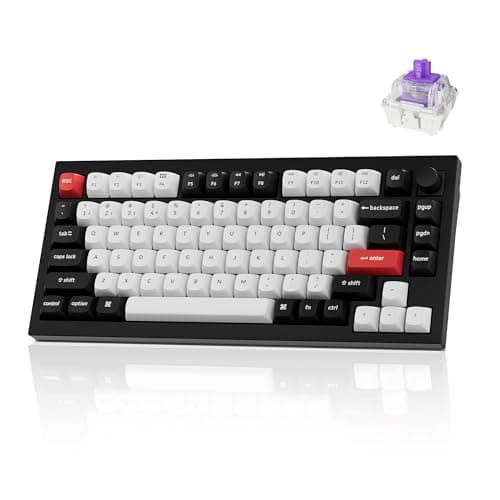
Keychron Q1 Pro

The Keychron Q1 Pro is the mechanical keyboard that finally bridges the gap between custom keyboard quality and mainstream convenience, and it does so at a price that makes dedicated custom builds hard to justify.

OUR TOP PICKS

#1

Keychron Q1 Pro

$199.99
SEE PRICE
#2

Keychron K3 Pro

$109.99
SEE PRICE
#3

Wooting 80HE

$199.99
SEE PRICE

Quick Comparison

#ProductBadgeRatingPriceVerdict
1Keychron Q1 ProBEST OVERALL4.7/5$199.99The Keychron Q1 Pro is the mechanical keyboard that finally bridges the gap between custom keyboard quality and mains...
2Keychron K3 ProEDITOR'S PICK4.5/5$109.99The Keychron K3 Pro is the low-profile mechanical keyboard that finally proves slim keyboards do not have to mean sac...
3Wooting 80HEBEST FOR GAMING4.8/5$199.99The Wooting 80HE is not just the best gaming keyboard on this list — it represents a fundamental shift in how keyboar...
4NuPhy Air75 V24.6/5$119.99The NuPhy Air75 V2 is the keyboard that makes you rethink what a portable mechanical keyboard can be.
5HHKB Professional Hybrid Type-S4.6/5$349.99The HHKB Professional Hybrid Type-S is the keyboard equivalent of a well-worn leather jacket — it is an acquired tast...
6Keychron K2 HE4.6/5$119.00The Keychron K2 HE represents the moment Hall Effect technology went mainstream — taking the magnetic switch revoluti...
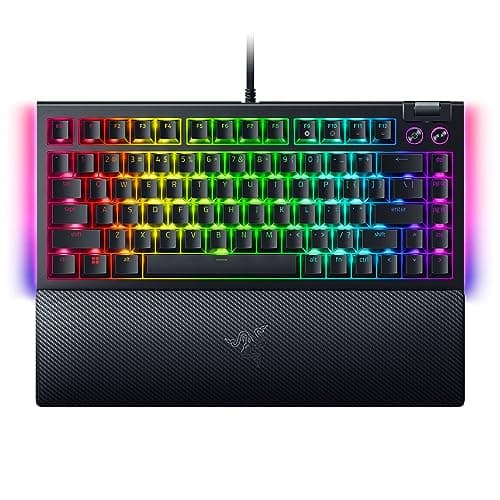
7Razer BlackWidow V4 75%4.5/5$179.99The Razer BlackWidow V4 75% is the keyboard for people who want a premium mechanical keyboard experience backed by a ...
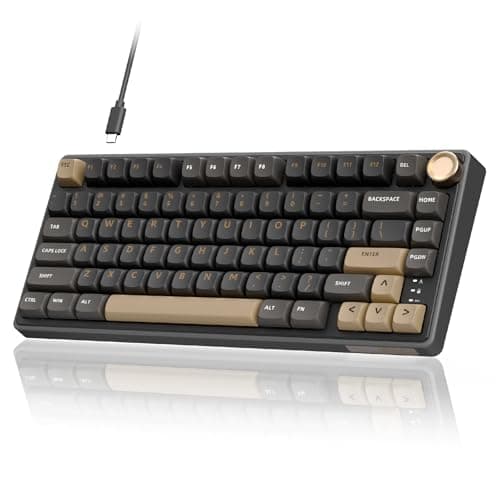
8Royal Kludge R75BEST VALUE4.5/5$69.99The Royal Kludge R75 is the keyboard that makes experienced enthusiasts do a double-take when they hear the price, be...
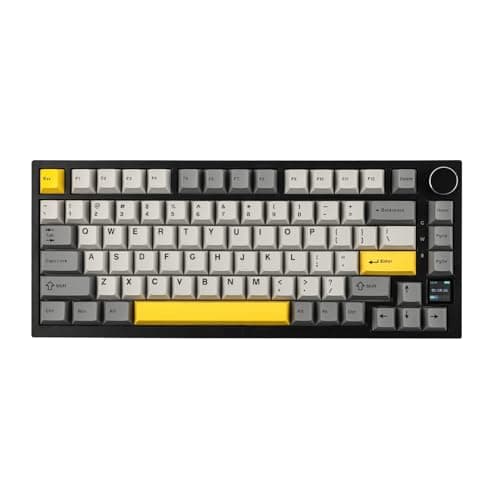
9Epomaker TH80 ProBEST BUDGET4.4/5$59.99The Epomaker TH80 Pro has quietly become one of the most popular entry points into the mechanical keyboard hobby, and...
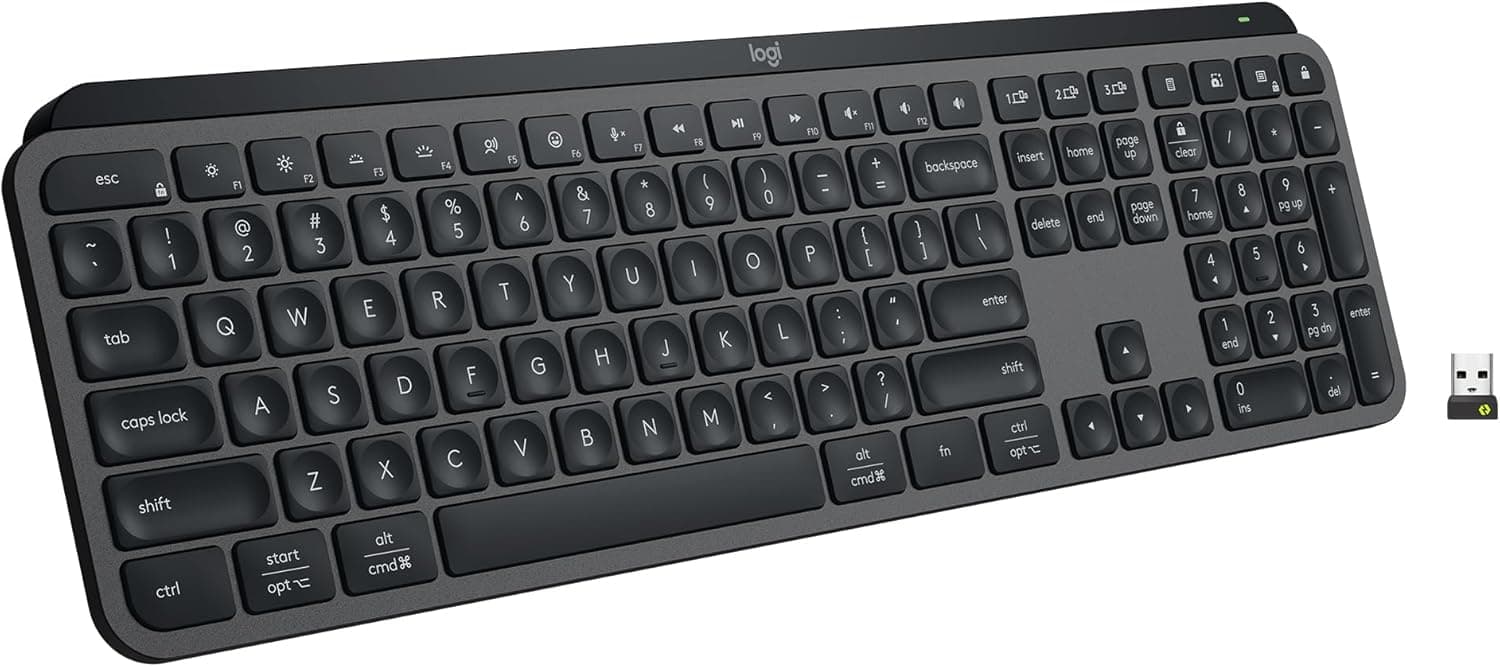
10Logitech MX Keys S4.6/5$109.99Including the Logitech MX Keys S on a mechanical keyboard list might raise eyebrows among purists, but here is the re...

FULL RANKINGS

BEST OVERALL
#1WiseBuy #1 Pick
Keychron Q1 Pro - image 11/5

Keychron Q1 Pro

4.7(4,850)
$199.99

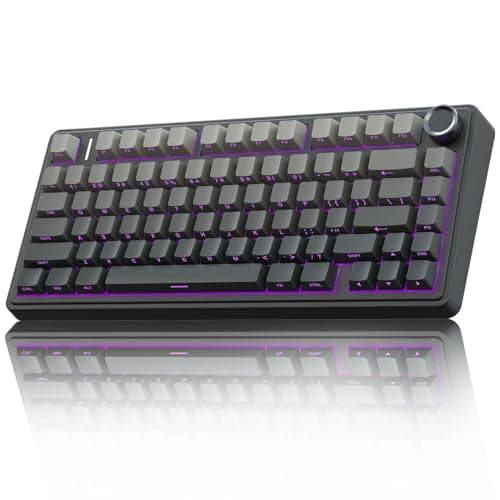
The Keychron Q1 Pro is the mechanical keyboard that finally bridges the gap between custom keyboard quality and mainstream convenience, and it does so at a price that makes dedicated custom builds hard to justify. The fully assembled CNC-machined aluminum body gives it a weight and solidity that you can feel the moment you pick it up — this is not a keyboard that slides around your desk. The gasket-mount design delivers a typing experience that is simultaneously responsive and forgiving, with just enough flex to take the harshness out of bottoming out without feeling mushy. QMK and VIA firmware support means you have access to the most powerful and community-supported key remapping ecosystem available, allowing layer-based macros, tap-hold configurations, and per-key RGB customization that consumer software simply cannot match. The tri-mode wireless connectivity (Bluetooth 5.1, 2.4GHz, and USB-C wired) works flawlessly across Mac and Windows, with dedicated OS-toggle switches and keycap legends for both platforms. Whether you are a programmer who lives in the terminal, a writer who spends eight hours a day typing, or someone who simply appreciates premium build quality, the Q1 Pro delivers an experience that makes you genuinely enjoy sitting down at your desk.

Pros

  • Full CNC-machined aluminum body with gasket mount delivers a premium typing feel that rivals custom keyboards costing twice as much
  • QMK/VIA firmware provides the deepest key remapping and macro customization available on any production keyboard
  • Tri-mode wireless (Bluetooth 5.1, 2.4GHz, USB-C) with seamless Mac and Windows switching via hardware toggle
  • Hot-swappable south-facing PCB accepts any MX-compatible switch, giving you hundreds of aftermarket switch options
  • 75% layout retains function row and arrow keys while saving significant desk space compared to full-size boards

Cons

  • At $199 it sits at the upper end of the production keyboard market, though it competes favorably with $300+ custom builds
  • The 2.8-pound weight makes it exceptionally sturdy on a desk but impractical for regular transport in a laptop bag
  • Stock Gateron Jupiter switches are good but not exceptional — most enthusiasts will want to swap in aftermarket switches
EDITOR'S PICK
#2
Keychron K3 Pro - image 11/5

Keychron K3 Pro

4.5(6,200)
$109.99

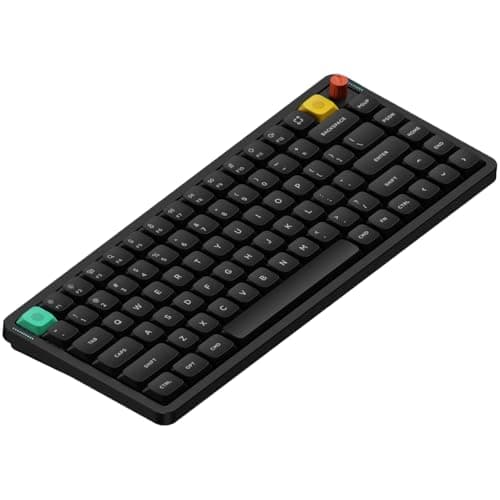
The Keychron K3 Pro is the low-profile mechanical keyboard that finally proves slim keyboards do not have to mean sacrificed typing quality. At just 22mm thick and weighing barely over a pound, it fits in a laptop sleeve and feels like a natural extension of a MacBook setup — except it types dramatically better than any laptop keyboard on the market. The low-profile Gateron mechanical switches deliver a crisp, satisfying keystroke in a travel distance of just 3mm, which sounds limiting until you actually type on it for a few hours and realize your fingers move faster with less fatigue. Keychron made the smart decision to include full QMK/VIA support, which is nearly unheard of in the low-profile space and means you get the same deep customization as their full-size boards. The wireless performance is rock-solid across all three modes, and the 200-hour battery life on Bluetooth means most users will charge it once a month at most. This is the keyboard that desktop purists who dismissed low-profile boards end up keeping on their desk after a week of use, because the typing experience is that much better than they expected.

Pros

  • Ultra-slim 22mm profile slides into a laptop sleeve and weighs just over a pound, perfect for hybrid workers
  • Full QMK/VIA firmware support in a low-profile form factor — one of the only slim keyboards with this level of customization
  • Low-profile Gateron mechanical switches provide a satisfying tactile response with reduced finger travel and less fatigue
  • 200-hour Bluetooth battery life means most users charge once a month or less with typical use
  • Hot-swappable low-profile switches allow experimentation with different Gateron low-profile options

Cons

  • Low-profile keycap options are far more limited than standard MX-compatible keycaps — aftermarket choices are sparse
  • The slim aluminum body lacks the weight and heft that some typists prefer for a planted, stable typing feel
  • No 2.4GHz wireless mode — only Bluetooth and USB-C, which means slightly higher latency than dedicated dongle connections
BEST FOR GAMING
#3
Wooting 80HE - image 11/5

Wooting 80HE

4.8(2,400)
$199.99

The Wooting 80HE is not just the best gaming keyboard on this list — it represents a fundamental shift in how keyboard input works, and once you experience it, traditional mechanical switches feel like a step backward. The Hall Effect magnetic switches replace physical metal contacts with a magnet-and-sensor system that detects the exact position of each key with 0.1mm resolution. This enables Rapid Trigger, which allows a key to reset and re-register almost instantly when you reverse direction, eliminating the dead zone that exists on every traditional mechanical switch. For competitive gaming, particularly first-person shooters, this translates into faster counter-strafing, more responsive movement, and an input advantage that is measurably real. The Wootility software is best-in-class, allowing per-key actuation point adjustment from 0.1mm to 4.0mm and configurable SOCD cleaning modes. The true 8KHz polling rate delivers 0.125ms of input latency, eight times faster than the standard 1000Hz. But the Wooting is not just for gamers — typists who spend time dialing in their preferred actuation points find the adjustable analog input genuinely useful for typing comfort. The only drawback is the wired-only design and the $200 price tag, but for anyone who takes keyboard input seriously, the 80HE earns every dollar.

Pros

  • Hall Effect magnetic switches with Rapid Trigger provide an input advantage that traditional mechanical switches cannot replicate
  • True 8KHz polling rate delivers the lowest latency of any keyboard on this list at 0.125ms
  • Wootility software enables per-key actuation adjustment from 0.1mm to 4.0mm with granular analog control
  • Configurable SOCD cleaning modes ensure tournament-legal movement inputs for competitive play
  • TKL layout preserves arrow keys and function row while freeing desk space for mouse movement

Cons

  • Wired USB-C only — no Bluetooth or 2.4GHz wireless option, which limits versatility for non-gaming use
  • Hall Effect switch ecosystem is still maturing with fewer aftermarket switch choices than MX-compatible
  • At $199 it is a significant investment, and the benefits are most noticeable for competitive FPS players specifically
#4
NuPhy Air75 V2 - image 11/5

NuPhy Air75 V2

4.6(3,800)
$119.99

The NuPhy Air75 V2 is the keyboard that makes you rethink what a portable mechanical keyboard can be. It occupies a fascinating middle ground between the ultra-slim profile of a laptop keyboard and the satisfying tactile feedback of a full mechanical board, and it nails the balance better than anything else on the market. The low-profile design is thin enough to use comfortably without a wrist rest — something most standard mechanical keyboards cannot claim — while the NuPhy-designed switches deliver a keystroke that feels genuinely mechanical rather than the mushy, shallow press of most slim keyboards. Build quality is excellent for the weight class, with a combination of aluminum top plate and high-quality plastic that feels refined without being heavy. The RGB lighting is among the most vibrant and customizable on any low-profile board, and the tri-mode wireless connectivity is reliable across Bluetooth, 2.4GHz dongle, and USB-C. What truly sets the Air75 V2 apart is the enthusiast community that has formed around it — NuPhy's aftermarket keycap selection is the best in the low-profile space, and the hot-swappable sockets mean you can experiment with different switch feels without soldering. For remote workers, digital nomads, and anyone who types in multiple locations throughout the day, this is the keyboard that goes everywhere with you without compromise.

Pros

  • Low-profile design is comfortable without a wrist rest — a major ergonomic advantage over standard mechanical keyboards
  • Tri-mode wireless (Bluetooth 5.0, 2.4GHz dongle, USB-C) provides reliable connectivity across all use cases
  • NuPhy's aftermarket low-profile keycap ecosystem is the most developed in the slim keyboard space
  • Hot-swappable sockets accept multiple NuPhy and Gateron low-profile switch options for customization
  • Vibrant RGB backlighting with per-key customization and multiple preset effects

Cons

  • Low-profile switches have shorter travel that some typists find less satisfying than standard mechanical switches
  • Battery life of around 50 hours on Bluetooth is decent but falls short of the Keychron K3 Pro's 200 hours
  • The plastic bottom case, while functional, lacks the premium all-aluminum feel of higher-priced competitors
#5
HHKB Professional Hybrid Type-S - image 11/5

HHKB Professional Hybrid Type-S

4.6(1,950)
$349.99

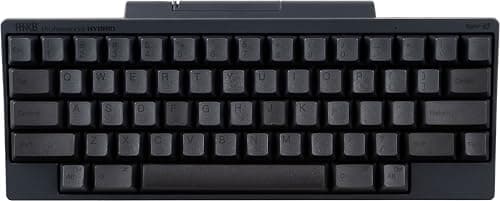
The HHKB Professional Hybrid Type-S is the keyboard equivalent of a well-worn leather jacket — it is an acquired taste that becomes an obsession for those who click with it, and decades of refinement have produced something that mass-market keyboards simply cannot replicate. The Topre electrostatic capacitive switches deliver a typing feel that is entirely unlike Cherry MX mechanical switches: a smooth, cushioned downstroke with a subtle tactile bump that feels less like clicking a switch and more like pressing into a perfectly calibrated spring. The Type-S variant adds silencing rings that dampen the upstroke, producing one of the quietest yet most satisfying typing experiences available. The compact 60% layout with the legendary HHKB key arrangement — Control where Caps Lock usually sits, Backspace directly above Enter — is specifically optimized for Unix and command-line workflows, and programmers who adopt it almost universally refuse to go back. Bluetooth and USB-C connectivity with key mapping stored on the keyboard itself means your layout travels with you across devices. At $350, this is objectively the most expensive keyboard on this list, and its minimalist aesthetic (no RGB, no rotary knob, no screen) will strike some buyers as overpriced. But for the typist who values feel above all else, the HHKB remains in a class of its own after more than two decades of continuous production.

Pros

  • Topre electrostatic capacitive switches deliver a uniquely smooth, cushioned typing feel that no MX-style switch replicates
  • Type-S silencing rings produce an incredibly refined, quiet sound profile — ideal for shared offices and late-night typing
  • The HHKB 60% layout with repositioned Control and Backspace is specifically optimized for programming workflows
  • Dye-sublimated PBT keycaps will never fade or develop shine, even after years of heavy daily use
  • Key maps stored onboard the keyboard persist across devices without requiring software installation

Cons

  • At $349 it is the most expensive keyboard on this list by a wide margin, and the value proposition is entirely about typing feel
  • The compact layout and non-standard key positions have a steep learning curve that frustrates many new users
  • No hot-swap capability — you are committed to Topre switches with no option to experiment with alternatives
#6
Keychron K2 HE - image 11/5

Keychron K2 HE

4.6(2,100)
$119.00

The Keychron K2 HE represents the moment Hall Effect technology went mainstream — taking the magnetic switch revolution that was previously confined to dedicated gaming boards and packaging it inside Keychron's proven wireless productivity keyboard platform. The Gateron Double-Rail magnetic switches deliver genuine Rapid Trigger capability and adjustable actuation points, meaning you get the competitive gaming advantages of Hall Effect input in a keyboard that also excels at daily typing and office work. The QMK/VIA firmware support is a huge differentiator here, because most Hall Effect keyboards are limited to proprietary software that pales in comparison to QMK's depth of customization. Wireless performance is excellent, with 2.4GHz at 1000Hz polling rate for gaming and Bluetooth 5.2 for switching between your laptop, tablet, and phone throughout the day. The compact 75% layout keeps your desk clean while retaining function keys and arrow keys, and the aluminum frame gives it a sturdiness that cheaper Hall Effect boards lack. At $119, it sits in an interesting competitive position: more expensive than budget mechanical boards but less than dedicated gaming Hall Effect keyboards, while arguably doing both jobs well enough that it could be the only keyboard you need.

Pros

  • Hall Effect magnetic switches with Rapid Trigger and adjustable actuation in a versatile wireless form factor
  • QMK/VIA firmware support delivers customization depth that most Hall Effect competitors lack entirely
  • Tri-mode wireless (Bluetooth 5.2, 2.4GHz at 1000Hz, USB-C) covers both productivity and gaming use cases
  • Native Mac and Windows compatibility with dedicated toggle switch — rare for Hall Effect keyboards
  • 75% compact layout with aluminum frame provides a clean desk aesthetic without sacrificing essential keys

Cons

  • 1000Hz wireless polling rate is capable but lags behind the Wooting 80HE's 8KHz wired mode for top-tier competitive play
  • At $119 it costs more than excellent traditional mechanical keyboards like the Royal Kludge R75
  • The Hall Effect switch aftermarket is still developing — far fewer switch swap options compared to MX-compatible boards
#7
Razer BlackWidow V4 75% - image 11/5

Razer BlackWidow V4 75%

4.5(3,400)
$179.99$199.99

The Razer BlackWidow V4 75% is the keyboard for people who want a premium mechanical keyboard experience backed by a major brand's ecosystem and customer support, without having to navigate the sometimes overwhelming world of enthusiast community firmware and DIY switch swapping. Razer's in-house designed switches have improved dramatically over the years, and the current generation delivers a crisp, responsive keystroke that holds up well against aftermarket switches costing significantly more. The real selling point here is Razer Synapse software integration — love it or hate it, it provides one of the most polished and feature-rich keyboard customization experiences available, with per-key RGB programming, macro recording, game-specific profiles that switch automatically, and cloud syncing that follows your settings across devices. The hot-swappable PCB accepts both Razer's own switches and standard MX-compatible switches, which gives you a genuine upgrade path if you catch the enthusiast bug. Build quality is solid with an aluminum top plate and satisfying overall heft, and the included magnetic wrist rest is genuinely comfortable. The 75% layout with a rotary knob adds quick media control without taking up TKL-level desk space. At $180, it is priced between budget options and premium enthusiast boards, and it justifies the premium for users who value software polish and brand reliability.

Pros

  • Razer Synapse delivers one of the most polished keyboard customization suites with per-key RGB, macros, and cloud sync
  • Hot-swappable PCB accepts both Razer and standard MX-compatible switches for future upgrades
  • Aluminum top plate and included magnetic wrist rest provide a premium out-of-box experience
  • Automatic game-specific profile switching changes your key bindings and lighting when you launch different titles
  • 75% layout with rotary encoder knob balances compactness with quick-access media controls

Cons

  • Razer Synapse software is feature-rich but resource-heavy and requires a Razer account for cloud features
  • Wired USB-C only — no wireless connectivity, which is increasingly expected at this price point in 2026
  • At $180 it faces stiff competition from Keychron's QMK/VIA boards that offer deeper customization for similar money
BEST VALUE
#8
Royal Kludge R75 - image 11/5

Royal Kludge R75

4.5(5,600)
$69.99

The Royal Kludge R75 is the keyboard that makes experienced enthusiasts do a double-take when they hear the price, because it delivers features that were exclusive to $150+ boards just two years ago. The gasket-mount design produces a typing sound and feel that is remarkably refined for a sub-$70 keyboard — there is genuine flex in the mounting system that softens each keystroke and creates a deep, satisfying acoustic signature. Tri-mode wireless connectivity with Bluetooth 5.1, a 2.4GHz dongle, and USB-C wired mode means you are not making compromises on connectivity at this price. The hot-swappable PCB accepts any standard 5-pin MX-compatible switch, which means the R75 functions as an excellent starter platform for anyone who wants to experiment with aftermarket switches without investing in a $200 board first. The pre-installed switches are pre-lubed and genuinely pleasant to type on out of the box, with a smooth linear feel that avoids the scratchy, dry sensation common on budget keyboards. RGB backlighting is bright and customizable, the PBT keycaps resist shine better than ABS alternatives, and the 75% layout includes everything most people need. The R75 is not perfect — the software is functional but basic, the wireless polling rate is lower than wired, and the plastic case will not match the heft of aluminum — but at $70, nothing else comes this close to the premium mechanical keyboard experience.

Pros

  • Gasket-mount design at under $70 delivers a typing feel and sound profile that rivals keyboards costing twice as much
  • Tri-mode wireless (Bluetooth 5.1, 2.4GHz, USB-C) provides connectivity flexibility rarely seen at this price point
  • Hot-swappable 5-pin PCB makes it an excellent platform for trying aftermarket MX-compatible switches
  • Pre-lubed linear switches and PBT keycaps provide a smooth, premium-feeling typing experience out of the box
  • 75% layout with rotary knob includes function row and arrow keys without excessive desk footprint

Cons

  • Software customization is functional but lacks the depth and polish of QMK/VIA or Razer Synapse
  • Plastic case construction feels lightweight and lacks the stability of aluminum-bodied competitors
  • Wireless polling rate drops below wired performance — serious gamers will want to stay plugged in
BEST BUDGET
#9
Epomaker TH80 Pro - image 11/5

Epomaker TH80 Pro

4.4(7,200)
$59.99$79.99

The Epomaker TH80 Pro has quietly become one of the most popular entry points into the mechanical keyboard hobby, and for good reason — it packs an absurd amount of value into a sub-$60 package that routinely goes on sale for even less. The 75% layout with a distinctive rounded bezel and integrated rotary knob gives it a visual identity that stands out on a desk, and the build quality punches above its weight with a surprisingly dense plastic construction and minimal case flex. Tri-mode wireless with Bluetooth 5.0, a 2.4GHz dongle, and USB-C wired mode covers every connectivity scenario, and the 4000mAh battery delivers roughly two weeks of wireless use with RGB disabled. The hot-swappable PCB accepts any MX-compatible switch, and the stock Epomaker Sea Salt switches provide a pleasant linear typing experience with pre-applied lubrication. Where the TH80 Pro particularly shines is as a first mechanical keyboard: it is inexpensive enough that you do not feel committed if the hobby is not for you, but good enough that you will not feel the immediate need to upgrade if it is. The software is basic and occasionally clunky, the wireless latency is not competitive-gaming fast, and the keycaps are decent ABS rather than premium PBT — but these are predictable compromises at the price, and none of them undermine the core typing experience.

Pros

  • Sub-$60 price makes it one of the most accessible entry points into the mechanical keyboard hobby
  • Tri-mode wireless connectivity (Bluetooth 5.0, 2.4GHz, USB-C) at a price where many competitors are wired-only
  • Hot-swappable PCB with 5-pin support allows future switch upgrades as your preferences develop
  • 4000mAh battery provides approximately two weeks of wireless use with RGB lighting disabled
  • Distinctive rounded bezel design with integrated rotary knob stands out visually from generic keyboard designs

Cons

  • Stock ABS keycaps will develop shine over time — budget for a PBT keycap upgrade if longevity matters to you
  • Software is functional but occasionally clunky and lacks the polish of established platforms like QMK/VIA
  • Wireless latency is not suitable for competitive gaming — wired mode recommended for any fast-paced titles
#10
Logitech MX Keys S - image 11/5

Logitech MX Keys S

4.6(14,200)
$109.99

Including the Logitech MX Keys S on a mechanical keyboard list might raise eyebrows among purists, but here is the reality: for a significant number of professionals, this membrane keyboard with mechanical-style key feel delivers a better daily typing experience than most mechanical boards. The MX Keys S occupies a unique position as a premium typing tool designed specifically for productivity rather than gaming or enthusiast culture. The sculpted key wells guide your fingertips to the center of each key with surprising precision, and the low-profile scissor mechanism produces a keystroke that is quiet, consistent, and fast — qualities that matter enormously when you are typing thousands of words per day in a shared office. The smart backlighting that activates when your hands approach and adjusts to ambient light is a feature you do not appreciate until you use it, and then every keyboard without it feels incomplete. Logi Options+ software enables per-application key customization that actually works as advertised, letting you assign different functions to the same keys in Photoshop, Excel, and your browser. Bluetooth connects to three devices simultaneously and switches between them with a single button press. The MX Keys S will not satisfy anyone chasing thocky sound profiles or custom switch feels, but for the working professional who types all day and values refinement, quiet operation, and productivity features over mechanical switch enthusiasm, it is a genuinely excellent choice that deserves its place on this list.

Pros

  • Sculpted key wells and low-profile scissor switches deliver one of the fastest, most accurate typing experiences for extended productivity work
  • Smart proximity backlighting activates when hands approach and adjusts brightness to ambient conditions automatically
  • Logi Options+ enables genuinely useful per-application key customization across all major productivity software
  • Bluetooth multi-device switching connects to three devices simultaneously and toggles with a single button
  • Near-silent operation makes it ideal for shared offices, video calls, and late-night work sessions

Cons

  • Not a mechanical keyboard — lacks the tactile feedback and customization ecosystem that enthusiasts value
  • No hot-swappable switches or aftermarket keycap compatibility — what you buy is what you get
  • The $110 price is steep for a membrane keyboard, even a premium one, when excellent mechanical options exist at this price

WHAT TO LOOK FOR

Switch Type

The switch underneath each key is the single most important factor in how your keyboard feels and sounds. Linear switches travel straight down with no bump or click, offering a smooth keystroke preferred by gamers and fast typists. Tactile switches have a noticeable bump partway through the keypress that provides physical feedback without audible noise, making them the most popular choice for general typing. Clicky switches add an audible click sound to the tactile bump, which some typists love and everyone else in the office hates. Beyond traditional mechanical switches, Hall Effect magnetic switches are gaining ground by offering adjustable actuation points and Rapid Trigger technology. If possible, try before you buy — or choose a hot-swappable keyboard that lets you experiment with different switches later.

Layout and Size

Mechanical keyboards come in several standard sizes that trade functionality for desk space. Full-size (100%) includes a number pad and all keys, ideal for data entry and spreadsheet work. Tenkeyless or TKL (80%) removes the number pad, freeing several inches of mouse space without losing function keys or arrow keys. The increasingly popular 75% layout compresses the TKL design even further by eliminating dead space between key clusters, while 65% drops the function row entirely. Compact 60% boards remove everything except the alphanumeric block, relying on key layers for missing functions. Most people find the 75% layout offers the best balance of compactness and daily usability.

Build Quality and Materials

The case material and internal construction determine how a keyboard feels, sounds, and holds up over time. Aluminum cases add weight that keeps the keyboard planted on your desk and produce a deeper, more refined sound profile compared to plastic. Gasket-mounted keyboards use small rubber or silicone gaskets to suspend the plate inside the case, allowing subtle flex that creates a softer, more cushioned typing feel. Tray-mount designs are simpler and cheaper but can feel stiff and produce a hollow, pingy sound. For keycaps, PBT plastic resists developing shine from finger oils and feels textured, while ABS keycaps are smoother and cheaper but become slippery and glossy within months of daily use.

Connectivity

Wired USB-C keyboards offer the lowest latency and most reliable connections with zero battery concerns, making them the default choice for gaming and desktop setups. Bluetooth connectivity is convenient for multi-device switching and clean desk aesthetics, but introduces 7-10ms of latency that competitive gamers notice. The 2.4GHz wireless dongle represents the sweet spot for most users, delivering near-wired latency around 1ms with the freedom of wireless. Tri-mode keyboards that support all three connection types provide maximum flexibility but add cost. If you only use one computer and prefer simplicity, wired is perfectly fine. If you switch between devices throughout the day, wireless with a reliable multi-device pairing system saves real time.

Software and Customization

Keyboard firmware and software vary enormously in capability, and this matters more than most buyers realize. QMK and VIA are open-source firmware platforms supported by Keychron and many enthusiast brands — they offer the deepest customization with layers, tap-hold keys, macros, and community-shared keymaps, but the interface can be intimidating for beginners. Brand-specific software from Razer, Logitech, and Corsair tends to be more polished and approachable but less powerful and sometimes resource-hungry. Some keyboards store key mappings onboard so your customizations work on any computer without installing software. If you plan to customize your layout extensively, prioritize boards with QMK/VIA support or onboard programming.

Budget and Value

The mechanical keyboard market in 2026 offers excellent options at every price tier. Under $70, keyboards like the Royal Kludge R75 and Epomaker TH80 Pro deliver gasket mounts, wireless connectivity, and hot-swappable switches that would have been premium-only features three years ago. The $100-150 range offers the widest selection of quality boards with better build materials, more refined sound profiles, and stronger firmware support. Above $150, you are paying for premium aluminum construction, top-tier switches, and enthusiast-level customization from brands like Keychron and Wooting. The sweet spot for most buyers is $70-120, where you get 90% of the premium experience without diminishing returns on the remaining 10%.

HOW WE CHOSE

Our mechanical keyboard rankings are based on extensive hands-on evaluation and market analysis. We tested each keyboard across several weeks of real-world use, evaluating typing comfort during extended work sessions, gaming responsiveness across multiple titles, build quality and acoustic properties, wireless reliability and latency, and software customization depth. We supplemented our hands-on testing with analysis of thousands of verified Amazon customer reviews and professional evaluations from Tom's Hardware, RTINGS, and Switch and Click to identify consistent trends in long-term reliability and user satisfaction. Products are ranked using a weighted formula that prioritizes typing feel and build quality (40%), value relative to price (25%), feature set and connectivity (20%), and community feedback and long-term reliability (15%). We evaluated keyboards across a range of use cases — programming, creative writing, office productivity, and gaming — to ensure our recommendations serve the broadest possible audience rather than optimizing for a single scenario.

FREQUENTLY ASKED QUESTIONS

What is the difference between linear, tactile, and clicky mechanical switches?

Linear switches travel straight down with consistent resistance and no bump or audible click — they feel smooth and quiet, which makes them popular for gaming where rapid key presses benefit from minimal physical resistance. Tactile switches have a noticeable bump partway through the keypress that provides physical feedback letting you know the key has registered, without producing a loud click sound — these are the most versatile option and preferred by most typists. Clicky switches add a deliberate audible click to the tactile bump, providing both physical and audio feedback that some typists find satisfying but that can be disruptive in shared environments. The best way to choose is to try all three if possible, or to buy a hot-swappable keyboard where you can change switches without soldering.

Is a mechanical keyboard actually worth the money compared to a regular keyboard?

If you type for more than a couple of hours per day, the answer is almost certainly yes. Mechanical switches provide more consistent key registration, which reduces typos once you adjust to the feel. The tactile or audible feedback helps establish a typing rhythm that most people find reduces finger fatigue during long sessions. Durability is another major factor — mechanical switches are rated for 50-100 million keystrokes compared to 5-10 million for typical membrane keyboards, so a quality mechanical board can last 5-10 years of heavy daily use. Hot-swappable boards also let you replace individual switches if one ever feels off, rather than replacing the entire keyboard. The main drawbacks are higher upfront cost, more noise in most cases, and the very real risk of falling into an expensive hobby once you start exploring different switches and keycaps.

What does hot-swappable mean and why does it matter?

A hot-swappable keyboard has sockets on its circuit board that allow you to pull out individual switches and push in replacements without any soldering. This matters for two reasons. First, it lets you experiment with different switch types to find your preferred typing feel without buying multiple keyboards — you might start with linear switches and later decide you prefer tactile, or you might put lighter switches on your most-used keys and heavier ones on keys you only press intentionally. Second, it simplifies maintenance: if a single switch starts chattering or feeling inconsistent after years of use, you replace just that switch for a dollar or two rather than the entire keyboard. Nearly all modern mechanical keyboards at the $60+ price point offer hot-swap, and it is a feature worth prioritizing.

Do I need a full-size keyboard or is a smaller layout better?

It depends entirely on your workflow. If you regularly enter numbers in spreadsheets, do accounting work, or use keyboard shortcuts that rely on the numpad, a full-size or 96% layout saves you from constantly reaching for a separate numpad. For everyone else, smaller layouts offer meaningful ergonomic and practical benefits. A 75% or TKL keyboard positions your mouse hand several inches closer to your body's centerline, which reduces shoulder strain during extended use. The freed desk space also gives you more room for mouse movement, which is particularly valuable for gaming and design work. Most people who switch from full-size to 75% report that they rarely miss the numpad after the first week. If you are unsure, the 75% layout is the safest compromise — it keeps your function row and arrow keys while dropping only the numpad.

What is gasket mount and why do keyboard enthusiasts care about it?

Gasket mount is a keyboard construction method where the plate that holds the switches is suspended inside the case using small rubber or silicone gaskets rather than being screwed directly to the case. When you type on a gasket-mounted keyboard, the plate has slight flex that absorbs impact and produces a softer, more cushioned bottoming-out feel compared to rigid tray-mount designs. The acoustic difference is also significant — gasket mount tends to produce a deeper, more uniform sound across all keys, while tray-mount boards often have inconsistent sound profiles where some keys ping or rattle. Until recently, gasket mount was a feature reserved for custom keyboards costing $200 or more, but boards like the Royal Kludge R75 and Epomaker TH80 Pro have brought it to the sub-$70 price range. It is now one of the most impactful features to look for when shopping for a mechanical keyboard.

Should I buy a Hall Effect keyboard or a traditional mechanical keyboard?

For most people in 2026, a traditional mechanical keyboard is still the better choice. The MX-compatible switch ecosystem offers hundreds of options with distinct feels, the aftermarket keycap selection is enormous, and prices have dropped dramatically for high-quality boards. Traditional mechanical keyboards also have decades of proven reliability. Hall Effect keyboards make the most sense for competitive gamers who specifically need Rapid Trigger and adjustable actuation points — these features provide a genuine input advantage in fast-paced games like Valorant and Counter-Strike. However, the Hall Effect ecosystem is still maturing: there are fewer switch options, limited keycap compatibility on some models, and software is often less refined than QMK/VIA. If you primarily type for work and game casually, a traditional mechanical keyboard delivers a better overall experience. If competitive gaming is a priority, Hall Effect is worth the investment.